
 Need help?
Do you have a question about the Rhewa 82comfort and is the answer not in the manual?
Covers mains connection, arc welding, handling, cleaning, storage, and ambient conditions.
Explains safety symbols, display fonts, and the 14-segment character set.
Details list symbols for actions/controls and how keys are represented.
Instructions for desktop/wall mounting and device dimensions.
Covers switching setup orientation and enclosure cover adjustments.
Steps for switching on the device and the initialisation routine.
Details error messages displayed on power-up and their solutions.
Correct procedure for switching off the indicator to preserve data.
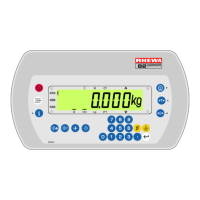
Overview of the control panel layout and the LC display elements.
Explains symbols on the display and the functions of different keys.
Guides on navigating menus and entering/selecting values using keys.
How the device indicates loads outside range and operates with multiple ranges.
Procedures for zeroing the scale and using tare functions.
Instructions for setting, clearing, and displaying tare values.
Explains auto tare, automatic clearing, and using tare memories.
Explains the counting function and potential error sources.
How to determine and optimize reference weight for accurate counting.
Procedures for entering reference weight, ending count, and a practical example.
Explains the accumulator function, available memories, and display indicators.
Steps for accumulating weights and printing stored totals.
Procedure for erasing all data from accumulation memories.
General printing capabilities and how to print the current weighing value.
Information on custom printouts, printing totals, and printer types.
Information about the internal clock and the menu structure for setting time/date.
Step-by-step guide for changing the device's time and date.
Requirements, rules, and general operation of the alibi memory.
Outlines menu structure and how to display stored records.
Procedures for printing records and checking memory status.
Explains the animal weighing function, prerequisites, and how the result is displayed.
Step-by-step guide for performing an animal weighing operation.
How variables are used for data entry and prompted during operations.
Information on default values and how to edit variable values via the menu.
Describes properties of digital outputs and types like setpoint and interval switches.
Outlines menu structure and table for configuring digital outputs.
Explains function, operation, and display of statistical data.
Procedures for measuring samples, printing, and displaying statistics memory.
Printing final evaluation results and setting product properties for analysis.
Lists system messages, their causes, and potential solutions.
Details various error messages, their causes, and recommended actions.
Covers enclosure, keypad, display, ambient, and electrical connection specs.
Details load cell, ADC, weighing range, scale interval, and error specifications.
Covers adjustment/weighing programs, interfaces, plug-in cards, printing, and memory options.
Official declaration of conformity for verifiable weighing instruments.
Official declaration of conformity for non-verifiable weighing instruments.
Lists all available spare parts with part numbers, descriptions, and quantities.
Step-by-step guide for installation and essential operational precautions.
 General
| Brand | Rhewa |
|---|---|
| Model | 82comfort |
| Category | Measuring Instruments |
| Language | English |

 To Next Page