USB Specication
Interface:
- USB 2.0 Full speed, HOST (USB HUB is not supported) Corresponding Flash memory
- Compatible with MPEG Audio 1, 2, 2.5
- Compatible with Layer 1, 2, 3
- Compatible with Bit rate: 128 – 320 Kbps
- Subfolder nest : 8 levels
- Number of track / titles max 999
- Support ID3 tag V2.0
Programming tracks
Up to 20 tracks can be programmed to play tracks on an Audio or MP3-CD, USB Device or SD Card
in the desired sequence.
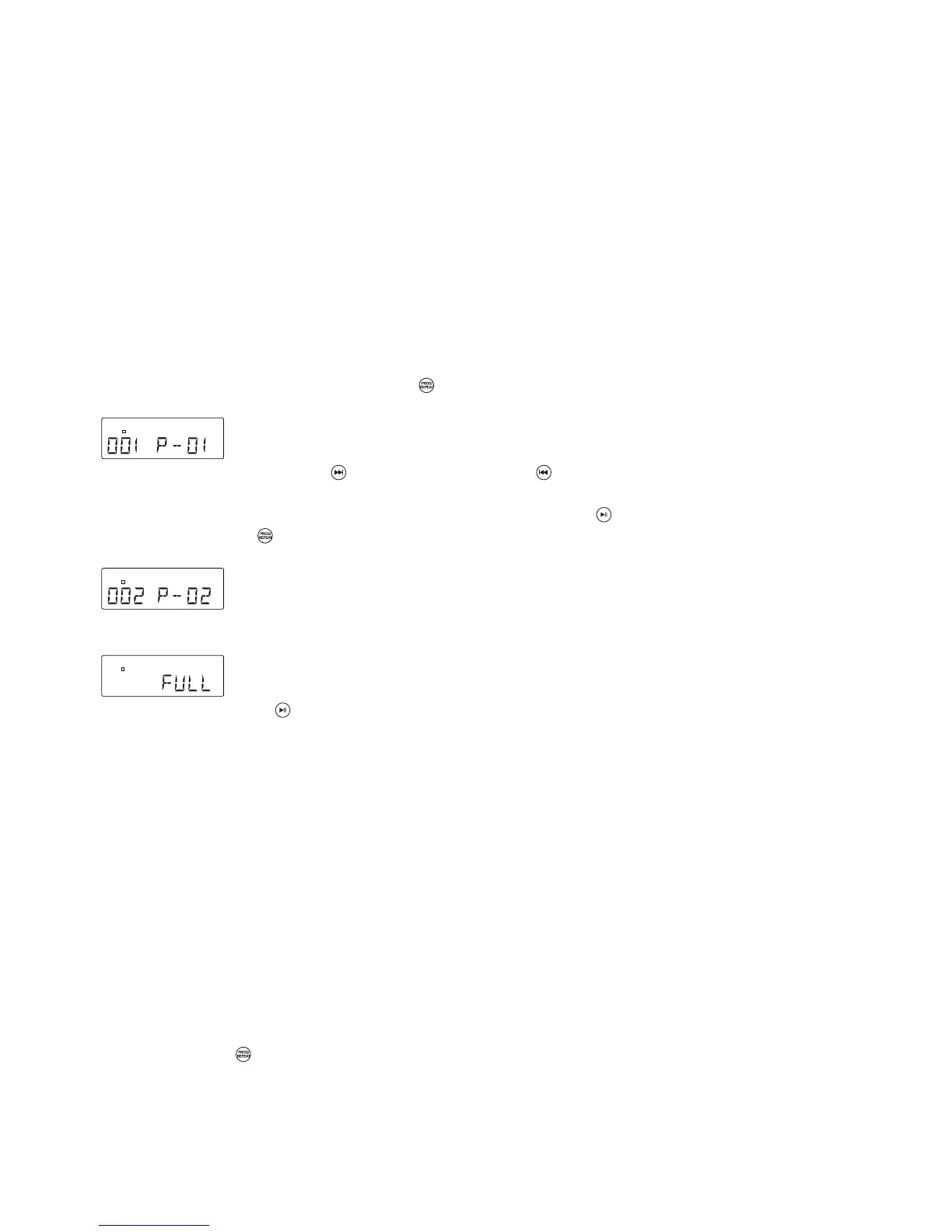
1. In “ STOP “ position, press PROGRAM / to start programming - “P” and P0-01 will start ashing
on the display.
2. Press the FORWARD SKIP / or BACKWARD SKIP / buttons once or repeatedly until the
desired track number appears on the display.
3. For MP3 Programming: press and hold the PLAY/PAUSE key / to select the desired album.
4. Press PROGRAM / to conrm, the display shows the stored track number and the next store
position.
5. Repeat steps 2-3 to select and store all desired tracks. “ FULL “ is displayed if you attempt to
program more than 20 tracks.
6. Press PLAY/PAUSE / to play the programmed tracks.
Erasing the Program
You can erase the contents of the memory as follows :
- In Stop position: Press “ STOP “ once, or
- During Playback: Press “ STOP “ twice, or
- Turn the ON-OFF Switch/Volume Control to OFF, or
- Select another sound source/function, or
- Press the CD OPEN/CLOSE button to open the CD door.(at CD mode)
Play mode
Repeat Play Mode for CD-DA or MP3 Playback
1. Press REPEAT / on the Remote Control while in Play mode.
2. The default Play Mode function is OFF.
3. For CD-DA playback there is a choice of 2 Play Modes: “REPEAT 1” / “REPEAT ALL”
4. For MP3 Playback there is a choice of 3 Play Modes: “REPEAT 1” / “REPEAT FOLDER” /
“REPEAT ALL”.


 To Next Page