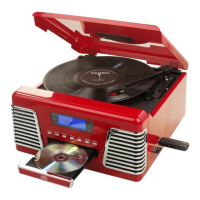
The CD does not play
· Check to make sure the CD is inserted correctly (label side facing up).
· Make sure the Function switch is set to CD and a CD is in the tray.
· Make sure the CD is not blank.
· Check that the surface of the CD is clean. See separate Instructions on CD Care.
USB /SD Card - no music is playing when PLAY/PAUSE is pressed
· Make sure there are MP3 music les stored on the USB Device/Flash Drive / SD Card.
· Check the USB Device/Flash Drive / SD Card is not larger than 4GB as the limit of this unit is up to
4GB max.
· Try resetting the USB by powering off.
· Check if the les on the device/card are perhaps in WMA format. This unit does not play WMA
format, only MP3 format.
· Not all makes of USB device/SD Card are compatible with this unit – this is not a malfunction of the
unit.
Cannot Record Music on the USB /SD Card
· Make sure the USB/SD Card is not full.
· Make sure the lock switch on the SD card is in the unlocked position.
· It may be the device/card is not compatible or of the correct size (up to 4GB max.) –
not all available USB/SD devices are guaranteed to work with this unit due to the way they are
manufactured.
The recorded MP3 Music does not have the same sound quality as the original CD
· The sound quality of an MP3 disc varies from that of a pre-recorded Audio Compact Disc, due to the
quality and method of recording and the difference in format.
The Remote is not working
· Replace the battery. See Specications for type of battery required.
· Remove any obstacles in the path of the Infra Red Remote and the Remote Sensor next to the LCD
Display, so the remote signal has a straight path to it.


 To Next Page