3. Press
FORWARD SKIP
/ or
BACKWARD SKIP /
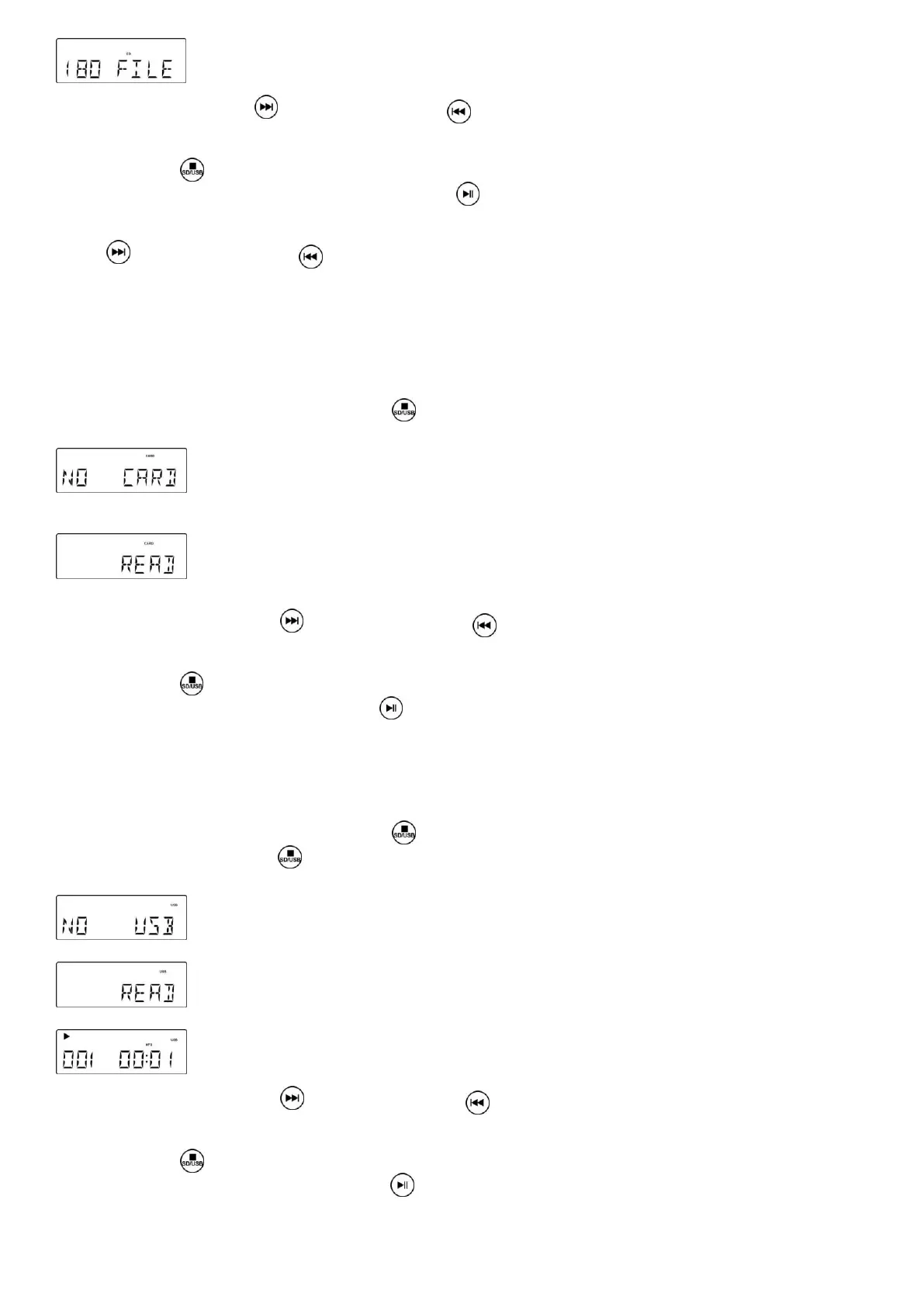
once or repeatedly until the desired track number appears
on the display.
4. Press STOP / to stop playback.
5. In Stop mode, press and hold the PLAY/PAUSE key / to select the MP3 folder.
NOTE: In Stop Mode: For faster skipping forward or backward of 10 tracks at a time, press and hold the
ORWARD
SKIP
/
or
BACKWARD SKIP /
button. This stops when the button is released.
USB & SD CARD OPERATION
SD Card Operation:
1. Switch the unit ON by turning the power ON-OFF SWITCH/VOLUME CONTROL switch to the ON position.
2. Turn the VOLUME control to mid-range position.
3. Slide the FUNCTION Switch to ― CD ― mode.
4. In ― STOP ― mode Press and hold STOP / for over half a second – this will switch from CD>SD .If no Card
has been detected, ― NO CARD ― will show on the Display.
5. Insert an SD Card with pre-recorded MP3 music (not supplied) into the card slot. ―READ‖ is then displayed as the
system scans the contents of the SD Card.
6. Track no. 1 of the Root folder (Folder 1) will play back automatically after reading the SD card contents.
7. Press the
FORWARD SKIP
/ or
BACKWARD SKIP /
once or repeatedly until the desired track number
appears on the display. Release the button – the track will start playing automatically.
8. Press STOP / to stop playback and press PLAY/PAUSE/ to resume play.
9. To pause the music, press PLAY/PAUSE / , press it again to resume play.
USB Operation:
1. Switch the unit ON by turning the power ON-OFF SWITCH/VOLUME CONTROL switch to the ON position.
2. Turn the VOLUME control to mid-range position.
3. Slide the FUNCTION Switch to CD mode.
4. In ― STOP ― mode Press and hold STOP / for over half a second – this will switch from CD>SD .
5. In Stop mode, press STOP / and hold the key for over half a second - this will switch from SD>USB. If no USB
has been detected, ―NO USB‖ will show on the Display.
6. Plug-in a USB mass storage device. " READ " is displayed as the system scans the contents of the USB device.
7. Track no. 1 of root folder (Folder 1) will be played back automatically after the USB device contents has been read.
8. Press the
FORWARD SKIP
/ or
BACKWARD SKIP /
once or repeatedly until the desired track number
appears on the display. Release the button - the track will start playing automatically.
9. Press STOP / to stop playback and press PLAY/PAUSE/ to resume play.
10. To pause the music, press PLAY/PAUSE / , press it again to resume play.
NOTES:
· The USB Port does not support connection with a USB Extension Cable.


 To Next Page