5
Replacing Vacuum Bag and Filters
Replacing the vacuum bag
Change the vacuum bag when the indicator is RED or
suction power is weak. The dust cover will not close without
a bag in the unit or if the bag is not properly installed.
1. Pull the bag holder straight out to access the bag.
2. Push the latch on the underside of the holder to release
the bag collar.
3. Remove and discard the used bag.
NOTE: The Performance HEPA™ bag cannot be reused.
4. Secure the new bag with the bag collar holder latch. Slide
the tab on the bag holder into the slot on the front of the
bag compartment.
Replacing the secondary filter
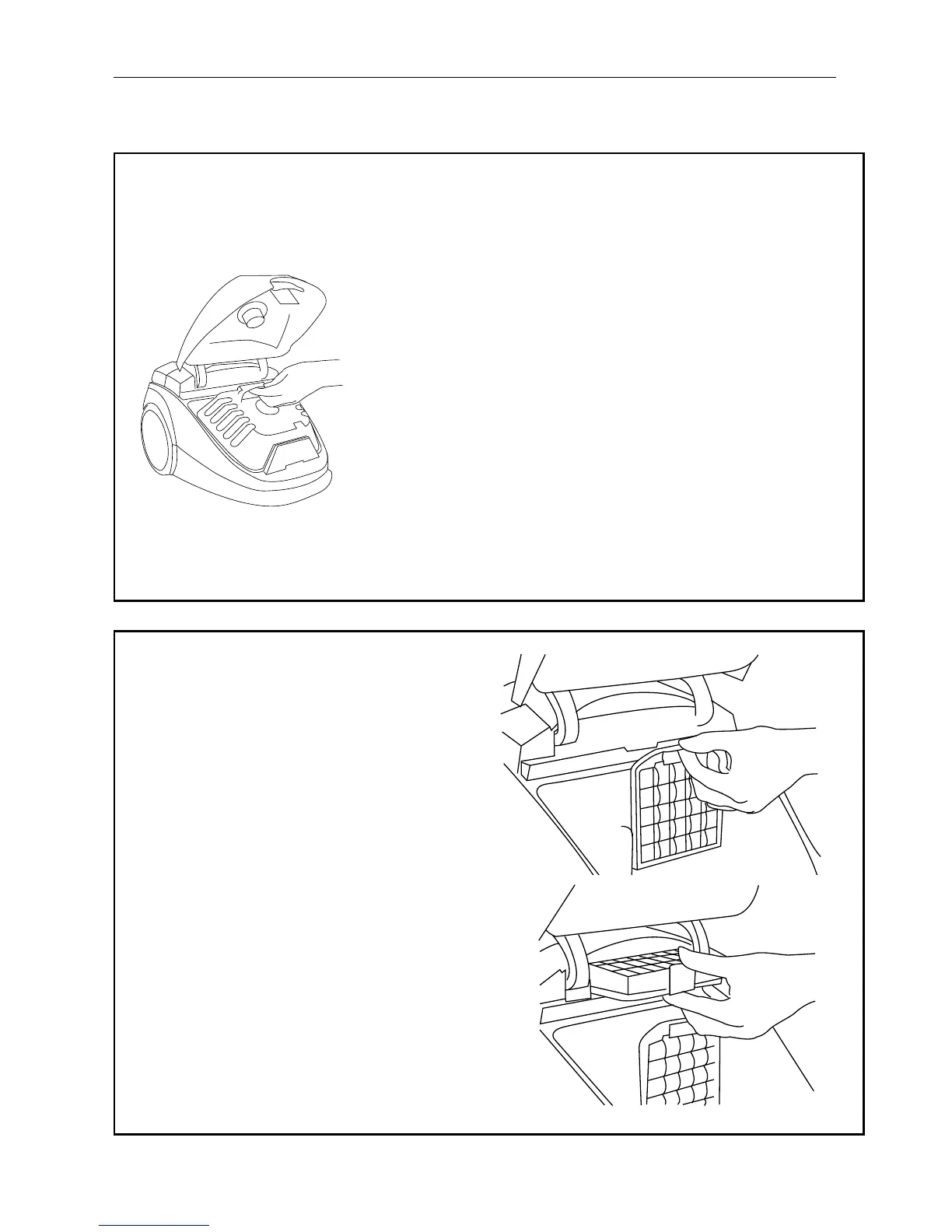
1. Open the bag compartment and locate the
filter behind the vacuum bag. For better
access to the secondary filter, remove the
bag holder and bag.
2. Slide filter holder up and out.
3. Remove the used filter and replace it with
a new filter.
4. Slide the filter holder back in place and
replace the bag holder and bag.
Replacing the HEPA filter
1. Locate the HEPA filter inside the bag
compartment near the door hinge.
2. Press the black tab to remove the used filter
and snap in a new filter.
NOTE: The HEPA filter cannot be
washed and reused.
See page 12 for maintenance recommendations.


 To Next Page