EasyManua.ls Logo

Richard Wolf ENDOCAM Logic 4K - User Manual

Richard Wolf ENDOCAM Logic 4K
60 pages
Print Icon
To Next Page IconTo Next Page
Loading...
GA-A336 / en-US / 2019-06 V2.0 / ECO 2019-0162
(2017-03 V9.0 / PDG 16-8696)
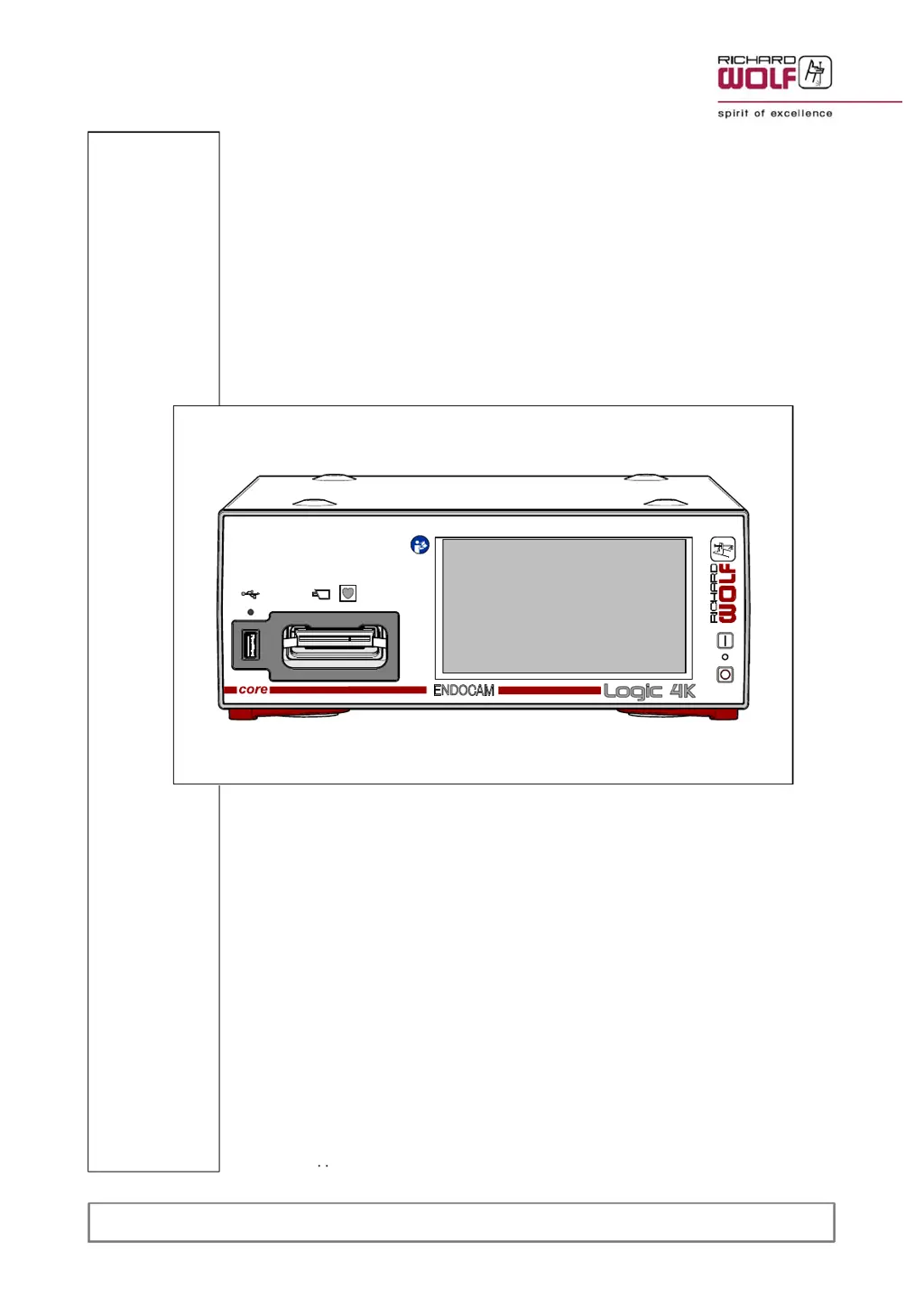
Instruction Manual
Logic 4K Camera Controller
ENDOCAM
5525301

Table of Contents

Questions and Answers

  • C
    Charlene GonzalezAug 5, 2025
    What to do if there is no image at the 3G-SDI or HDMI HD / 4K output connector of Richard Wolf Personal Care Products?
    • J
      Jeremiah SimmonsAug 5, 2025
      If you're experiencing a lack of image from your Richard Wolf Personal Care Products device via the 3G-SDI or HDMI HD / 4K output, first ensure that the video cable is properly connected. If the power supply is the issue, try a different video interface or one with a different video standard. Also, verify the connection between the power cable and socket, and ensure both the monitor and video components are switched on. If the LCD monitor cannot display the preset digital video format, set the LCD monitor or HD signal correctly in the setup of the camera controller. If the camera head or controller is defective, return the device with the camera head for repair.
  • A
    Amber LiAug 14, 2025
    How to troubleshoot a Richard Wolf Personal Care Products device that is not working?
    • G
      gcarsonAug 15, 2025
      If your Richard Wolf Personal Care Products device isn't functioning, start by actuating the power switch. Also, make sure the power cable is securely connected. If the issue persists, try replacing the fuse and check the in-house power supply.
  • J
    Jared MayoAug 25, 2025
    Why is the image too bright on my Richard Wolf Personal Care Products device?
    • T
      tbradleyAug 25, 2025
      If the image from your Richard Wolf Personal Care Products device appears too bright, check whether the suitable profile for this application has been selected. Readjust the contrast and brightness on the monitor. Switch over the endoscopic image adaptation (measurement window) as required. When using an optical zoom objective lens, adapt the display window or magnification to the measurement window selected. Also, ensure the "ELC" function (automatic brightness control) is switched on, as deactivation can cause overexposure.

Summary

General Information

Symbols and Usage

Explains symbols used in the manual and on the device, and indications for use.

Contraindications and Safety

Covers contraindications, side effects, license agreements, and EMC compliance.

Product Combinations

Specifies requirements for using the controller with other Richard Wolf components.

Connection Diagram

Illustration

Device Views and Controls

Shows front, rear, and optional remote control unit components with labels.

Setup

Setup Precautions and Warnings

Important warnings and notes for safe and proper setup of the device.

System Connection and Preparation

Instructions for connecting to the core nova system and preparing the device.

Menu and Display Configuration

Guide to setting menu language, keyboard, date/time, and adjusting displays.

Checks

Pre-Use Verification

Procedures for visual and functional verification of the device before and after use.

Operating Instruction

Operating Principle

Explains the fundamental operation of the Logic 4K Camera Controller.

Control Elements and Modes

Details device controls, operating modes like SIM, and dialog functions.

Menu Navigation and Control

Explains menu control via touchscreen, handheld remote, and PC keyboard.

Menu Structure and Settings

Outlines menu levels, structures, and descriptions of settings submenus.

Status Line and Function Keys

Explains status line symbols and function key assignments.

Camera Controller Operation Details

Provides notes on core nova operation, AWB, profile editing, and storage.

System Messages

Message Structure and Types

Explains the format, types, and priority of system messages.

Troubleshooting

Device and Video Errors

Lists common device errors, video mode faults, and their corrective actions.

System and Monitor Issues

Covers errors within the core nova system and monitor display problems.

Technical Data

General Specifications

Provides electrical, environmental, and physical specifications for the camera controller.

Extension Options and Interfaces

Details camera controller extension modules and input/output interface formats.

Operating Conditions

Specifies conditions for operation, storage, transport, and shipping.

Spare Parts and Accessories

Replacing Parts

Device Fuses and Disposal

Instructions for replacing fuses and guidance on product disposal.

Warranty and Customer Service

Warranty and Repair Policy

Details the warranty terms, limitations, and procedures for repairs.

Customer Service and Ordering

Contact information and policies for customer service, ordering, and repairs.

Richard Wolf ENDOCAM Logic 4K Specifications

General IconGeneral
Resolution4K Ultra HD (3840 x 2160 pixels)
Image ProcessingAdvanced image processing for high-quality visualization
Light Source CompatibilityCompatible with light sources
Video OutputHDMI
CategoryMedical Endoscopy Camera