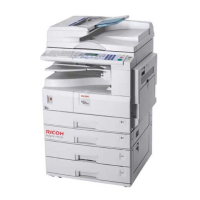
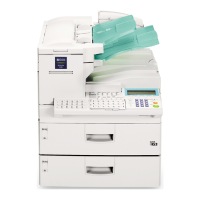
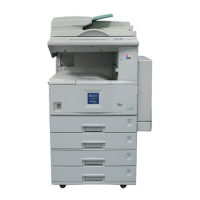
This document provides operating instructions for a laser facsimile machine, which is a multifunctional product offering printing, copying, scanning, and faxing capabilities.
Function Description
The device serves as a comprehensive office solution, integrating several key functions:
- Printing: It can print documents from a computer, supporting various paper types and sizes, and offering features like toner save, print quality options, poster printing, multiple pages per sheet (N-up), fit-to-page printing, scale printing, watermarks, and overlays.
- Copying: The machine allows for direct copying of documents placed in the Automatic Document Feeder (ADF). Users can adjust darkness, select original type (text or photo), specify the number of copies, and reduce or enlarge copies. Collation copying is also available for multiple-page documents.
- Scanning: For MFP models, the device can scan pictures and text into digital files on a computer using TWAIN-compliant software like Adobe PhotoDeluxe or Photoshop. Scanning is performed through the same LPT or USB port as the printer.
- Faxing: It functions as a fax machine, capable of sending faxes automatically or manually, redialing, confirming transmissions, and automatic redialing. It supports various receiving modes including Fax, Tel, Ans/Fax, and Distinctive Ring Pattern Detection (DRPD). Advanced fax features include broadcasting, delayed faxes, priority faxes, polling remote machines, and secure receiving mode.
Important Technical Specifications
General Specifications:
- Automatic Document Feeder (ADF): Up to 20 sheets (75 g/m², 20 lb).
- ADF Document Size: Width 142 to 216 mm (5.6 to 8.5 inches), Length 148 to 356 mm (5.8 to 14 inches).
- Paper Input Capacity: Paper tray: 250 sheets (75 g/m², 20 lb); Manual feeder: 1 sheet (60-163 g/m², 16-43 lb).
- Paper Output Capacity: Front output tray: 150 sheets (face down); Rear output slot: 1 sheet (face up).
- Paper Type (Paper Tray): Plain paper (60-90 g/m², 16-24 lb).
- Paper Type (Manual Feeder): Plain paper, Transparencies, Labels, Thick, Thin, Bond, Preprinted, Colored, Card stock, Envelopes (60-163 g/m², 16-43 lb).
- Consumables: 1-piece toner cartridge system.
- Power Requirements: 100-127 VAC, 50/60 Hz, 4.0 A or 220-240 VAC, 50/60 Hz, 2.5 A.
- Power Consumption: Sleep mode: 10W (100-127 VAC) / 12W (220-240 VAC); Standby mode: 85W (100-127 VAC) / 95W (220-240 VAC); Average: 300W.
- Noise: Warm-up: 52 dB; Standby mode: 39 dB; Scanning: 52 dB; Printing: 52 dB.
- Warm-up Time: 35 seconds.
- Operating Conditions: Temperature: 10°C to 32°C (50°F to 89°F); Humidity: 20% to 80% RH.
- LCD: 16 characters x 2 lines.
- Dimensions (WxDxH): 363.0 x 398.5 x 308.3 mm (without the handset).
- Weight: Net: 9.7 Kg (including consumables); Gross: 11.7 Kg (including consumables, accessories and package).
Facsimile Specifications:
- Compatibility: ITU-T Group 3.
- Applicable Line: Public Switched Telephone Network (PSTN) or behind PABX.
- Data Coding: MH/MR/MMR (ECM Mode).
- Modem Speed: 33600 to 2400 bps with fall back.
- Transmission Speed: Approx. 3 seconds/page (memory transmission of text data with ECM compression using ITU-T No.1 Chart).
- Scan Speed: Approx. 6 seconds/LTR (standard fax resolution mode).
- Paper Type: Plain paper (60-90 g/m², 16-24 lb).
- Paper Size: Letter, A4, Legal, Folio, Executive, B5.
- Resolution: Standard: 203 x 98 dpi; Fine: 203 x 196 dpi; Super Fine: 203 x 392 dpi; Photo: 203 x 196 dpi.
- User Memory: 2 MB.
- Halftone: 256 levels.
- Auto Dialer: One-touch dialing (up to 20 numbers), Speed dialing (up to 80 numbers).
Scanner and Copier Specifications (for MFP model only):
- Compatibility: TWAIN standard.
- Scan Method: CIS, Mono.
- Scan Resolution: 200 x 200 dpi (optical).
- Scan Length: Maximum: 400 mm (15.7 inches).
- Scan Width: Maximum: 216 mm (8.5 inches), Effective: 208 mm (8.2 inches).
- Mono Bit Depth: 1 bit for Text mode, 8 bit for Gray mode.
- Copy Speed: Letter: 17 copies per minute; A4: 16 copies per minute.
- Copy Resolution: 300 x 300 dpi.
- Zoom Rate: 50% to 150%.
- Multiple Copies: 99 pages.
- Halftone: 256 levels.
Printer Specifications (for MFP model only):
- Print Method: Laser Beam Printing.
- Print Speed: Letter: 17 pages per minute; A4: 16 pages per minute.
- Paper Size: Paper tray: Letter, A4, Legal, Folio, A5, A6, B5; Manual feeder: Letter, Legal, A4, Folio, Executive, A5, B5, A6, A6 card, Post Card 4x6, Hagaki, Envelope 7-3/4, Envelope 9, Envelope 10, Envelope DL, Envelope C5, Envelope C6, Envelope B5. Minimum: 76 x 127 mm (3 x 5 in.), Maximum: 216 x 356 mm (8.5 x 14 in.).
- Print Resolution: 600 x 600 dpi.
- Emulation: SPL (GDI).
- PC Interface: Compatible with USB 2.0 Specifications and IEEE 1284 Parallel.
- Compatibility: Windows 95/98/2000/NT 4.0/Me/XP.
- Memory: 4MB.
- First Printing Time: Standby mode: 12 seconds; Power save mode: 47 seconds.
Usage Features
- Easy Setup: Instructions are provided for unpacking, selecting a location with adequate clearance, attaching accessories (document output support, handset, cradle), installing the toner cartridge, loading paper in the tray and manual feeder, and making connections (telephone line, USB, parallel).
- Control Panel: Features dedicated buttons for frequently-dialed fax numbers, menu navigation, selection confirmation, returning to upper menu levels, and display of status/prompts. Copy options (lighten/darken, text/photo, reduce/enlarge, number of copies) and fax options (resolution, broadcasting, on hook dial, redial/pause) are also accessible.
- System Settings: Users can change the display language, set the machine ID (including fax number and name/company name), set the date and time (12-hour or 24-hour format), and configure paper type and size for copying and faxing.
- Sound Settings: Adjustable speaker, ringer, key sound, and alarm sound volumes are available.
- Power Save Mode: The machine can be set to reduce power consumption after a specified period of inactivity (5, 10, 15, 30, or 45 minutes).
- Software Installation: For MFP models, the CD-ROM includes the Type 1200 Driver, Operating Instructions, and Adobe Acrobat Reader. The Type 1200 Driver enables printer and scanner functions in Windows, and automatically installs the Remote Control Panel.
- Printer Driver Features: Supports various print settings including paper source, size, orientation, media type, number of copies, toner save, print quality, poster printing, N-up, fit-to-page, scale printing, watermarks, and overlays.
- Remote Control Panel (for MFP model only): A Windows-based program to create and edit Phone Book entries or update firmware.
Maintenance Features
- Clearing Memory: Users can selectively clear stored information such as all memory data, paper settings, copy settings, fax settings, scheduled fax jobs, advanced fax settings, sound/volume settings, machine setup, sent reports, received reports, and phone book entries.
- Adjusting Shading: If copies show black lines or blurriness, the shading value can be adjusted by loading a white sheet of paper into the ADF and selecting the "Adjust Shading" option in the Maintenance menu.
- Cleaning:
- Outside: Clean the cabinet with a soft, lint-free, slightly dampened cloth.
- Inside: Turn off and unplug the machine, remove the toner cartridge, and wipe away dust and spilled toner from the cartridge area and cavity with a dry, lint-free cloth.
- Scan Unit: Dampen a soft, lint-free cloth or paper towel with water and wipe the white roller surface. Carefully wipe the scanning glass with a soft dry cloth.
- Toner Cartridge Maintenance:
- Storage: Keep toner cartridges in their package until use, store in the same environment as the machine, and avoid prolonged light exposure.
- Redistributing Toner: If print becomes light or streaky, gently roll the cartridge 5-6 times to redistribute toner.
- Replacing Toner Cartridge: Replace the cartridge when it runs out, indicated by a "[Toner Empty]" message.
- Notify Toner Option: Can be set to automatically send a fax to a service company or dealer when a new toner cartridge is needed.
- Cleaning the Drum: If prints have streaks or spots, the OPC drum may need cleaning, which can be done via a menu option.
- Ignoring Toner Empty Message: The machine can be set to continue printing even when the "[Toner Empty]" message appears.

 Need help?
 General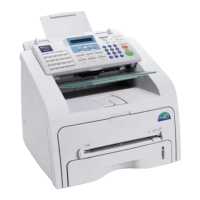

 To Next Page