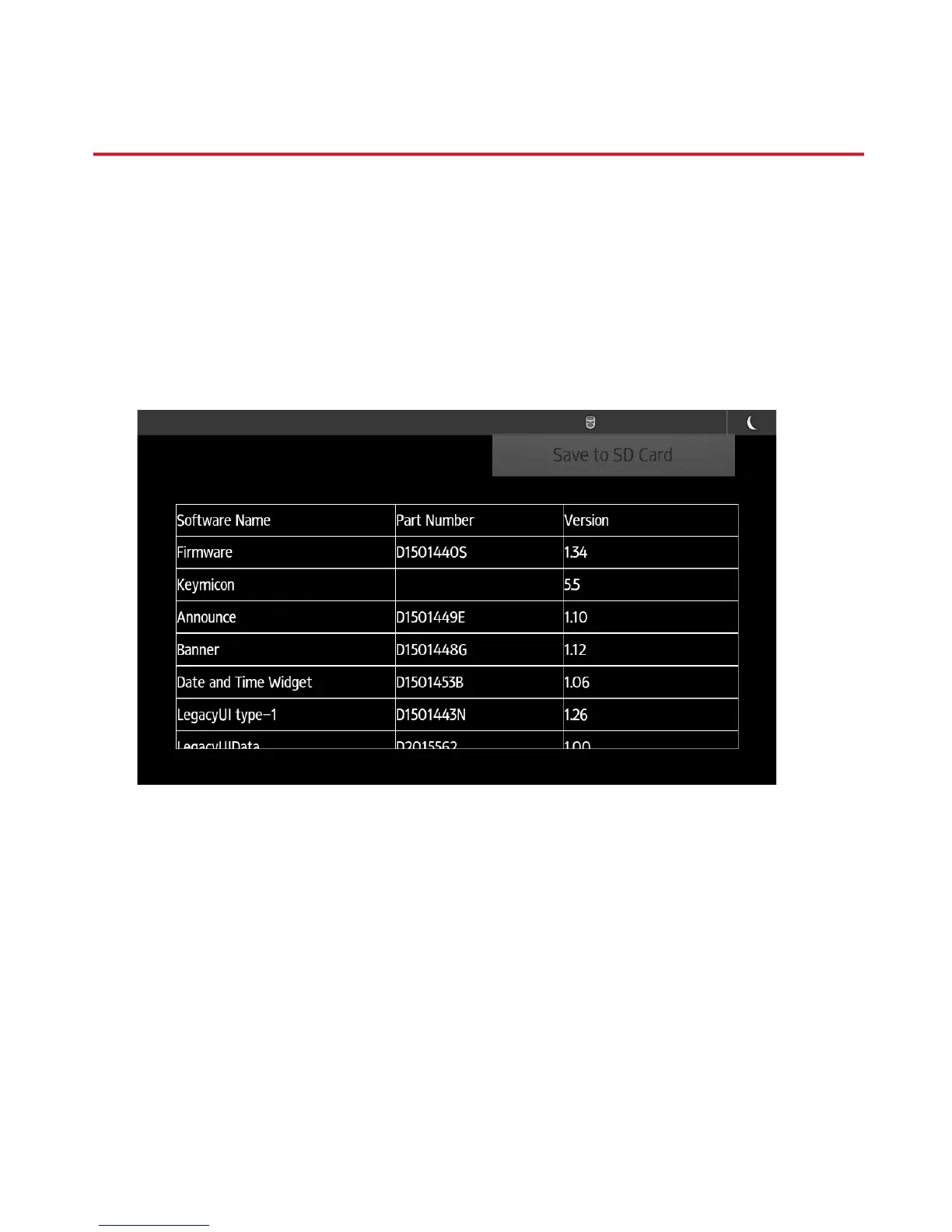
! You can verify current firmware versions
installed on the Smart Operation Panel by
selecting “Screen Features” " “Screen
Device Settings Information” " “Software
Version List”.
Notes:
You will need to scroll the page down to see all
modules firmware levels.
You will need login as admin if machine
administrator authentication is enabled.
Smart Operation Panel G1.5
4


 To Next Page