EasyManua.ls Logo

ricoo TS2311 User Manual

ricoo TS2311
22 pages
Go to English
To Next Page IconTo Next Page
Page #1 background imageLoading...
Page #1 background image
MONTAGEANLEITUNG
v.16.10
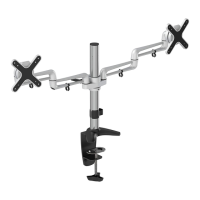
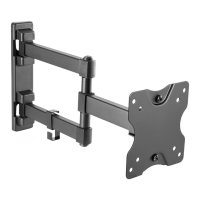
TV / Monitor Tischhalterung
TS2311
75x75
100x100
8kgx2
(18lbsx2)
MAX
ACHTUNG: NIEMALS DAS MAXIMAL
ZULÄSSIGE BELASTUNGSGEWICHT
ÜBERSCHREITEN. MISSACHTUNG
KANN ZU SACHSCHÄDEN ODER
SCHWEREN VERLETZUNGEN FÜHREN!
Horizontal / Waagerecht
Vertikal /
Senkrecht
Bitte überprüfen Sie VOR der Montage den Lochabstand zwischen den VESA-Befestigungslöchern
an Ihrem Bildschirm!
!
VESA-Befestigungslöcher
Diese Wandhalterung unterstützt folgende Lochabstände:
Horizontal / Waagerecht
Vertikal / Senkrecht
75mm , 100mm
75mm , 100mm
Bildschirm Rückseite
English
Deutsch
Question and Answer IconNeed help?

Do you have a question about the ricoo TS2311 and is the answer not in the manual?

ricoo TS2311 Specifications

General IconGeneral
Brandricoo
ModelTS2311
CategoryTV Mount
LanguageEnglish

Summary

General Safety Warnings

Component Checklist

Assembling the Pole and Desk Clamp

Attaching to the Desk

Edge Installation Method

Attaches the desk clamp to the edge of a desktop using a knob and screw mechanism.

Hole Installation Method

Secures the desk clamp through a desk grommet hole using an adjust screw and base plate.

Installing the Articulated Arm Assembly

Installing the VESA Plates

Installing the Displays

Cable Management

Adjustment

Pivot Adjustment Range

Related product manuals