EasyManua.ls Logo

ricoo D0244 User Manual

ricoo D0244
2 pages
To Next Page IconTo Next Page
Page #1 background imageLoading...
Page #1 background image
!
Please measure distance between mounting holes.
Bitte den Lochabstand vor der Montage nachmessen.
Horizontal / Waagerecht
Vertical /
Senkrecht
TV / monitor back
TV / Monitor Rückseite
Mounting holes
Befestigungslöcher
Please check BEFORE installation distance between
mounting holes on your TV / monitor!
Bitte überprüfen Sie VOR der Montage
den Lochabstand zwischen den Befestigungslöchern
an Ihrem TV / Monitor!
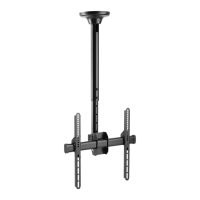
This ceiling mount supports the following distance between holes / VESA:
Diese Deckenhalterung unterstützt folgende VESA / Lochabstände:
Horizontal / Waagerecht:
min. 50mm - max. 400mm
Vertical / Senkrecht :
SCHRITT 1
STEP 1
min. 30mm - max. 400mm
SCHRITT 2
STEP 2
Wood stud
Holzbalken
Drilling
Bohrung
Stud finder
Balkenfinder
3
mm
11
mm
Height adjustment
Höheneinstellung
Drilling
Bohrung
1
3
A
SCHRITT 4 B
STEP 4 B
SCHRITT 4 A
STEP 4 A
Adjust the drop-pole to the desired height.
Gewünschte Höhe der Halterung einstellen.
Wood stud mounting
Befestigung an der Holzbalkenwand
Solid concrete mounting
Befestigung an der Massivbetonwand
2
1
2
A
B
Concrete ceiling
Betondecke
Wood stud
Holzbalken
C
C
Question and Answer IconNeed help?

Do you have a question about the ricoo D0244 and is the answer not in the manual?

ricoo D0244 Specifications

General IconGeneral
MaterialSteel
ColorBlack
Mounting TypeWall Mount
Tilt Range+5°/-15°
Screen Size32 to 65 inches

Summary

Scope of Delivery and Components

Included Parts List

Details all components included in the plastic bag for assembly.

Mounting Hole Measurement and VESA Compatibility

Measure Mounting Hole Distances

Instructions to measure the distance between mounting holes on your TV/monitor.

VESA Standard Compliance

Specifies the supported VESA hole spacing ranges for ceiling mounting.

Height Adjustment

Setting the Drop-Pole Height

Guidance on adjusting the drop-pole to achieve the desired display height.

Mounting Instructions

Wood Stud Mounting Assembly

Instructions for assembling the mount specifically for wood stud walls.

Solid Concrete Mounting Procedure

Details the steps for mounting the bracket onto a solid concrete ceiling.

Wood Stud Mounting Preparation

Steps for drilling and locating studs before mounting on wood walls.

Attaching Mounting Rails to Screen

Rails for Flat Back TVs

Instructions for attaching mounting rails to TVs with a flat rear surface.

Rails for Curved Back TVs

Instructions for attaching mounting rails to TVs with a curved rear surface.

Screw and Spacer Usage

Guidance on selecting correct screws and using spacers for TV attachment.

Hanging TV to Ceiling Mount

Securing TV to Ceiling Bracket

Steps to lift and hang the TV onto the assembled ceiling mount.

Additional Options and Tilt Adjustment

Height Adjustment Feature

Details the functionality for adjusting the vertical position of the TV.

Tilt Adjustment Feature

Explanation of how to adjust the tilt angle of the mounted TV.

Related product manuals