
 Need help?
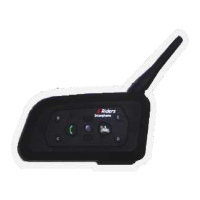
Do you have a question about the Rider 6 Riders and is the answer not in the manual?
Guide on how to pair the 6RMI headset with a Bluetooth-enabled mobile phone for initial use.
Details the process for establishing intercom connections between multiple 6RMI units.
Addresses issues where the device fails to power on or operate, suggesting battery checks.
Procedure for resetting the device, potentially resolving software glitches or lock-ups.
Troubleshooting steps for audio issues, checking connections, volume, and speaker functionality.
Solutions for whistling sounds, usually caused by microphone proximity to speakers.
Guidance on re-establishing lost connections with mobile phones or audio sources.
Information regarding compatibility and potential issues connecting to mobile phones.
Explains why the device might power off automatically and how to manage profiles.
Provides a last resort troubleshooting step involving restarting and re-pairing devices.
 General
| Brand | Rider |
|---|---|
| Model | 6 Riders |
| Category | Motorcycle Accessories |
| Language | English |

 To Next Page