VAULT CSMART WIRELESS RM311 / RM313 / RM472 / RM473 / RM474 / RM486
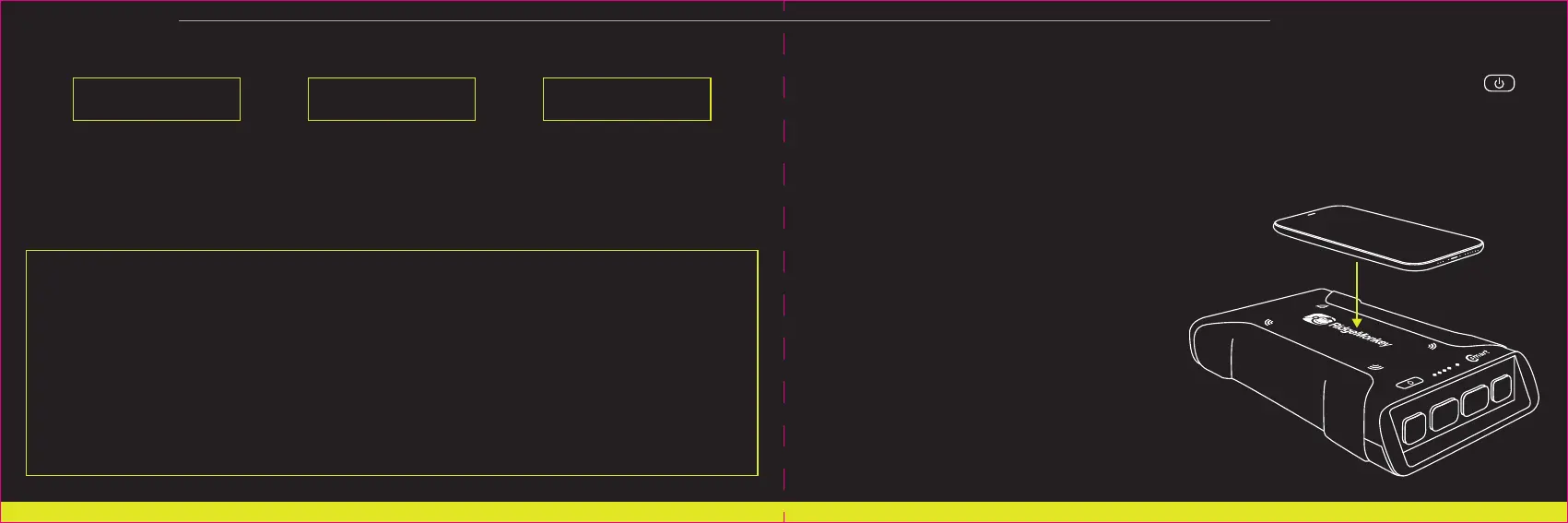
USING THE VAULT CSMART WIRELESS TO CHARGEPOWER A QI WIRELESS CHARGING COMPATIBLE DEVICE:
1. Double-tap the power button on the Vault C-Smart Wireless to activate the wireless charging pad. x2
2. Within 60 seconds, place the Qi wireless charging compatible device onto the Vault C-Smart Wireless
charging pad as per the device manufacturers instructions.
For optimum results, remove any protective case and ensure central positioning on the charging pad.
Note: DO NOT place any metallic or magnetic items on the charging pad. Always remove any metallic or
magnetic case before attempting to use the wireless pad.
3. The Vault C-Smart Wireless will detect the attached device
and automatically supply the appropriate current for
optimum performance.
4. Your device is now charging.
The Vault C-Smart Wireless will automatically turn off
when a) the device is removed from the charging pad
or b) when the device is fully charged and no longer
draws a current.
Note: some devices, notably mobile phones, continue
to draw a small current when displaying a full charge.
In this instance the C-Smart Wireless may not
automatically turn off. It is recommended that the
device to be charged is disconnected promptly upon
displaying a full charge.
APPROXIMATE EXPECTED CHARGING TIMES USING THE INCLUDED HARDWARE:
Charging times may vary when using third-party adaptors.
26950mAh model: To reduce charging time, charge with a 45W or higher USB-C Power Delivery adaptor and
USB-C Power Delivery compatible cable (sold separately).
WARNING:
DO NOT attempt to charge your RidgeMonkey Vault via the 12V output
port. ONLY charge your RidgeMonkey Vault via the USB-C Power
Delivery port. Attempting to charge the RidgeMonkey Vault via the 12V
output port may cause fire, explosion, serious injury or death.
In the event of fire or explosion: immediately evacuate the area and
request assistance from the emergency services.
5 6
26950mAh: 12 hours 77850mAh: 6 hours42150mAh: 4 hours



 To Next Page