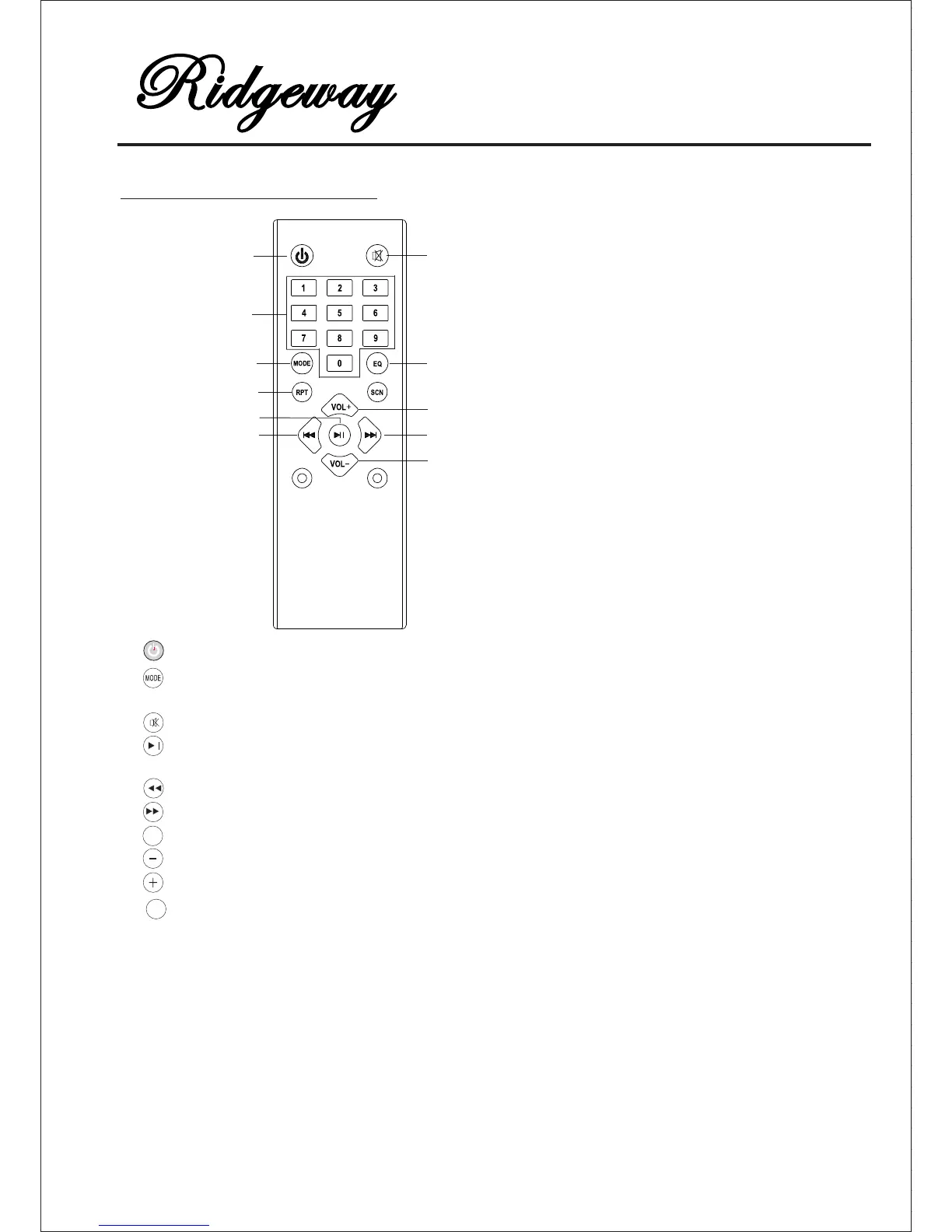
QS-1221 REMOTE CONTROL
QS-1221
MODE
Mute
Next
Play/Pause
Volume -
Volume +
EQ(Memory card)
EQ
Repeat(Memory card)
Power on/off
Previous
Numbers
1.
2.
3.
5.
6.
4.
8.
9.
7.
10.
11.
MODE: Input MODE Button: Press this button to toggle between thevarious
inputs ( Line in, Memory, BT, FM) .
When on the mode of FM,Press this button to auto scan all channels.
MUTE: Mute button.
PREVIOUS: MP3/BT previous song and FM CH- button.
NEXT: MP3/BT next song and FM CH+ button.
PLAY/PAUSE: play pause button.
VOL - : Volume reduce button.
VOL +: Volume increase button.
EQ: Mp3 and BT mode : (Normal/Pop/Rock/Jass/Classic/Cut/Bass)
REPEAT: Repeat function in Memory card mode all songs and single songs repeat.
"0-9" songs select button. In Memory card mode can select songs directly can select
In FM mode can select FM channels directly (input channel frequency to select
b.Select frequency directly for channels by numbers 0- 9. For example: in FM mode,
you want to hear 98.5 MHz channel, just need to press 9+8+5.
in Memory card by numbers 0-9.
For example: if you want No. 9 song by playing songs in Memory card, just need
to press 9, and if you want No.19 song, just need to press 1+9.
POWER: Power ON/OFF.
channels) : a. Can select auto-kept channels by pressing 0- 9 ( make sure channels
were already kept). For example: in FM mode, you want to listen No.3 channel,
just need to press 3, and if you want No.19 channels, just need to press 1+9.
RPT



 To Next Page