10
Maintenance (continued)
In addition to cleaning and/or replacing
both filters the Exhaust Filter (Part No.
824295) requires periodic inspection and
cleaning. Simply wash in warm water with
a mild detergent, dry, and then reinstall.
Removal
To remove the filters and exhaust filter for
cleaning or replacement review the sec-
tion in your manual under “Installation
Procedure” following steps, 7, 8, 9 and 10.
WARNING: For your own safety, use
only RIDGID replacement filters.
WARNING: To avoid electrical
shock, be sure to replace screw that
secures Fine Filter.
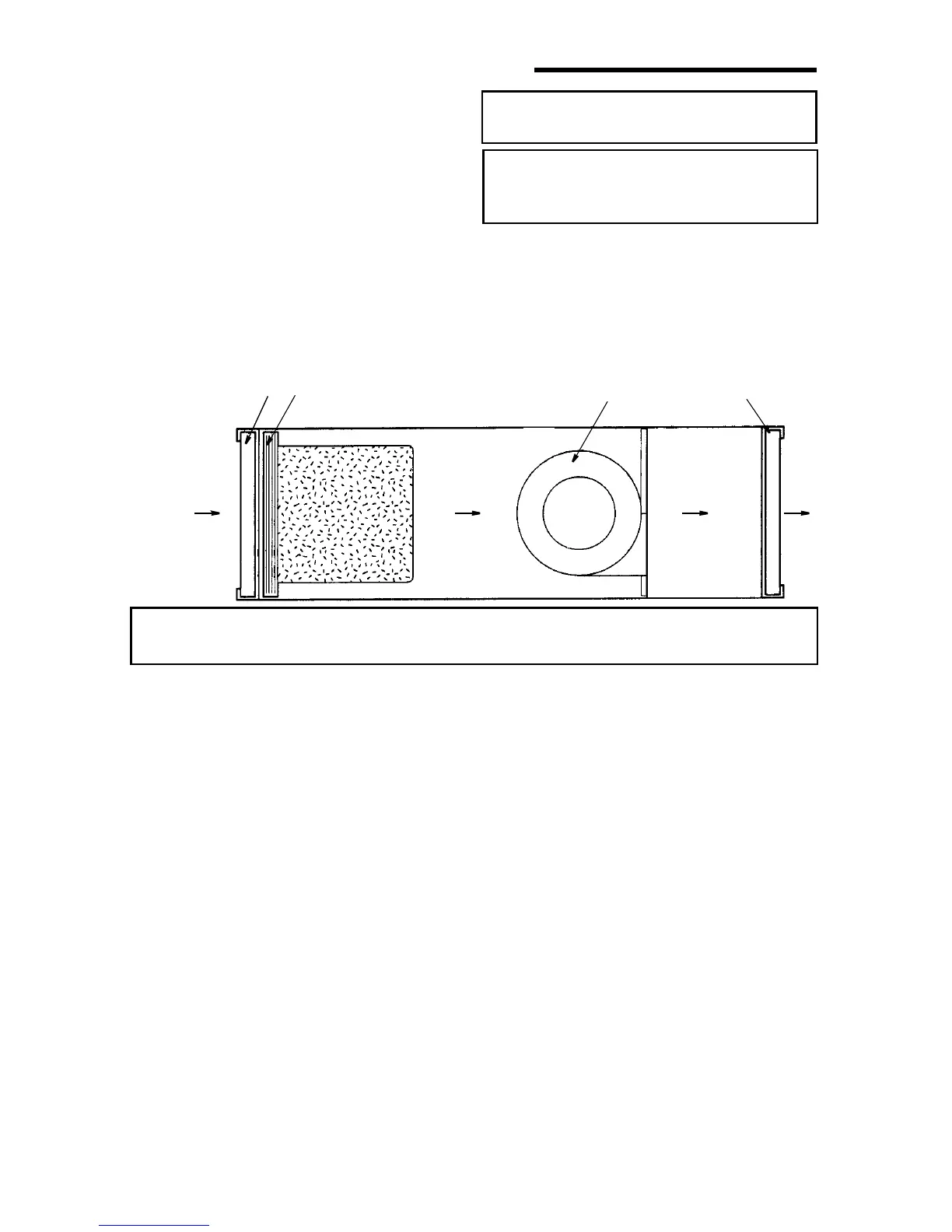
CAUTION: For proper operation, make sure “Air Flow” arrows on the filters
are facing the proper direction.
Air
Direction
#1
Pre Filter (Intake)
#2
Fine Filter
(Mid-Bag Type)
Squirrel
Cage Fan
#3
Exhaust
Filter


 To Next Page