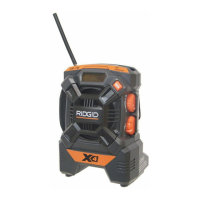
Need help?
Do you have a question about the RIDGID R8408 and is the answer not in the manual?
Highlights the product's features, prioritizing safety, performance, and ease of operation.
Crucial directives to prevent electric shock, fire, and serious personal injury.
Guidelines for a clean workspace and safe electrical connections and usage.
Recommendations for proper footing, balance, and product maintenance.
Ensures qualified service and safe handling of batteries to prevent explosions.
Advises on avoiding misuse, hazards, and keeping the product away from children.
Explains common symbols for wet conditions, eye protection, and electrical alerts.
Defines DANGER, WARNING, and CAUTION for hazard communication.
Emphasizes reading the manual and contacting service for any issues.
Explains the safety concept eliminating the need for grounding.
Provides chart for minimum wire size based on cord length and product amperage.
Details operating temperature, frequency ranges, audio output, and power requirements.
Information on regulatory compliance and steps to mitigate radio interference.
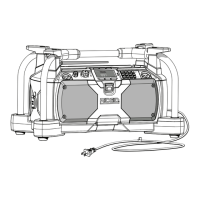
Identifies key components like antenna, display, keypad, and ports via illustration.
Explains the 12V receptacle, AC power cord, audio out, bass boost, and display.
Details direct tuning, memory presets, and iPod protection/charging features.
Explains race scanning, driver communications, and interference reduction.
Illustrates and labels all the operational controls of the radio/scanner.
Instructions for safely unpacking, inspecting, and identifying packing list items.
Warnings on damaged parts, modifications, and battery removal during assembly.
Lists the various purposes for which the product can be used.
Lists compatible RIDGID battery packs and notes charging requirements.
Provides advice on improving reception and safely using headphones.
Details the procedure and time limit for replacing AA batteries for memory backup.
Step-by-step guide for attaching and detaching battery packs, including storage tips.
Explains powering external devices, capacity limits, and safety precautions.
Instructions for connecting an external antenna for improved FM reception.
Describes display behavior based on power source and operational status.
How to power the unit and control the audio volume level.
Details how to switch between different listening modes and their functions.
Instructions for using arrow buttons to tune to specific frequencies.
How to automatically search for and stop at clear radio frequencies.
Enables direct entry of frequencies using the numeric keypad.
Guide to saving favorite frequencies in memory and recalling them later.
How to select between stereo and mono reception for FM stations.
Instructions on adjusting bass levels and its limitations in RACE mode.
Procedure for setting the 12-hour clock using the H and M buttons.
Advice on researching frequencies before a race and presetting them.
How the scanner operates in RACE mode, including channel progression.
Explains toggling between scanning all frequencies and only stored presets.
Step-by-step guide to removing preset frequencies from memory.
How to manually tune to single channels in RACE mode and add them as presets.
Using the BB/SKIP button to exclude unwanted frequencies from scans.
Guide to setting the squelch dial for clear reception without static.
Instructions for connecting and using dockable iPods, including charging.
How to connect other MP3 players and audio devices using the AUX 2 jack.
Advice on cleaning the product and avoiding damage from chemicals.
Tips for maximizing battery life and proper storage conditions.
Information on proper disposal and recycling of lithium-ion and Ni-Cd batteries.
A template to record driver, car number, and frequency for race events.
Details coverage, exclusions, and limitations of the product's warranty.
Instructions on how to get the product repaired or serviced.
Provides phone numbers and website for service and parts inquiries.
Space to record model and serial numbers for service and warranty purposes.
 General
| Brand | RIDGID |
|---|---|
| Model | R8408 |
| Category | Portable Radio |
| Language | English |

 To Next Page