EasyManua.ls Logo

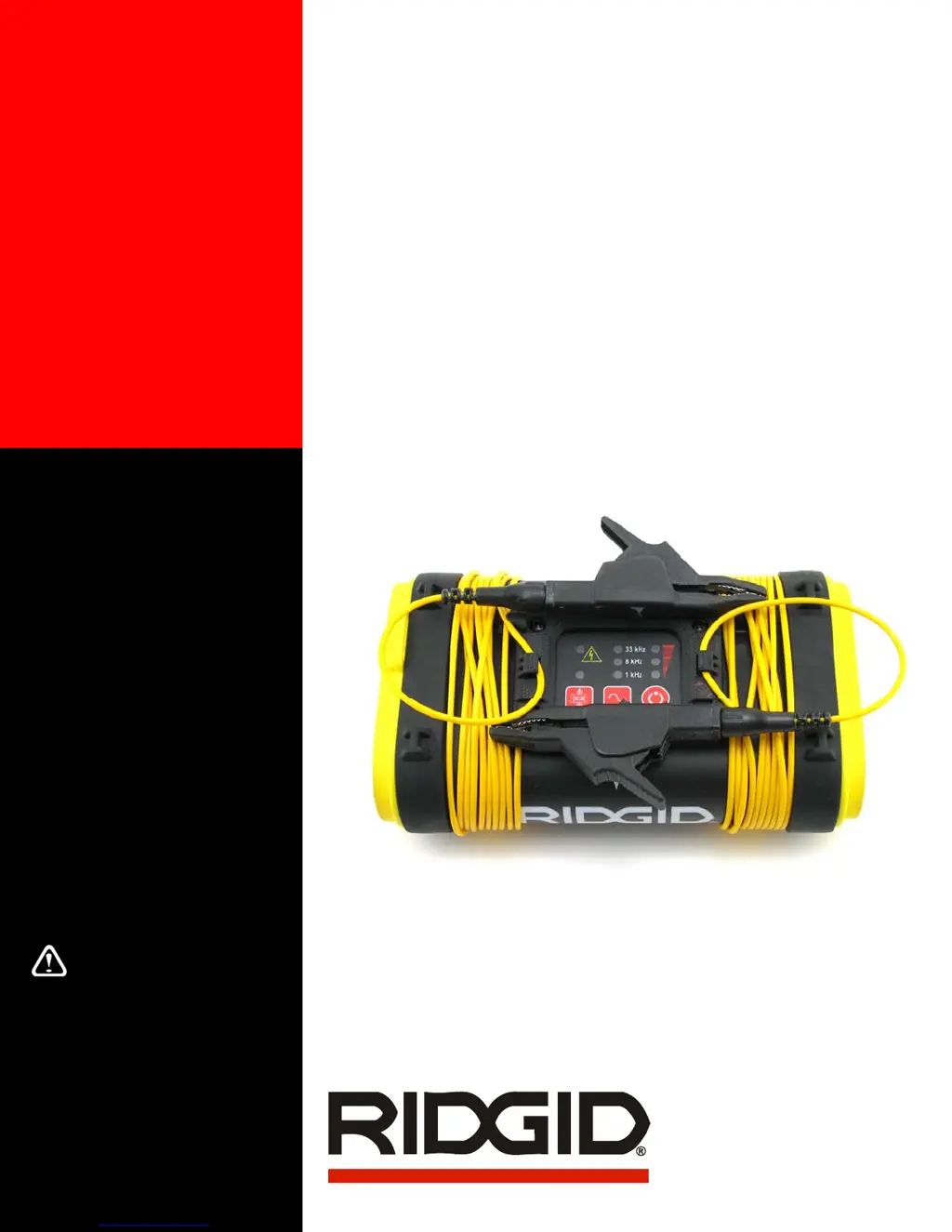
RIDGID SeekTech ST-305 - User Manual

RIDGID SeekTech ST-305
18 pages
Print Icon
To Next Page IconTo Next Page
Loading...
Operator’s
Manual
SeekTech
®
ST-305
5 Watt Pipe and Cable Line
Transmitter
WARNING!
Read this operator’s manual
carefully before using this tool.
Failure to understand and follow
the contents of this manual may
result in electrical shock, fire,
and/or serious personal injury.
U.S. Patent Pending

Other manuals for RIDGID SeekTech ST-305

Questions and Answers

  • V
    Victoria BlackwellJul 26, 2025
    What to do if the receiver will not pick up the RIDGID SeekTech ST-305’s signal?
    • J
      jonathanwilliamsonJul 26, 2025
      If your RIDGID Transmitter's receiver isn't picking up the signal, first ensure that both units are set to the same frequency. You might also try using higher or lower frequencies. Confirm that the receiver and transmitter are in the same mode. Make sure the correct functions are activated on the receiver, such as the line trace function for line tracing. Increase the power if possible. Ensure proper grounding. If using inductive mode, inspect for core damage.
  • D
    davidsonbrittanyJul 30, 2025
    Why will my RIDGID SeekTech ST-305 unit not turn ON?
    • R
      reginathomasJul 31, 2025
      If your RIDGID Transmitter unit won't turn on, start by checking the orientation of the batteries. Then, make sure the batteries are fresh or fully charged. Finally, inspect the battery contacts to ensure they are in good condition.
  • P
    Patricia GardnerAug 4, 2025
    How to fix LEDs that appear completely dark or light on RIDGID SeekTech ST-305?
    • G
      george49Aug 4, 2025
      If the LEDs on your RIDGID Transmitter appear completely dark or completely light when the unit is on, try powering the unit off and then back on. If the issue persists and the unit has been exposed to excessive heat from sunlight, allow it to cool down.
  • D
    Dr. Randall Fisher Jr.Aug 7, 2025
    What to do if 93 kHz signal not received on RIDGID Transmitter?
    • L
      Laura WilliamsAug 7, 2025
      If the 93 kHz signal is not being received by your RIDGID Transmitter, verify that the receiver is set to the actual 93kHz frequency of 93,696 Hz. Note that some receivers use a slightly different frequency (93,622.9 Hz) for 93 kHz. Consider updating your SeekTech locator software.
  • D
    Darren CollinsAug 12, 2025
    What to do if my RIDGID SeekTech ST-305 Transmitter will not turn on?
    • M
      Maria BrownAug 12, 2025
      If your RIDGID Transmitter doesn't turn on, first, verify the batteries are correctly oriented. Then, ensure that the batteries are fresh or fully charged. Finally, inspect the battery contacts to confirm they are in good condition.
  • A
    Aaron NicholsAug 16, 2025
    Why is my RIDGID SeekTech ST-305 signal not being picked up by the receiver?
    • A
      Amber CochranAug 16, 2025
      If the receiver isn't picking up the RIDGID line transmitter's signal, check that both units are set to the same frequency. Try slightly higher or lower frequencies if needed. Ensure that the receiver and transmitter are in the same mode. Also, make sure the correct functions are activated on the receiver, such as the line trace function. If possible, increase the power. Finally, ensure the grounding is adequate.
  • J
    joel53Aug 21, 2025
    How to fix LEDs that are dark or completely light on RIDGID Transmitter?
    • T
      thompsondianeAug 21, 2025
      If the LEDs on your RIDGID Transmitter appear completely dark or completely light when the unit is on, try turning the unit off and then back on. If the issue persists and the unit has been exposed to sunlight, allow it to cool down.

Summary

General Safety Information

Work Area Safety

Keep work area clean, avoid explosive atmospheres, and keep bystanders away.

Electrical Safety Precautions

Do not connect to high voltage, operate with components removed, avoid wet conditions.

Battery Handling and Disposal

Use correct battery type, recharge properly, and dispose of safely.

Personal Safety Measures

Stay alert, wear safety gear, maintain balance, and prevent liquid entry.

SeekTech Transmitter Use and Care

Use as directed, transport in case, and store in a dry place.

Service and Repair Procedures

Qualified Personnel Requirement

Tool service must be performed by qualified repair personnel only.

Replacement Parts and Instructions

Use identical parts and follow maintenance instructions.

Cleaning and Maintenance

Proper cleaning methods and precautions.

Product Damage Requiring Service

Conditions necessitating professional service.

Critical Safety Warnings

Connection Sequence

Always hook up leads before powering on to avoid shock.

High Voltage Handling

Use high-voltage precautions when high voltage is indicated.

Transmitter Components Overview

LED Indicators

Labels for Frequency, Mode, and Power LEDs.

Connection Accessories

Labels for leads, clips, and inductive clamp jack.

Physical Features

Labels for ground stake storage and battery case.

Keypad and Display Functions

High Voltage Warning Light

Indicates detection of high voltage conditions.

Frequency and Power Indicators

Displays current frequency and power/battery status.

Control Buttons

Functions of Frequency/Mode Selection and Power On/Off.

Mode Selection Toggle

Controls for Induction Mode.

Getting Started: Initial Setup

Battery Installation and Replacement

Step-by-step guide for battery handling.

Powering the Unit On and Off

Instructions for basic operation.

Automatic Power-Off Feature

Explanation of energy-saving shutdown.

Battery Level Check

How to interpret battery status indicators.

Transmitter Audible Cues

Descriptions of various beeps and tones.

Using the ST-305: Direct Connect Method

Direct Connection Procedure

How to attach leads to target and ground.

Safety Precaution: Connection Order

Always connect leads before powering on.

Selecting Frequency and Power

Frequency Selection Process

Steps to choose the operating frequency.

Adjusting Power Output Level

How to set low, medium, or high power.

Advanced Operation and Tips

Useful Operating Tips

Advice on resistance, grounding, and lead management.

Dual-Frequency Transmission

How to use and configure dual frequencies.

Inductive Clamp and Mode Operation

Inductive Clamp Method

Using the optional inductive clamp accessory.

Inductive Mode Setup

Positioning and operating in inductive mode.

Inductive Mode: Air Coupling and Best Practices

Air Coupling Phenomena

Understanding and mitigating air coupling issues.

Inductive Mode Best Practices

Tips for effective inductive tracing.

Signal Characteristics and Indicators

High Voltage Indicator Light

Function of the red LED warning.

Resistance and Impedance Factors

Explanation of electrical properties affecting signals.

Frequency Usage Guide

When to use low versus high frequencies.

Transportation, Maintenance, and Service

Transportation and Storage Guidelines

How to safely move and store the unit.

Cleaning and Maintenance Procedures

Proper methods for cleaning the transmitter.

Service and Repair Information

Where to obtain support and repairs.

Troubleshooting and Specifications

Common Troubleshooting Issues

Remedies for operational problems.

Technical Specifications

Key parameters like weight, dimensions, and power.

Standard Equipment and Parts

Lists included items and replacement parts.

RIDGID Full Lifetime Warranty

Warranty Coverage Details

What is covered, duration, and service procedures.

Warranty Exclusions and Limitations

What is not covered and legal disclaimers.

RIDGID SeekTech ST-305 Specifications

General IconGeneral
Operating TimeUp to 40 hours
Water ResistanceIP54
Frequency33 kHz
Power Output1 W
Operating Temperature-4°F to 140°F

Related product manuals