EasyManua.ls Logo

RIDGID NAVITRACK - User Manual

RIDGID NAVITRACK
16 pages
Print Icon
To Next Page IconTo Next Page
Loading...
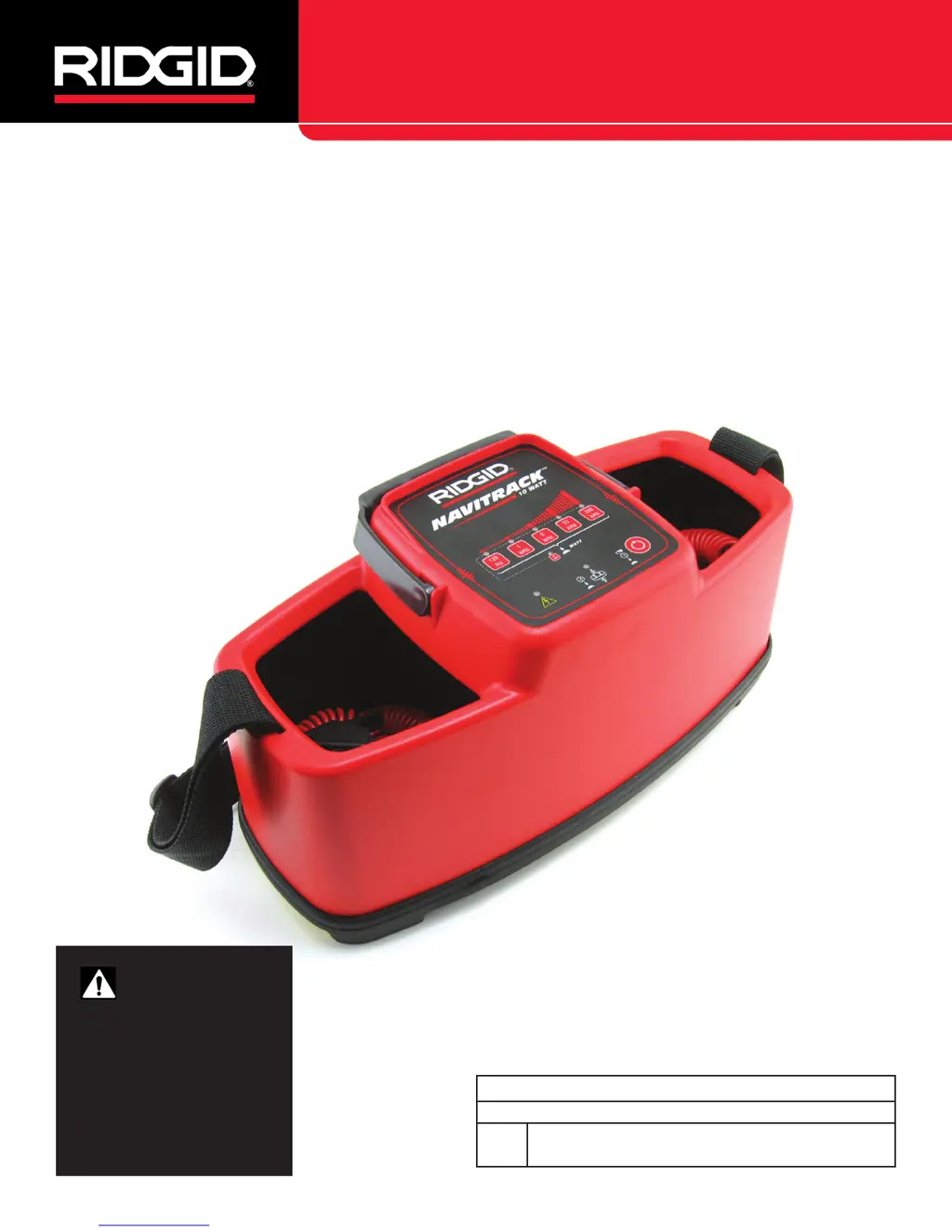
NaviTrack
®
10 Watt
Pipe and Cable Line Transmitter
Original Instructions – English – 1
WARNING!
Read this Operator’s Man-
ual carefully before using
this tool. Failure to under-
stand and follow the con-
tents of this manual may
result in electrical shock,
fire and/or serious person-
al injury.
NaviTrack Line Transmitter
Record product serial number below as it appears on the nameplate.
Serial
No.
Operators Manual

Other manuals for RIDGID NAVITRACK

Questions and Answers

  • F
    flynncarolynJul 26, 2025
    What to do if RIDGID Transmitter signal is not picked up by the receiver?
    • L
      Lori HowardJul 26, 2025
      If the receiver isn't picking up the RIDGID Transmitter's signal, consider the following: * Verify the correct frequency is selected. * Ensure the leads to the line and ground are securely attached. * Check for excessive resistance in the circuit connection that might impede current flow. * Inspect the battery orientation and charge level. * Confirm the battery contacts are in good condition. * Check if the unit has a blown fuse.
  • J
    James MunozAug 5, 2025
    What to do if the receiver will not pick up the RIDGID NaviTrack Line Transmitter’s signal?
    • H
      hendersonalexAug 5, 2025
      To ensure your RIDGID NaviTrack Line Transmitter is working correctly, try the following: Increase the power output. Verify the transmitter is in the correct mode (Direct Connect, Inductive Clamp, or Inductive). Ensure the receiver and transmitter are set to the same frequency. Check that the leads to the line and ground are securely attached. If there's too much resistance, improve ground conditions or relocate the transmitter line.
  • H
    Hannah MaxwellAug 15, 2025
    How to fix RIDGID NaviTrack Line Transmitter that will not turn ON?
    • M
      maryzimmermanAug 15, 2025
      If your RIDGID NaviTrack Line Transmitter won't turn on, check the battery orientation, ensure the batteries are charged, and verify that the battery contacts are clean and unbent.

Summary

Safety Symbols and General Rules

Safety Alert and Signal Words

Explains safety alert symbol and danger, warning, caution, and notice signal words.

Equipment Safety Icons

Describes symbols for reading manual, wearing safety glasses, and electrical shock risk.

General Safety Rules Overview

Covers work area safety, electrical safety, personal safety, and equipment use.

Service and Specific Safety Information

Equipment Service Guidelines

Details conditions requiring qualified service and using identical replacement parts.

NaviTrack Line Transmitter Safety Precautions

Highlights specific safety measures for the transmitter, including grounding and high voltage.

Product Description and Components

NaviTrack Line Transmitter Description

Explains the transmitter's role in locating pipes and cables using active tracing signals.

NaviTrack Specifications

Lists key specifications including weight, dimensions, cable length, power, and environment.

Standard Equipment Included

Details the items provided with the NaviTrack Line Transmitter.

Device Components Overview

Identifies key parts of the NaviTrack Line Transmitter with diagrams.

Pre-Operation and Setup Procedures

Pre-Operation Inspection Steps

Outlines crucial checks before using the transmitter to prevent injury and damage.

Work Area and Equipment Setup Checklist

Ensures a safe environment and proper equipment arrangement before operation.

Powering and High Voltage Warnings

Battery Power Installation Procedure

Step-by-step guide for installing batteries in the transmitter.

High Voltage Warning and Precautions

Warns about transmitter limitations with high voltage and necessary safety steps.

Operating Modes and Features

Battery Level Indicator

How to check the remaining battery power using the transmitter's LEDs.

Automatic Shutdown Features

Explains the auto-shutdown function for low and high power modes.

Alternate Power Supply Options

Details using an external DC power source for the transmitter.

Direct Connect Mode Operation

Instructions for applying a signal directly to a conductor.

Inductive Clamp and Mode Operation

Checking Receiver Frequency

Ensures the receiver and transmitter are set to the same frequency for accurate locating.

Inductive Clamp Mode Usage

How to use the inductive clamp to induce a traceable current.

Inductive Mode Operation Guide

Steps for using the transmitter to induce a signal into a conductor.

Advanced Operation and Troubleshooting

Inductive Mode - Conductor Alignment

Guidance on positioning the transmitter for optimal inductive signal transfer.

Inductive Mode Sounds

Describes the audio feedback emitted by the transmitter in Inductive Mode.

Air-Coupling Phenomenon

Explains air-coupling and its potential to distort readings.

Testing for Air-Coupling Interference

Methods to detect and mitigate air-coupling effects on locating accuracy.

Variable Power and Helpful Hints

Adjusting Variable Power Current

How to adjust the transmitter's output current for tracing signal strength.

Helpful Hints for Locating

Tips on frequency selection, current usage, and mode selection for best results.

Maintenance, Accessories, and Disposal

Cleaning Procedures

Instructions for safely cleaning the NaviTrack Line Transmitter.

Recommended Accessories

Lists accessories designed for use with the NaviTrack Line Transmitter.

Transport and Storage Guidelines

Recommendations for safely transporting and storing the equipment.

Service and Repair Information

Details on how to obtain service and repair for the transmitter.

Product Disposal Procedures

Information on environmentally correct disposal of the equipment.

Troubleshooting Common Issues

Transmitter Not Turning ON

Troubleshooting steps for when the NaviTrack Line Transmitter fails to power on.

Receiver Signal Not Detected

Solutions for when the receiver cannot pick up the transmitter's signal.

RIDGID NAVITRACK Specifications

General IconGeneral
BrandRIDGID
ModelNAVITRACK
CategoryTransmitter
LanguageEnglish

Related product manuals