EasyManua.ls Logo

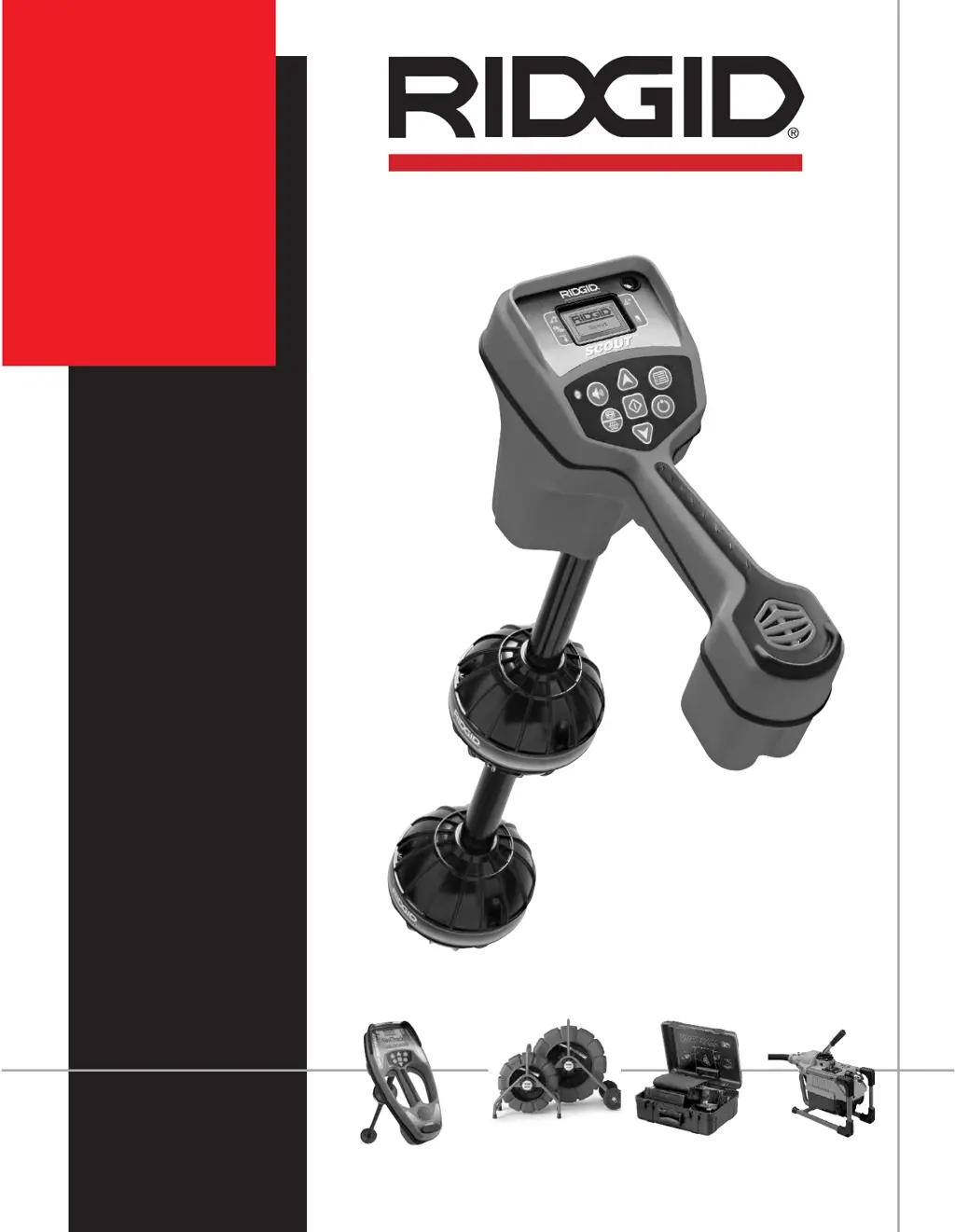
RIDGID NaviTrack Scout - User Manual

RIDGID NaviTrack Scout
162 pages
Print Icon
To Next Page IconTo Next Page
Loading...
NaviTrack
Scout
SEE ITFIND IT CLEAN IT

Table of Contents

Questions and Answers

  • M
    mark84Aug 15, 2025
    What to do if lines are jumping on the screen while locating a sonde with RIDGID Diagnostic Equipment?
    • C
      Cody BoyerAug 15, 2025
      If the lines are “jumping” all over the screen while locating a sonde using your RIDGID Diagnostic Equipment, check the batteries in the sonde to see if they are working. Also, sondes have difficulty emitting signals through cast iron and ductile iron lines; verify the signal by placing the lower antenna close to the sonde.
  • A
    Alejandro JosephAug 18, 2025
    What to do if my RIDGID Diagnostic Equipment unit acts erratic and won’t power down?
    • J
      Jonathan KellyAug 18, 2025
      If your RIDGID Diagnostic Equipment acts erratically and won’t power down, the batteries may be low. Replace them with fresh batteries and turn the unit on.
  • A
    Ashley WestAug 21, 2025
    Why is my RIDGID Diagnostic Equipment scout not picking up the signal?
    • J
      joelharperAug 21, 2025
      If the RIDGID Diagnostic Equipment scout is not picking up a signal, check if the correct mode and frequency is set.
  • K
    Kelly AguirreAug 25, 2025
    What to do if my RIDGID Diagnostic Equipment display appears dark or light when turned on?
    • T
      Terri TranAug 26, 2025
      If the display of your RIDGID Diagnostic Equipment appears completely dark or completely light when turned on, try powering the unit off and then back on. If that doesn't work, adjust the LCD screen contrast.
  • S
    Steven MayoAug 28, 2025
    How to fix RIDGID Diagnostic Equipment scout that locks up during use?
    • G
      georgegregoryAug 28, 2025
      If your RIDGID Diagnostic Equipment scout locks up during use, turn the unit off, then back on. If the unit will not turn off, remove the batteries.
  • E
    Eric SmithAug 31, 2025
    What to do if the RIDGID Diagnostic Equipment scout won't turn on?
    • A
      Annette GomezAug 31, 2025
      If your RIDGID Diagnostic Equipment scout will not turn on, check the orientation of the batteries, check if the batteries are charged, and check to see that the battery contacts are OK. The unit may have blown a fuse (factory service is required).
  • N
    Nancy HornSep 4, 2025
    Why are lines jumping on the screen while tracing with RIDGID Diagnostic Equipment?
    • H
      houstoncharlesSep 4, 2025
      If lines are “jumping” all over the screen in micro map while tracing with your RIDGID Diagnostic Equipment, it could be due to the Scout not picking up the signal or interference. Make sure that the transmitter is well connected and grounded, and point the Scout at either lead to be sure that you have a complete circuit. You may also try a higher frequency or try to determine the source of any noise and eliminate it.
  • K
    Katie MitchellSep 7, 2025
    Why is the distance between the sonde and either pole not equal on my RIDGID Diagnostic Equipment?
    • J
      Joseph SmithSep 7, 2025
      If the distance between the sonde and either pole is not equal on your RIDGID Diagnostic Equipment, the sonde may be tilted or there may be a cast iron to plastic transition.
  • M
    Matthew GonzalezSep 12, 2025
    Why is there no sound from my RIDGID Diagnostic Equipment?
    • T
      Tracey MaxwellSep 12, 2025
      If there is no sound from your RIDGID Diagnostic Equipment, adjust the sound level in the sound menu.

Summary

OPERATING INSTRUCTIONS

GENERAL SAFETY INFORMATION

Essential safety guidelines for operating the equipment.

Scout Use and Care

Guidelines for proper operation, handling, and maintenance of the Scout device.

Service

Procedures for servicing the Scout, emphasizing qualified personnel.

Important Notice

Key information regarding the Scout's diagnostic capabilities and limitations.

Introduction to the Scout

What Does It Do?

What Is The Scout Multi Directional Advantage?

Scout Components

Micro Map Advantage

Explains the utility and benefits of the Micro Map feature.

Getting Started

Installing;Changing Batteries

Instructions for inserting and replacing the device's batteries.

Operation Time

Information on the expected battery life and usage duration.

Powering Up and Down

Procedures for turning the Scout device on and off.

Set up

Low Battery Warning

How the device indicates low battery levels and what to expect.

Menu Choices

Lists the available options and settings within the Scout's menu system.

Locating the sonde

Sounds of the Scout

Explanation of how audio feedback indicates signal strength and status.

Overview - Understanding sondes and the Scout

Introduction to sondes and how the Scout interacts with their signals.

Measuring Depth

Operating Tips for Locating a sonde

Practical advice for improving accuracy when locating sondes.

Tilted sondes

Tracing a Line with Scout

Tracing a Passive AC Line

Method for tracing lines carrying alternating current without a dedicated transmitter.

Operating Tips for Line Tracing

Advice for optimizing line tracing accuracy and troubleshooting.

Tools Menu

Change of Depth Units

How to switch between feet and meters for depth measurements.

Auto Back Light

Explanation of the automatic backlight feature and its control.

LCD Contrast

How to adjust the contrast of the LCD screen for better visibility.

Useful information

Signal Interference

Understanding and dealing with various sources of signal interference.

Transportation and Storage

Installing;Using Accessories

Maintenance and Cleaning

Locating Faulty Components

Service and Repair

Trouble Shooting Guide

Specifications

Icon Legend

RIDGID NaviTrack Scout Specifications

General IconGeneral
BrandRIDGID
ModelNaviTrack Scout
CategorySecurity Sensors
LanguageEnglish

Related product manuals