Need help?
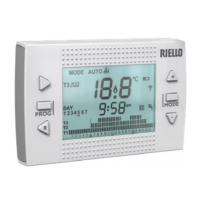
Do you have a question about the Riello Hi, Comfort T100 and is the answer not in the manual?
 General
| Mounting | Wall-mounted |
|---|---|
| Power Consumption | 1W |
| Protection Rating | IP20 |
| Temperature Range | 5°C to 35°C |
| Display | LCD |
| Programmable Periods | 7-day programmable |
Important safety warnings, installation notes, and usage advice for the device.
Explains what the Hi, Comfort T100 is for and its various operating modes.
Definitions of key technical terms used throughout the manual.
Compliance declaration for energy efficiency standards.
Lists all items included in the Hi, Comfort T100 package.
Visual guides for installing the device and its components.
Detailed technical specifications for the thermostat and accessories.
Physical dimensions and mounting details for the thermostat.
Specific instructions for installing the system in three-phase configurations.
Explanation of the thermostat's display, buttons, and navigation.
Details on icons and information shown on the thermostat display.
Step-by-step guide to setting the device's date and time.
How to set the device for heating or cooling operation.
Details on choosing between AUTO, MANUAL, SUMMER, OFF, etc.
How to use features like ADVANCE, BOOSTER, and KEY-LOCK.
Setting up timed programs for heating and cooling.
Configuring timed schedules for domestic hot water.
How to set desired temperatures for different comfort levels.
Adjusting the target temperature for domestic hot water.
Viewing current boiler status and probe readings.
Navigating and configuring advanced installer settings.
Setting up wireless components like RF receivers and WiFi Box.
Pairing the Hi, Comfort T100 with the WiFi Box and other devices.
Procedure for performing a full reset of the WiFi Box.
Explains the meaning of LED indicators on the WiFi Box and RF receiver.
Lists common alarms, their descriptions, and solutions.
 To Next Page