Programmable Relay ● User Manual for ELC, EXM and PR Series 116 2020 v6.0 ● © Rievtech Co.,
Ltd. ● www.rievtech.com
Washington Ankara Madrid Amsterdam
If you select one of these locations, xLogicsoft uses the
latitude, longitude, and time zone of your selection.
Alternatively, you can configure a specific latitude,
longitude, and time zone for your location, and provide a
name for this custom location.
Based on the location and time zone, xLogic calculates the
absolute sunrise and sunset time for the current day. The
block also takes Summertime/Winter Daylight Savings
time into consideration, if it is configured on the computer
where xLogicsoft is installed. To do such configuration,
you should select the checkbox of "Automatically adjust
clock for daylight for saving changes" in the "Date and
Time Properties" dialogue.
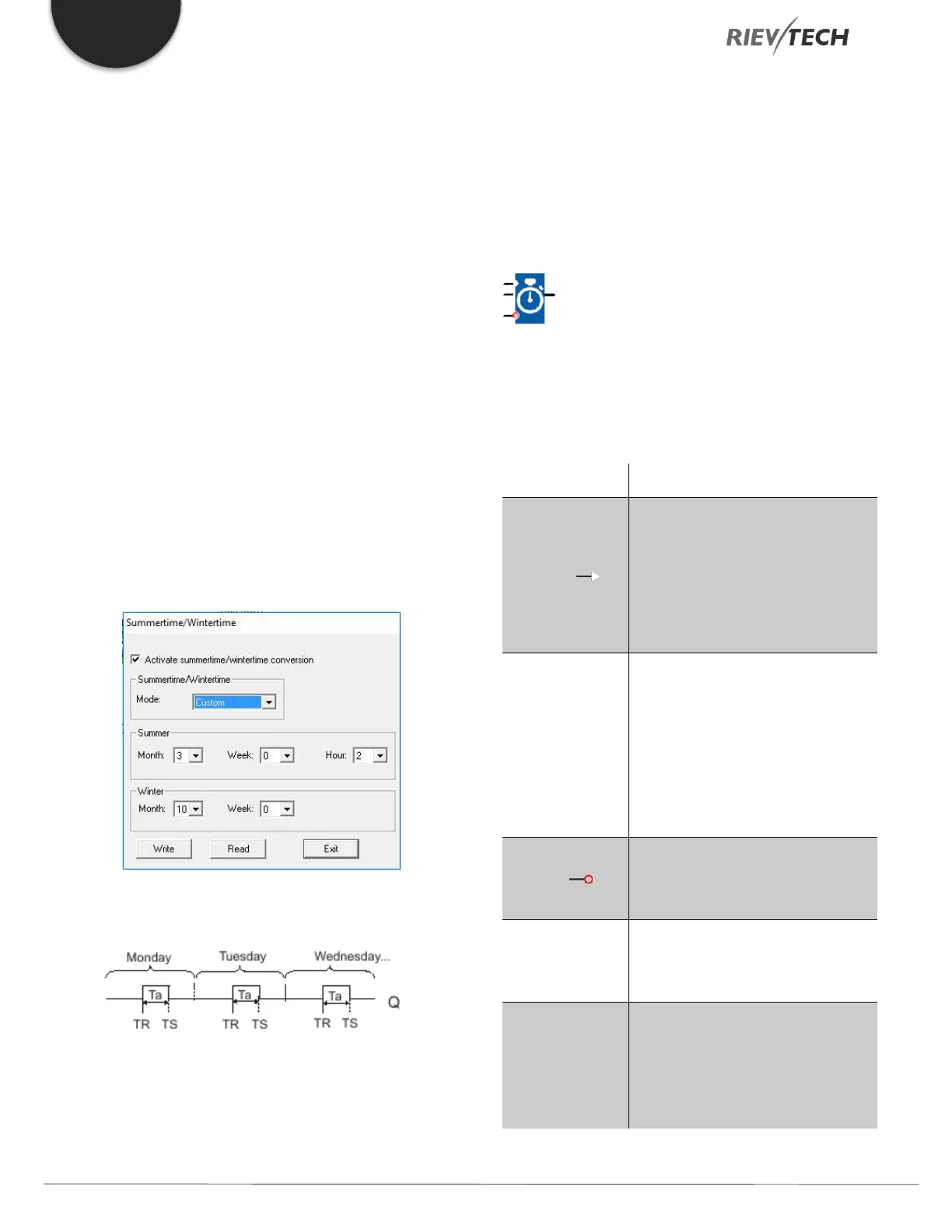
You can also set this up in the PLC using the
Transfer…..Summertime/Winter Time menu option:
Timing diagram
Description of function
The function calculates the value at the input and sets or
resets Q depending on the sunrise time and sunset time
at the configured location and time zone of the module.
Stopwatch
Description of function
The stopwatch records the time elapsed since it was
enabled.
En (Enable) is the monitoring input.
xLogic sets the current elapsed time
to 0 and begins counting elapsed
time when En transitions from 0 to
1. When En transitions from 1 to 0,
the elapsed time is frozen.
A positive edge (0 to 1 transition)
at input Lap pauses the stopwatch
and sets the output to lap time.
A negative edge (1 to 0 transition)
at input Lap resumes the stopwatch
and set the output to current
elapsed time.
A signal at input R (Reset) clears
the current elapsed time and lap
time.
The time base for the elapsed time
can be set to hours, minutes,
seconds, or 1/100ths of seconds.
The output AQ outputs value of the
current elapsed time when it is a
negative edge (1 to 0 transition) at
the input Lap, and outputs value of
the Lap time when it is a positive


 To Next Page
 Loading...


