Factory state
The default of 'Type' is 'momentary action switch'.
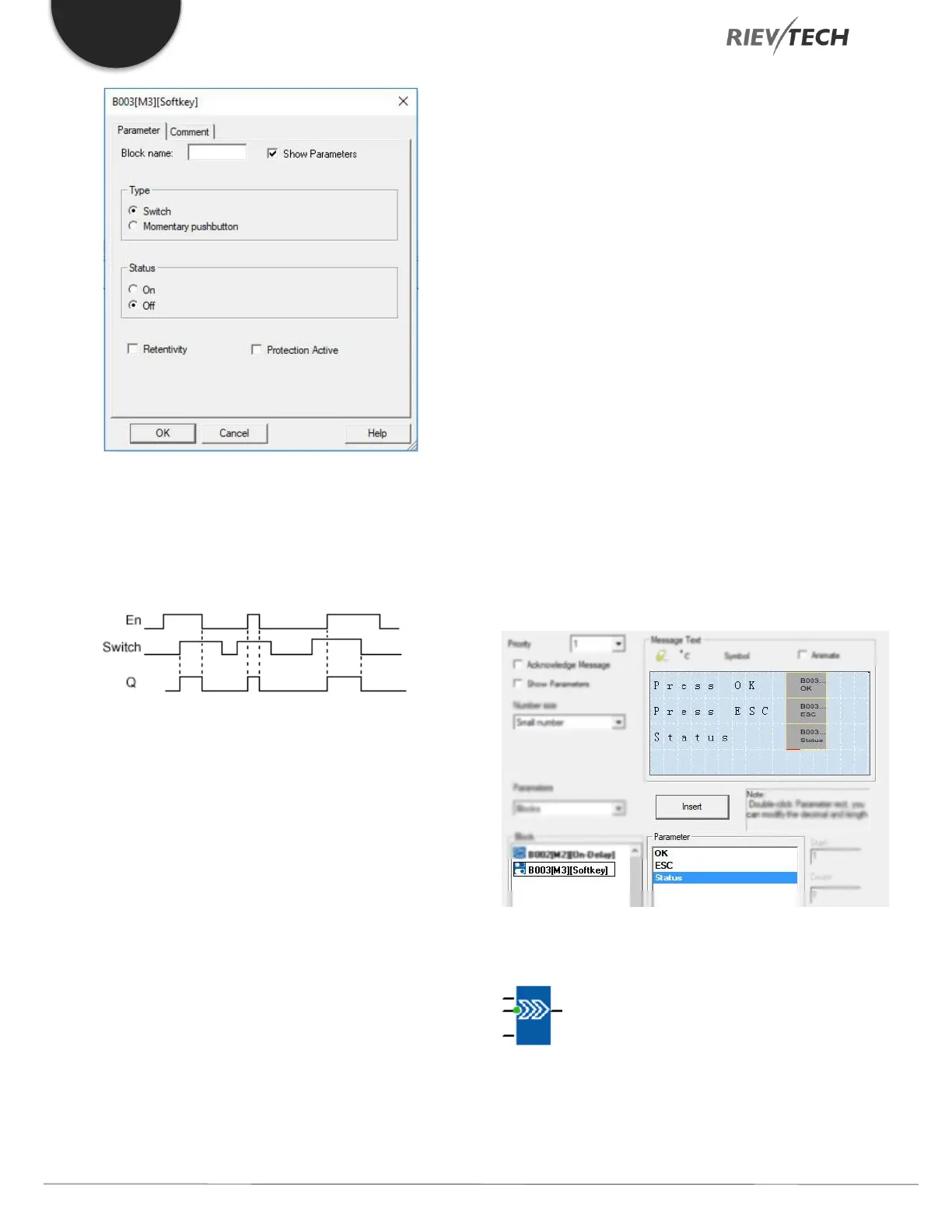
Timing diagram
Description of the function
The output is set, when input En is set and the 'Status'
parameter is set to 'On' and confirmed with OK. This action
is performed irrespective of a configured switch or
pushbutton function.
The output is reset to '0' in the following three cases:
1. With a 1 to 0 signal transition at input En.
2. When a pushbutton function is configured, and one
cycle has expired after its actuation.
3. When the 'Status' parameter sets the 'Off' status in
configuration mode, and this has been confirmed with OK.
Particular characteristics to be noted when configuring
The softkey can be used both with momentary push
button or switching action. At the status parameter, you
can define the on (actuated) or off state for the
switch/push button.
If the softkey is assigned a push button action, the output
is always set for the duration of one cycle with a 0 to 1
transition at input En when the push button is in on state,
or if the push button state changes from Off to On when
En=1.
Parameters of softkey in message texts block:
1) The “ok” means you can press the ok button to switch
the status of the softkey block after its parameter
inserted into message texts.
2) The “Esc” means you can press the ESC button to
switch the status of the softkey block after its
parameter inserted into message texts.
3) The status of softkey block is also can be inserted into
the message texts block for displaying.
Shift Register
Description of function


 To Next Page
 Loading...


