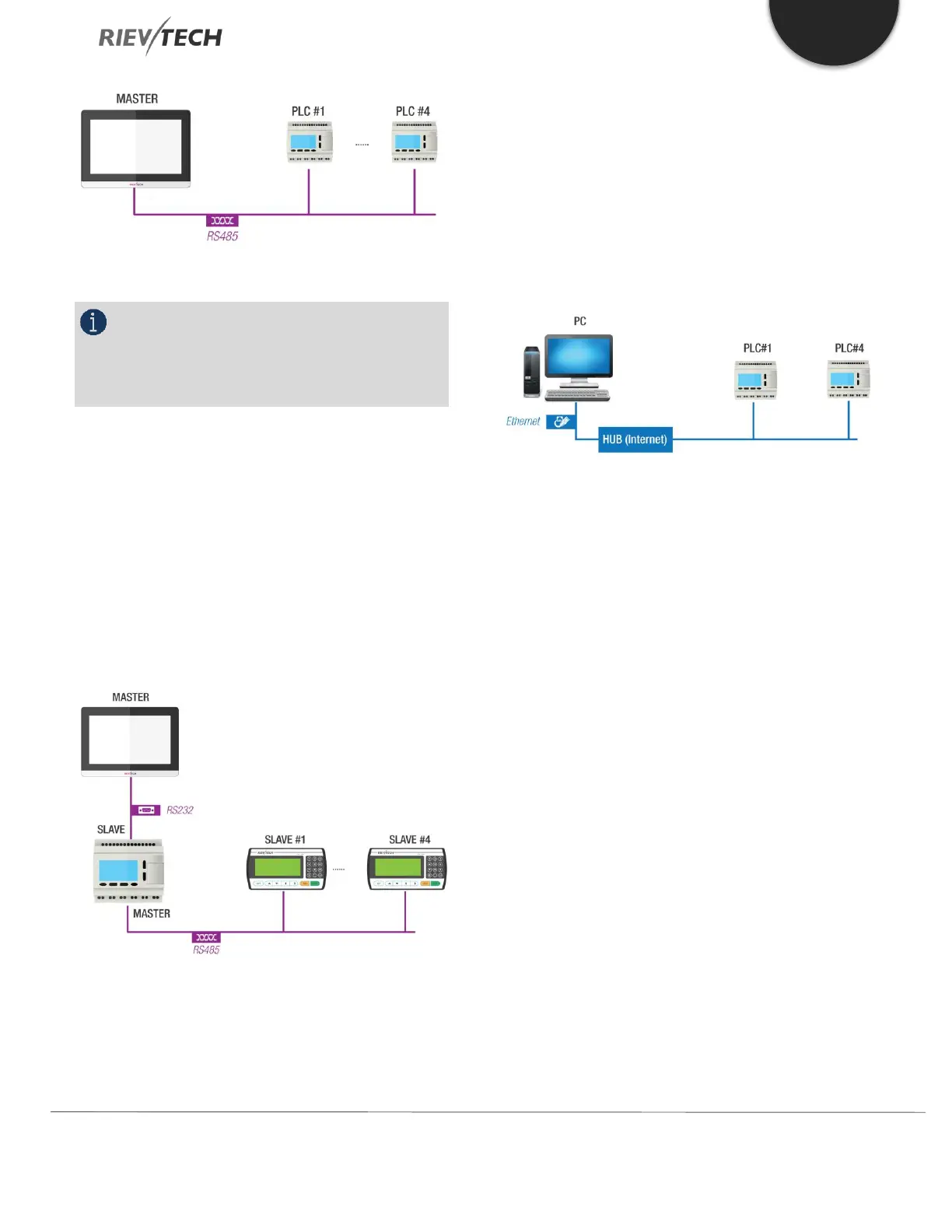
Figure 1 xLogic as RS485 Slave
NOTICE:
PR-E-RS485 module (or PRO-RS485 Cable) is
required to connect the CPU to the RS485 bus except for
models with built-in RS485 port.
RS232 or USB port (ELC-RS232/ ELC-USB needed)
If the application does not require an RS485 network and
only one main module with some expansion modules is
needed for the application, then download/upload of the
CPU program happens over the standard RS232 or USB
port. It allows system maintenance like monitoring too.
Figure 2 xLogic as RS485 Master
Ethernet network
If the application requires a system where more than one
main module is needed and these main modules must
communicate with each other, then an Ethernet CPU can
be connected directly to an Ethernet network using the
built-in LAN port. The CPU programs can also be
uploaded/downloaded via Ethernet too. Furthermore, our
free of charge SCADA software can be used with our
Ethernet CPUs.
Figure 3 xLogic Ethernet
xLogic CPU can be connected with expansion modules of
different supply voltages, but the expansion module must
be supplied with the correct voltage corresponding to its
type.
Each xLogic CPU provides the following program
capabilities regardless of the number of connected
expansion units:
Digital Inputs
I1 to I4 (PR-6)
I1 to I6 (EXM-8AC)
I1 to I8 (PR-12, EXM-12)
I1 to IC (PR-18)
I1 to IE (PR-24)
I1 to IG (PR-26)
I11 to I18 (Expansion with address 1)
I161 to I168 (Expansion with address 16)
Analogue Inputs
I1 to I4 (PR-6, PR-12, EXM-12)
I1 to I6 (PR-14, PR-18, PR-24)


 To Next Page
 Loading...


