6.1.7. MQTT Functions
MQTT, Message Queuing Telemetry Transport, is a
machine-to-machine (M2M), Internet of Things (IoT)
connectivity protocol used over a TCP/IP connection. It is
an extremely lightweight publish/subscribe messaging
transport and is useful for remote connections where low-
bandwidth, high-latency and/or unreliable networks exist.
The xLogicsoft MQTT functions allow you to publish and
subscribe to MQTT cloud servers such as Amazon, Ali,
Baidu, etc. Users can use MQTT clients to subscribe to the
cloud service and when your xLogic publishes a message,
it is pushed to ALL subscribers at the same time.
Similarly, if the xLogic is programmed with MQTT
Subscribe function, any message published to the cloud
service will be received by the xLogic as long as it is
connected/subscribing at the time the message is
published.
MQTT functions are only available in the following xLogic
models:
PR-12 Series
o PR-12AC-R-N
o PR-12DC-DA-R-N
PR-18 Series
o PR-18AC-R-N
o PR-18DC-DAI-R-N
o PR-18DC-DAI-TN-N
PR-26 Series
o PR-26AC-R-N
o PR-26DC-DAI-RA-N
o PR-26DC-DAI-RT-N
o PR-26DC-DAI-RT-2G
o PR-26DC-DAI-RT-4G
o PR-26DC-DAI-RT-WIFI
o PR-26DC-DAI-RT-4GWIFI
Configure xLogic for MQTT Server
There are plenty of MQTT brokers on the internet and
some provide their services free. One such broker is
Mosquitto and their MQTT Cloud server address is
https://test.mosquitto.org.
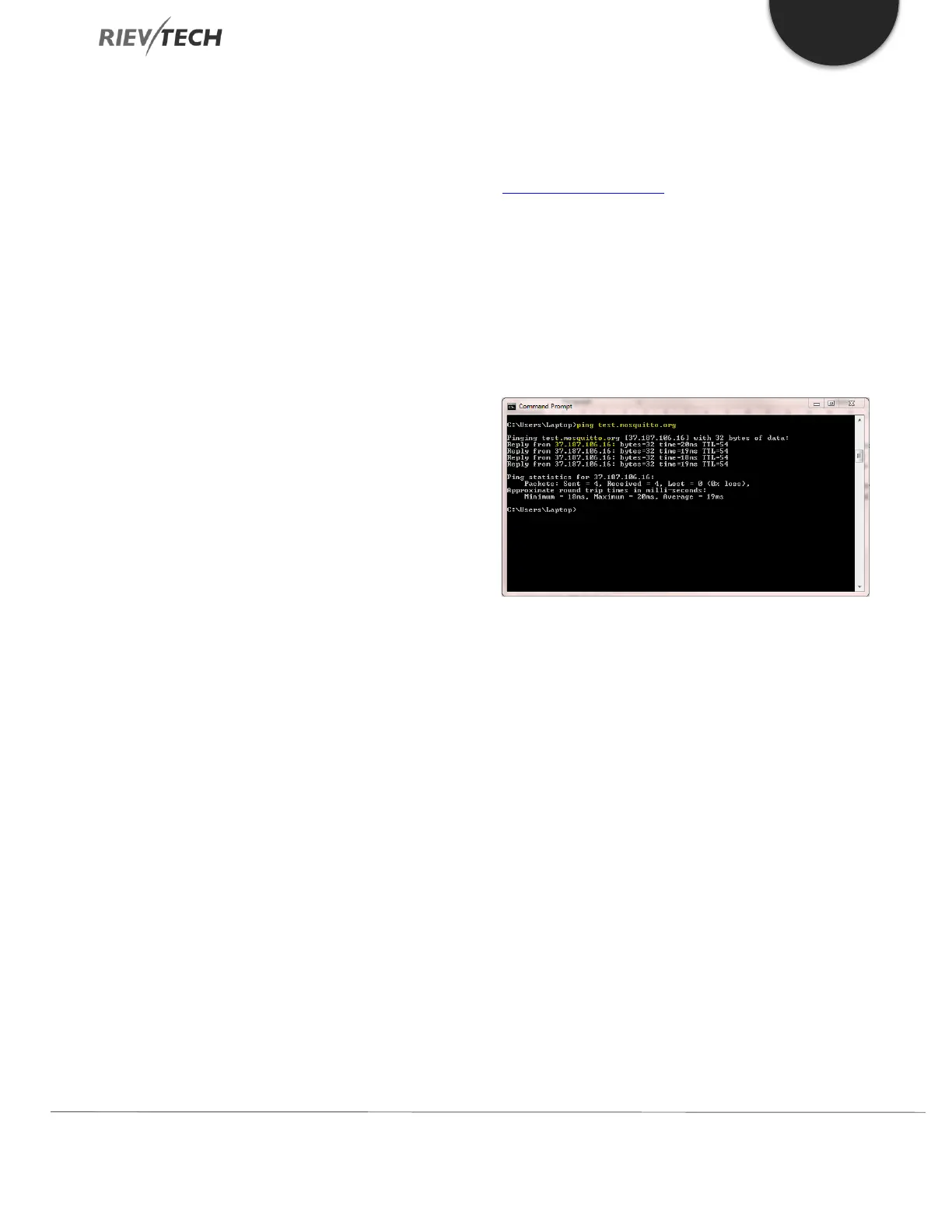
Your xLogic CPU uses Ethernet to connect to these servers
and requires the IP address and not the domain name for
its configuration. To obtain the IP address of the cloud
server you wish to use, you must Ping the domain name.
In our example, the IP address for the cloud server is
37.187.106.16.
Figure 51 - MQTT Server Ping
Connect to your xLogic PLC using xLogicsoft, here we are
using a USB cable on COM1:


 To Next Page
 Loading...


