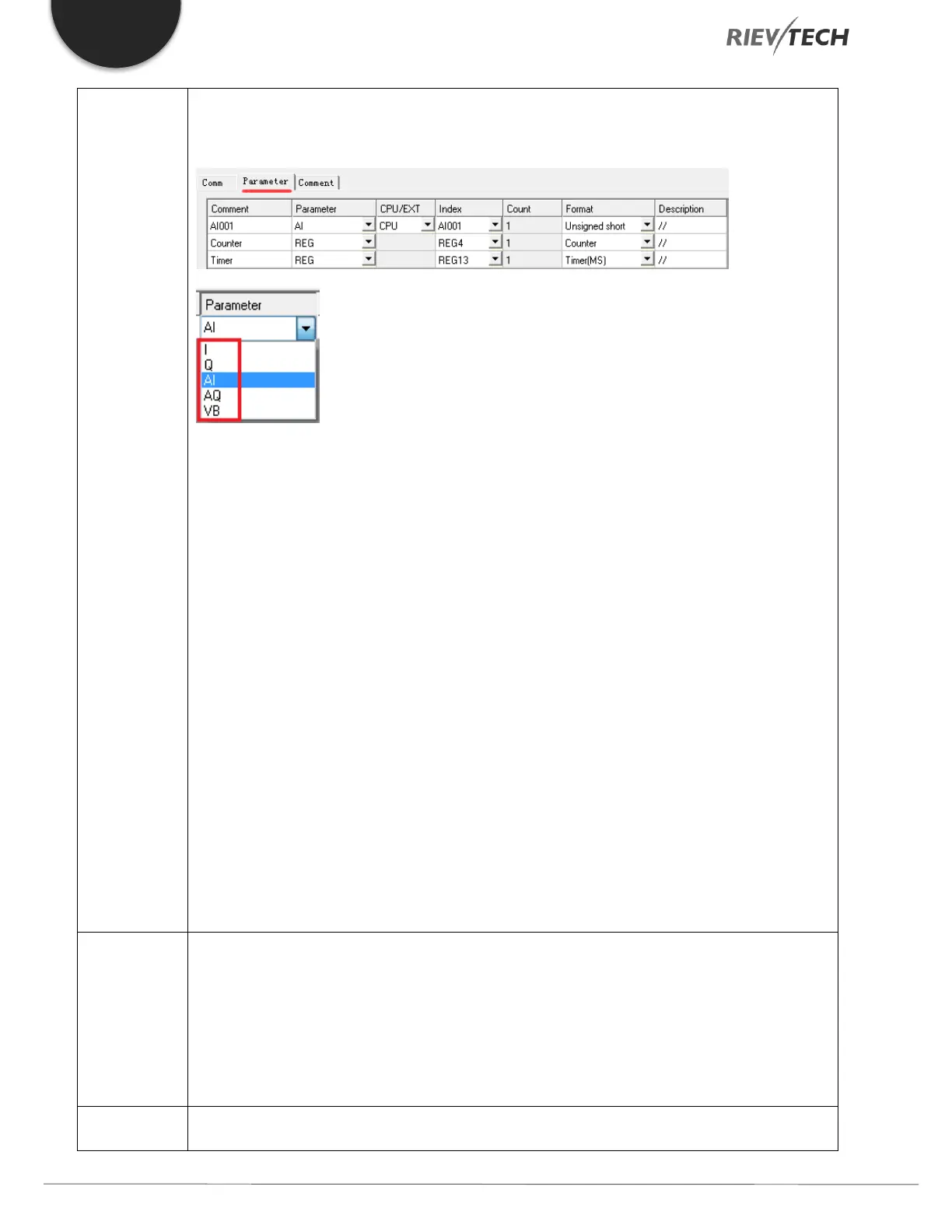
Parameter:
Set the message content.
I – A digital input state
Q – A digital output state
AI – An analogue input value
AQ – An analogue output value
VB – Value of VB type data
CPU/EXP: If using IO, select which unit, CPU or expansion unit it is referring to.
Index: Select the start index/IO channel of the data.
Count: Select, AI001 – AI00C, the number of values starting from the index entered. For example, if
you selected as per the above picture and changed the Count from 1 to 4, then the message would
provide the value of AI001 – AI004.
Format: Automatically filled in dependant on the Parameter selected.
Description: A few characters which will be added to the end of the message.
Digital output.
Indicates whether the information was successfully published.
0: Not triggered or failed to publish
1: Successfully publish data



 To Next Page