o Summer time/Wintertime: Enable/Disable
Daylight Savings Setting.
o Set Extended module: Enable/Disable the
expansion port of xLogic (Only applied to Standard
ELC-12 series CPU)
Simulation: Simulate the xLogic program.
Select Hardware: Select the model of xLogic for
programming.
Edit Cover HMI: Change the xLogic HMI displayed
data.
User manager: File management, program can be
protected with different priorities.
Set Monit Config: Select elements for monitoring or
saving to an Excel file.
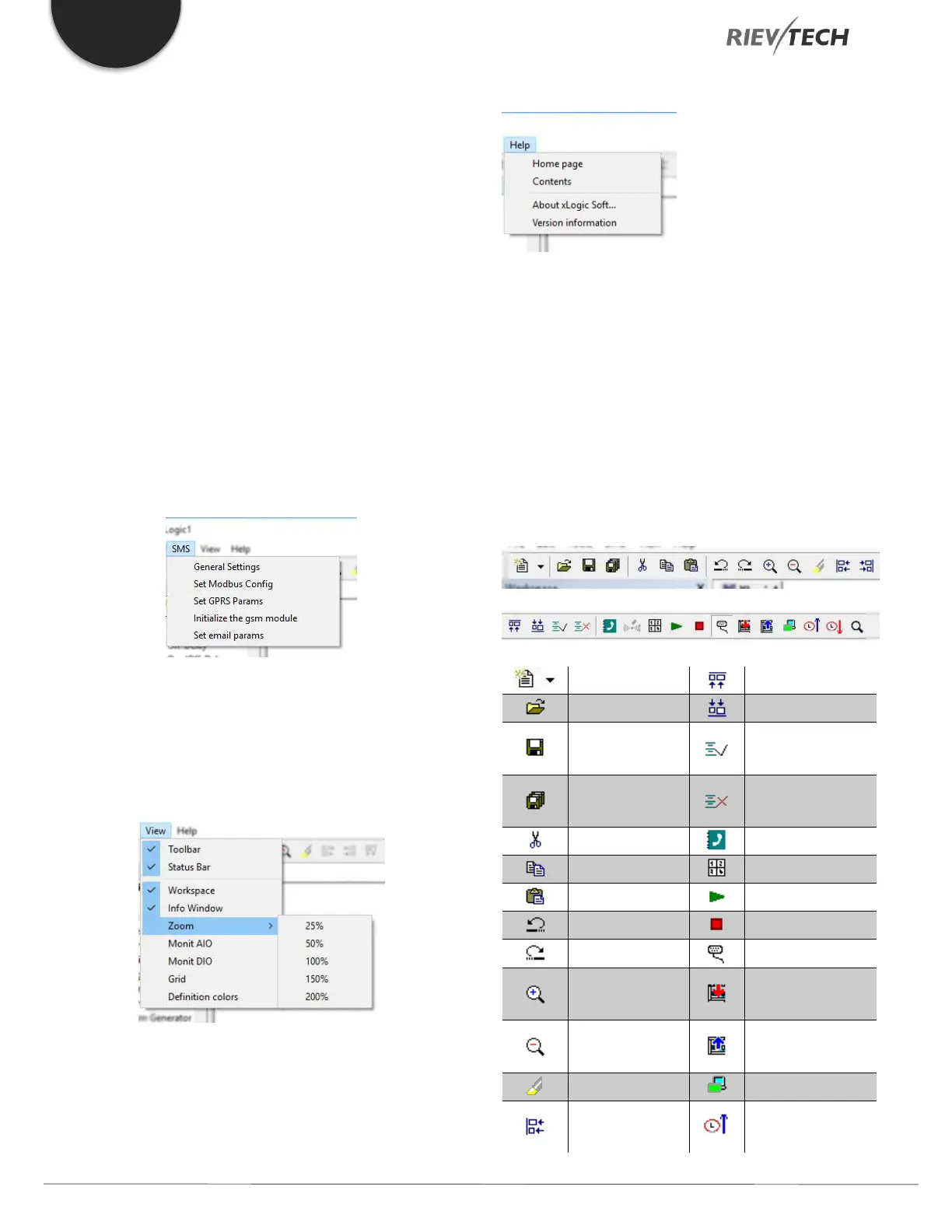
SMS Menu
View Menu
This instruction is to display the status bar, workspace,
and the Information window, etc. The pull-down menu is
shown as the following:
Status bar: Display Status Bar window.
Workspace: Display Workspace window.
Info Window: Display Info window.
Zoom: Select display zoom level.
Help Menu
Contents: Help index and detailed contents
About xLogicsoft: List associated xLogicsoft files and
their versions.
Version: Display xLogicsoft version information.
Standard Toolbar
The icons on the standard toolbar provide quick access to
commands that are also available via the menu.


 To Next Page
 Loading...


