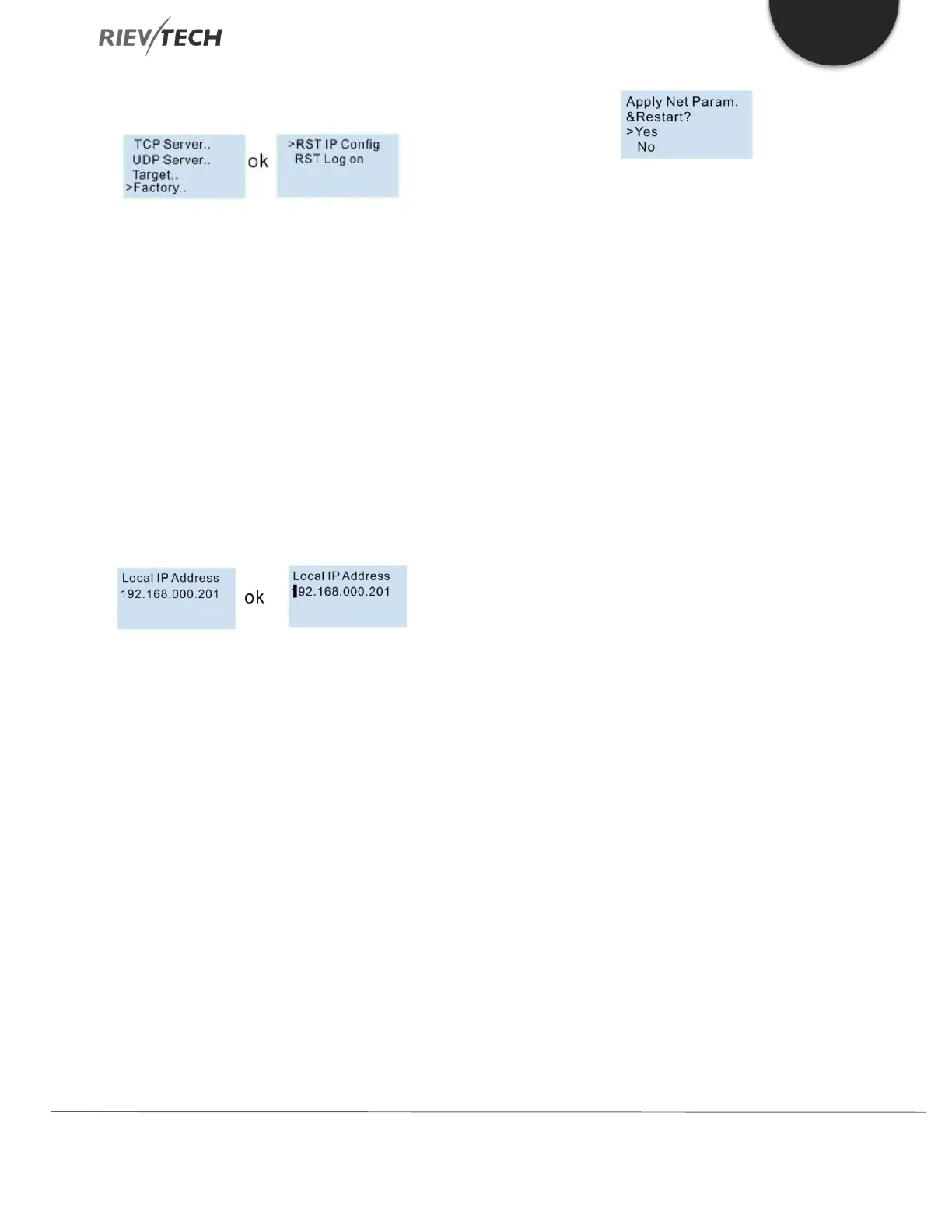
Reset the IP settings to factory defaults:
“RST IP Config”, the IP address will return to 192.168.0.201,
and the TCP server port number will be 6400.
“RST Log on” the web server login name and password
will be set back to “admin”.
Modify the IP address:
Press OK to enter into the modify mode, the cursor will
flash at the start of the address. Then you can move the
cursor by using the Left or Right buttons and change the
value at the cursor position by pressing the UP/DOWN
buttons. Press OK to save and confirm your changes.
After you confirm the parameters with the OK button, the
settings are not enabled, until the CPU is restarted. So,
when you leave the settings the LCD will show you:
You need to select “Yes” and press OK. The CPU will restart,
and the new settings will be applied.



 To Next Page