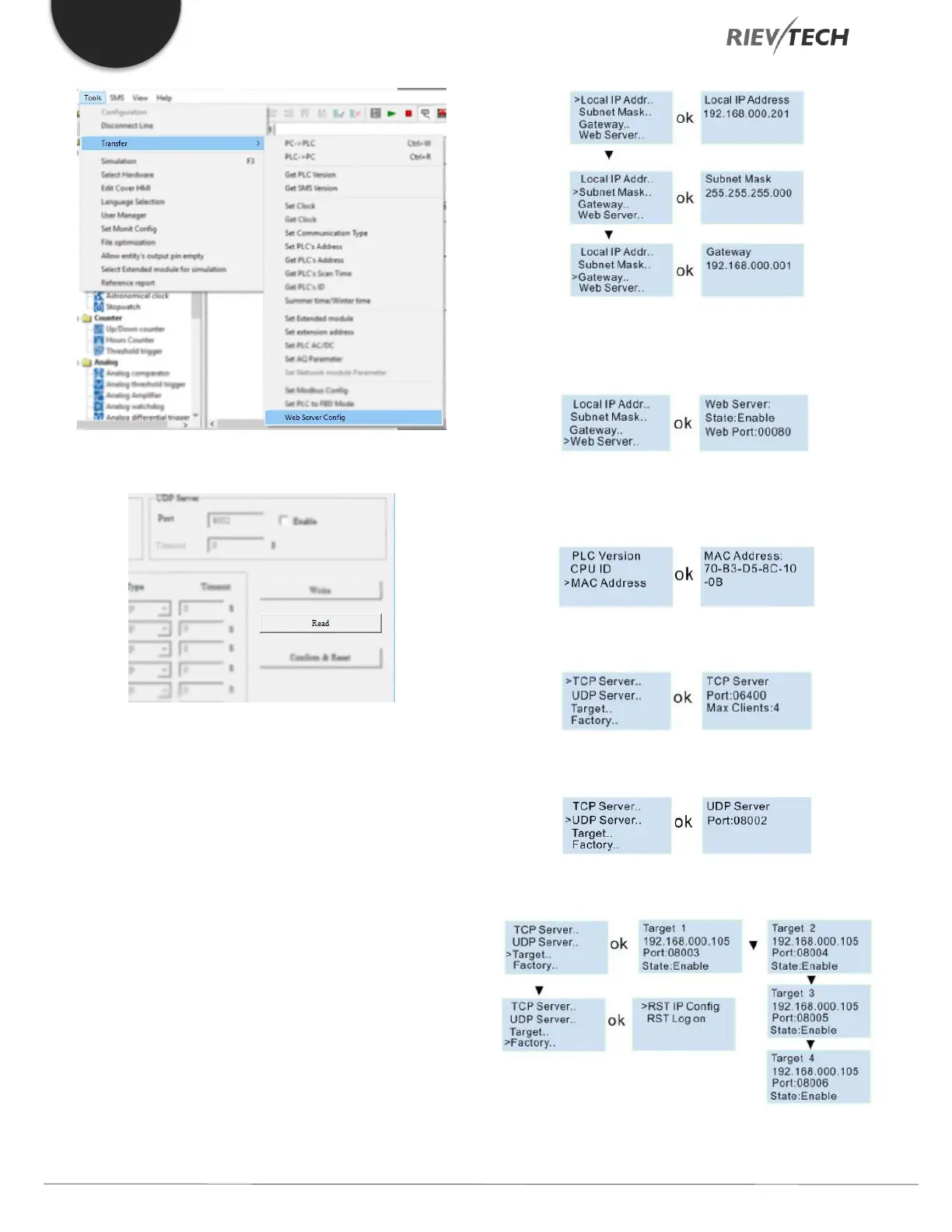
You can read the current parameters from the PLC.
How to View and Configure the Ethernet parameters
via the LCD Panel
You can view and modify the network parameters through
the LCD menu.
You can modify the Local IP address, subnet mask,
gateway from the LCD menu:
The web server port also can be modified, and can also
be disabled or enabled:
You can view the MAC address from here, but it cannot
be modified:
TCP server port settings and allowed TCP clients settings:
View and modify the UDP server:
Set the Target server IP address and port number:



 To Next Page