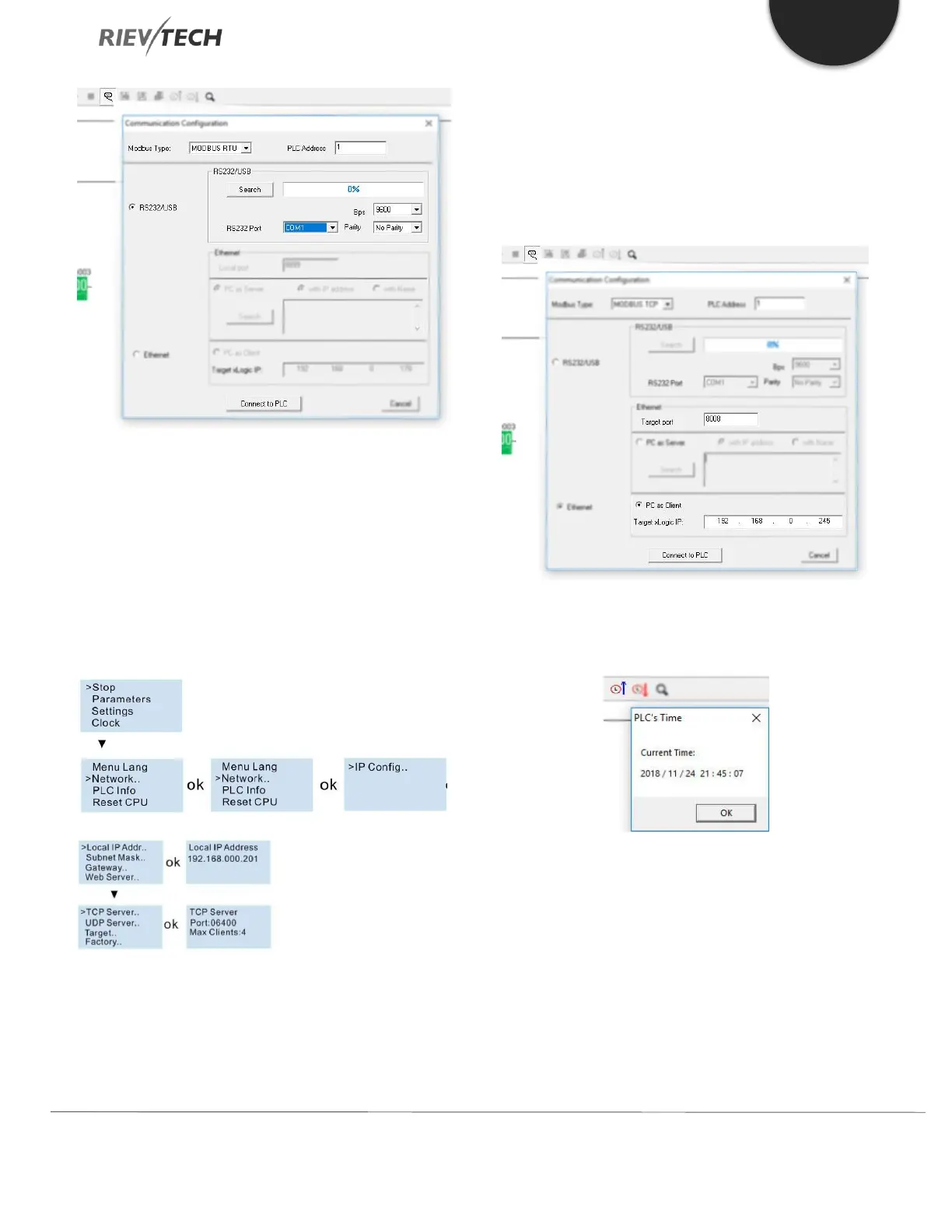
If you have no USB cable there, you can use the Ethernet
connection.
First check the PLC address using the LCD menu.
Get the IP address from:
>Network -> IP Config. -> Local IP ADDR. -> Local IP
(192.168.0.245)
Get the TCP server port from:
>Network -> IP Config. -> TCP Server. -> TCP Server Port
(6400).
Then you can use the Ethernet option (PC as Client) to
connect with CPU.
IP: 192.168.0.245
Port: 8008
After the connection is created, you can click Get Time
icon to confirm the communication is OK.
Now you can configure the Network parameters by using
the menu Tools-> transfer->Web server Config:



 To Next Page