2. The communication protocol via Ethernet is MODBUS
TCP or MODBUS RTU of our PLC, so if you want to
communicate with another factory device through
Ethernet, you need to make sure the device also
supports MODBUS TCP or MODBUS RTU.
3. Our Ethernet PLC (built-in web server version) can
work either as a Master or a Slave.
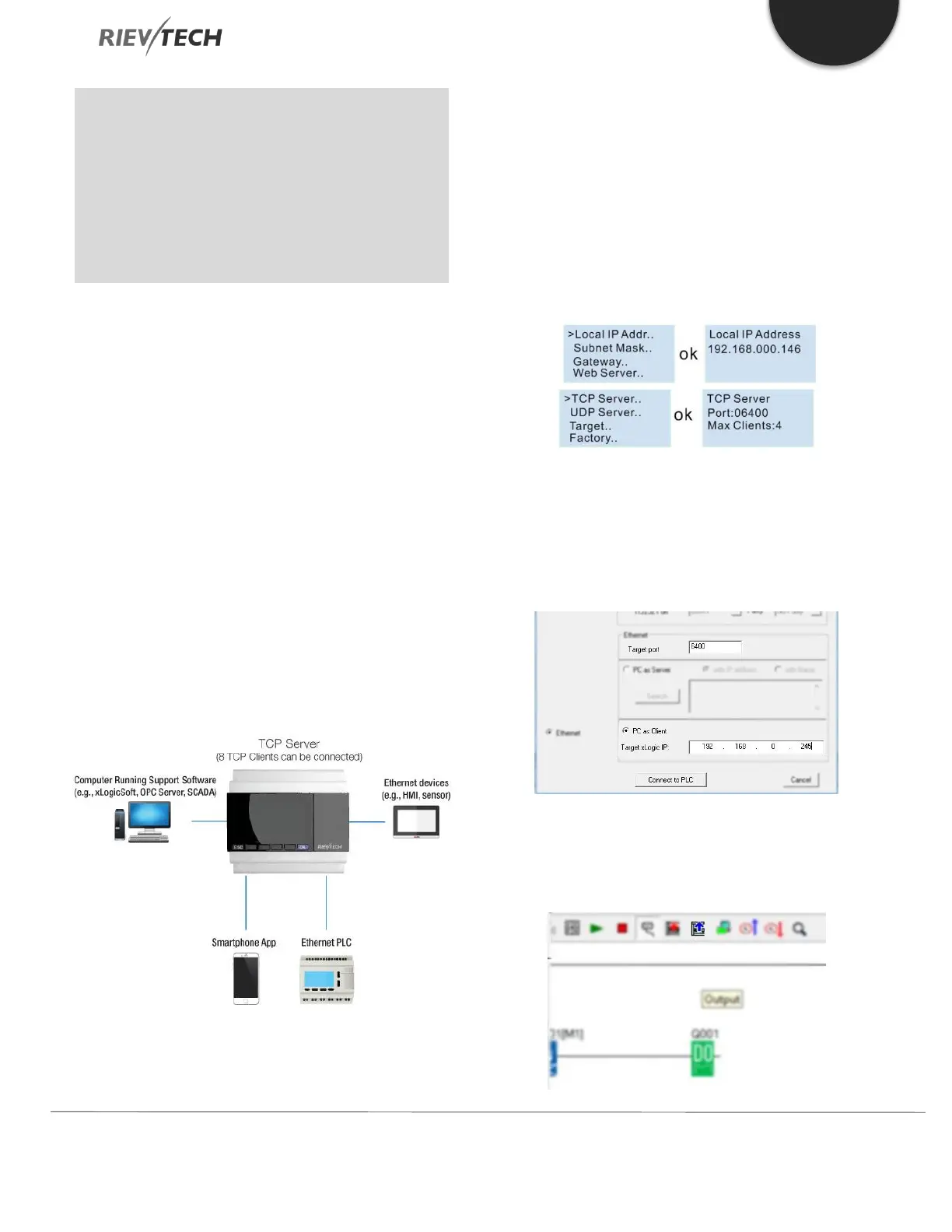
CPU Working as a TCP Server (Slave)
The maximum TCP connections is 8, so one CPU allow a
maximum of 8 TCP Clients (Masters) to connect at the
same time. And each TCP connection is treated totally
independent of the others.
For example:
All the 8 Clients can monitor and control the CPU at the
same time.
TCP Client 1 - Communication with xLogicsoft (PC is
Client)
First check the PLC IP address and TCP Server Port settings
using the CPU LCD menu.
Get the settings from:
>Network -> IP Config. -> Local IP ADDR. -> Local IP
(192.168.0.245)
Use these settings in the xLogicsoft Communication
Configuration window to enable connection to the CPU
from the PC.
After the connection is established, you can
download/upload the program and monitor the program
just like using the USB cable connection.



 To Next Page