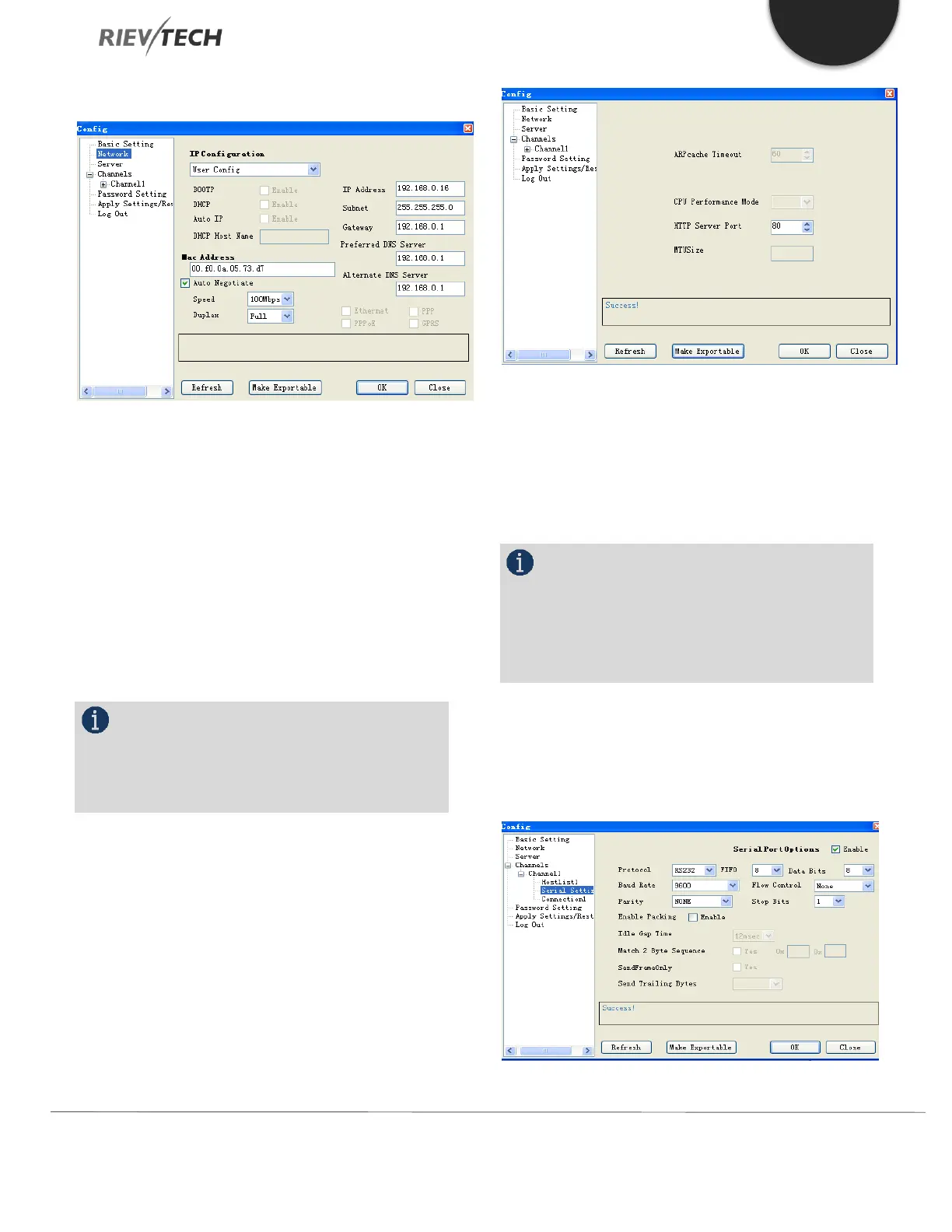
Network Settings
In this section, you can configure the Ethernet network
settings of the xLogic Ethernet CPU. You can change the
following settings:
IP Configuration: DHCP or User Config.
IP Address: Default is 192.168.0.250
Subnet: Default is 255.255.255.0
Gateway: Default is 192.168.0.1
Preferred DNS Server
Alternate (Secondary) DNS Server
NOTICE:
Please leave ALL other settings as Default unless
you are fully familiar with Ethernet network
configurations.
Ensure any changes made are written to the xLogic CPU
by pressing the OK button.
Server Settings
The default settings in this section should be sufficient for
most installation and should be left unchanged where
possible.
Channels
The channels configuration section is used to configure
communication speeds and termination settings for the
CPU serial ports and the network settings for Server/Client
modes of the xLogic CPU.
NOTICE:
Unless there is a specific need to, please do not
change any of the settings in the Serial Settings section
as this may cause communication problems for your
xLogic CPU.
Ensure any changes made are written to the xLogic CPU
by pressing the OK button.
Serial Settings



 To Next Page