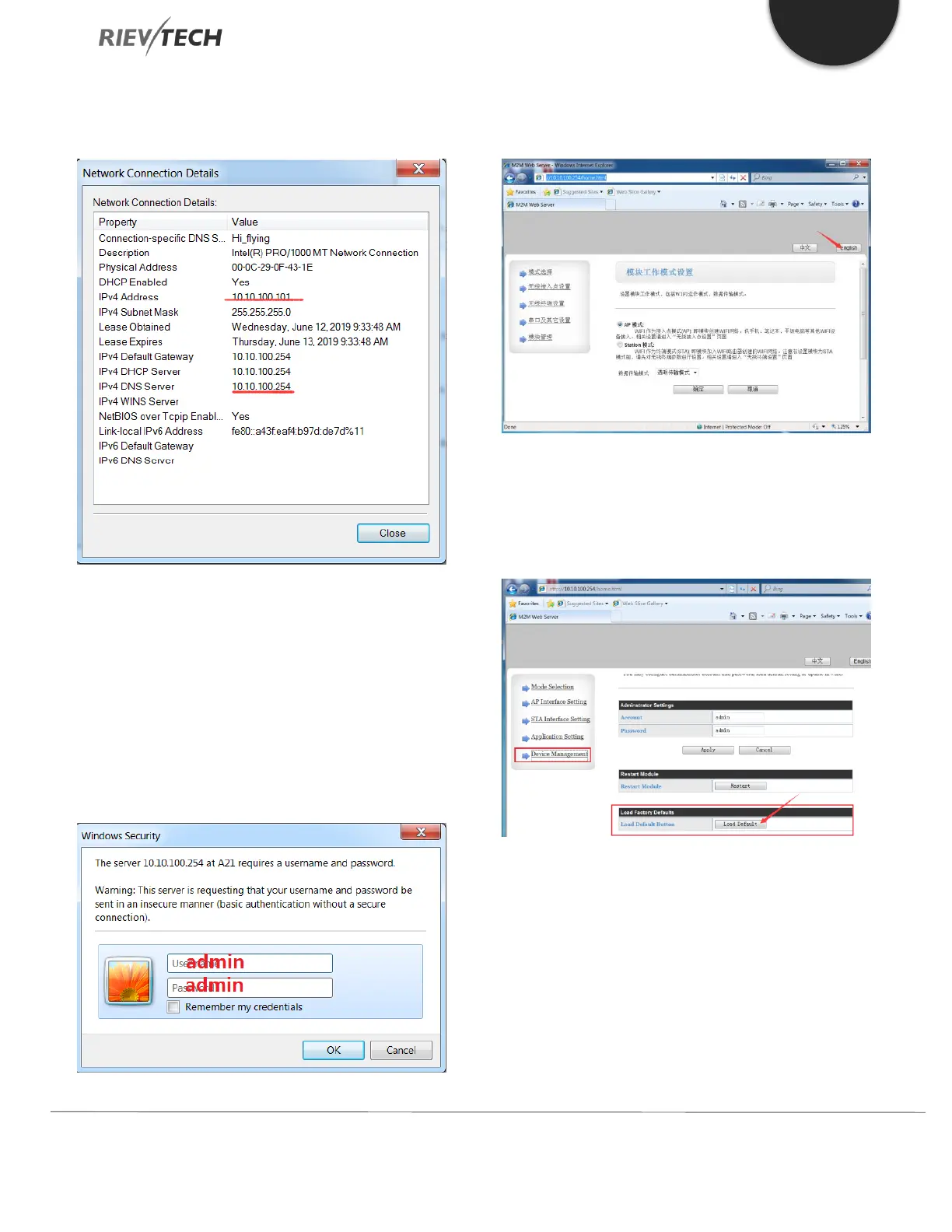
3. This WIFI CPU will provide an IP address to the
PC:
4. Open a web browser and enter the IP address of
the Default Gateway. In our example,
10.10.100.254 into the address bar of the web
page and press Enter.
5. Enter the username and password when
prompted in the pop-up window and click OK.
a. Username: admin
b. Password: admin
6. Click on the button ‘English’ if the text is not in
that language:
7. Select the option ‘Device Management’ from the
left-hand menu and then choose ‘Load Default’,
which will reset the WIFI CPU to its default
communication settings.
8. You will need to cycle the power to the SIFI CPU
to restart it for the changes to become effective.



 To Next Page