o WAN IP Address (Internet Fixed by ISP): 221.226.189.74
EXM1 CPU
o IP Address: Dynamically assigned by mobile network
o Port number: 5002
Configure EXM CPU with xLogicsoft
1. Connect EXM CPU to PC using a USB programming cable and power up CPU.
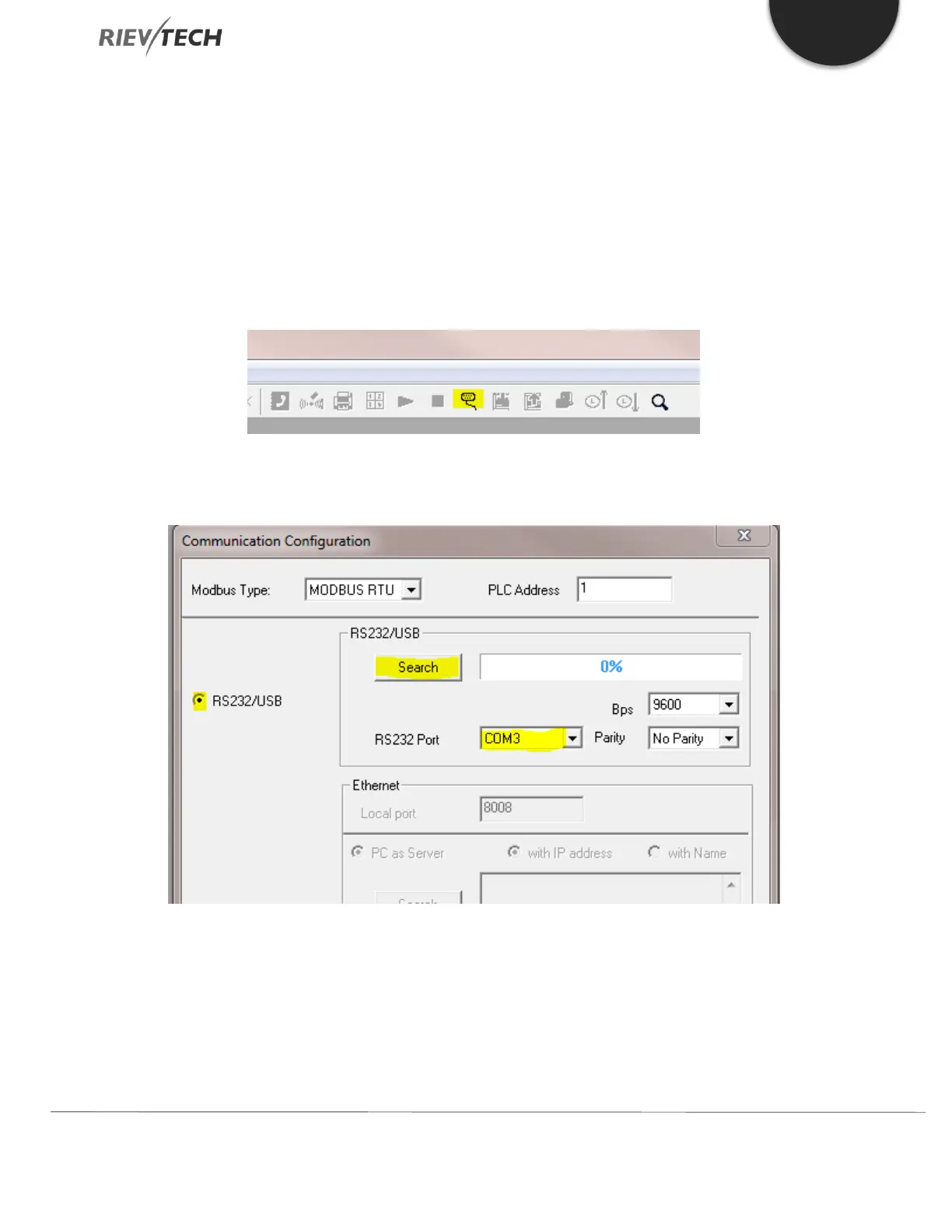
2. Run xLogicsoft software and click on the Open/Close Comm Port icon on the tool bar
3. Ensure radio button for RS232/USB is selected, the RS232 Port is set to the correct port for the USB cable connection
and press the Search button



 To Next Page