SMS Message Input
Description of Function
Up to 32 SMS Message Input blocks are available for
use in your program. They are used in a similar way to
other digital input blocks. But they enable the switching
of their state via a SMS message sent to the CPU from
a phone.
Users can send a pre-set message to the CPU to change
the state of the inputs, from “0/OFF” to “1/ON” or vice
versa. The ability to define other commands is also
provided such as “Switch Pump On”, “Close Drain Valve”,
etc.
Configuration of Function
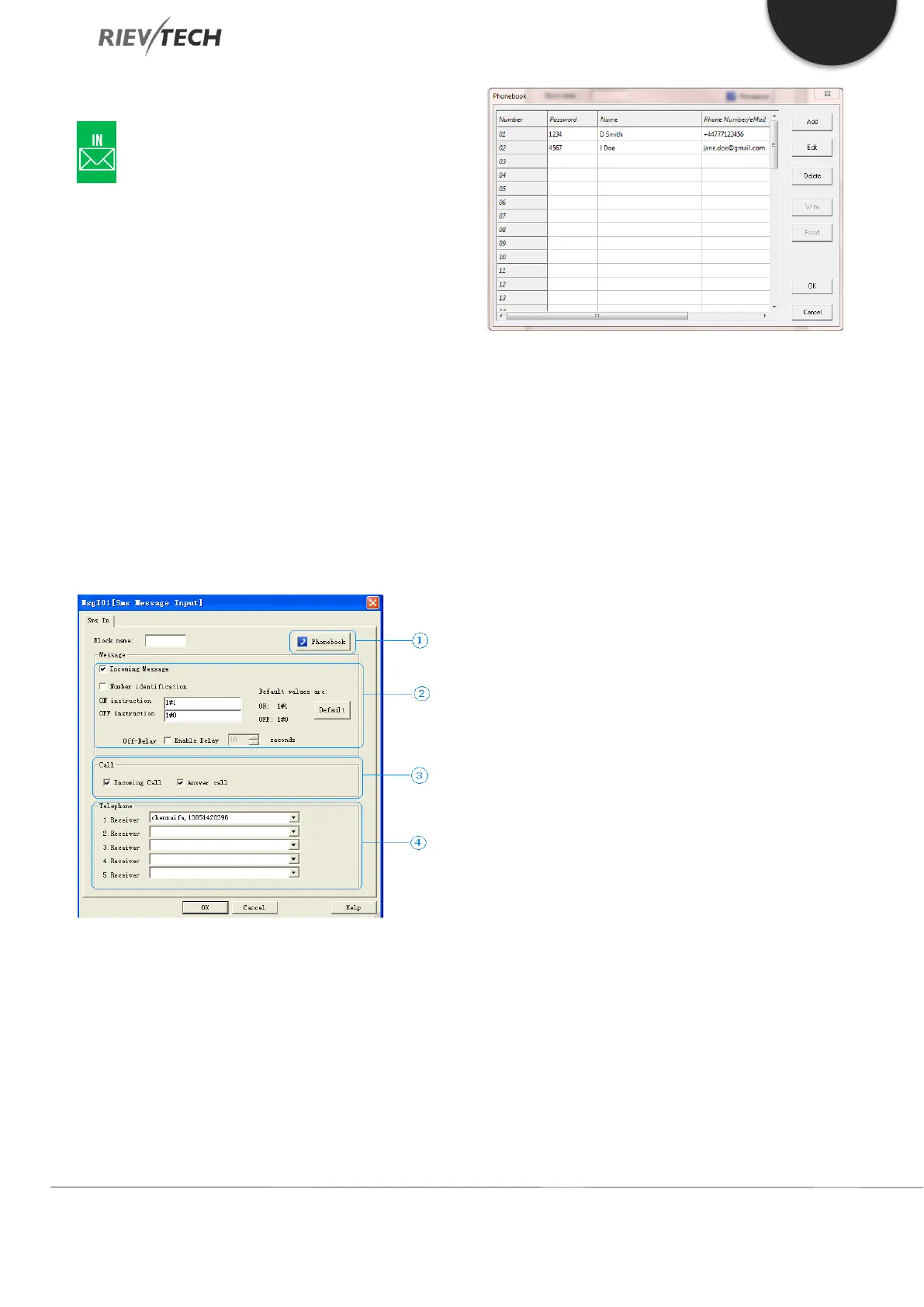
1. Phonebook – Clicking this button will display
the phonebook and allow editing of it.
There are two control options for the SMS Message
Input, Incoming Message and Incoming Call, which can
be used individually or both together.



 To Next Page