EasyManua.ls Logo

Rikon Power Tools 25-210 - User Manual

Rikon Power Tools 25-210
40 pages
Print Icon
To Next Page IconTo Next Page
Loading...
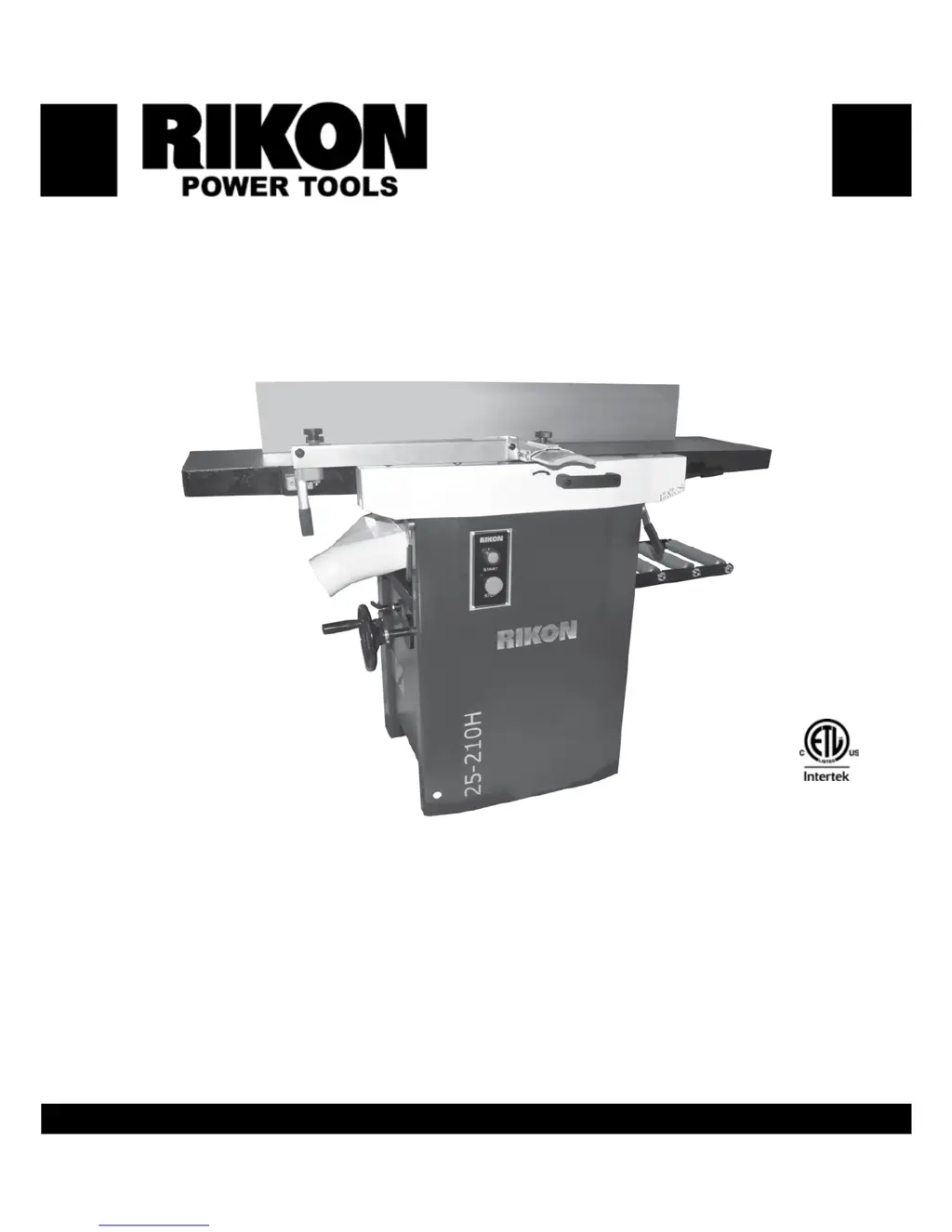
25-210H
25-210
www.rikontools.com
25-210/HM1
12ā€ Planer / Jointer
25-210H Helical w/ Knife Inserts & 25-210 Straight Knife models
Operator’s Manual
Record the serial number and date of purchase in your manual for future reference.
Serial Number: _________________________ Date of purchase: _________________________
For technical support or parts questions, email techsupport@rikontools.com or call toll free at (877)884-5167
4001824

Questions and Answers

  • S
    Stephen BradySep 10, 2025
    What causes tear out on my Rikon Power Tools Planer?
    • M
      Monica CollinsSep 10, 2025
      Tear-out on the planed surface from your Rikon Power Tools Planer can occur if you're cutting against the grain; always cut with the grain, and for figured woods, take shallow cuts to minimize tear-out. It can also happen if the cut is too deep, so reduce the cutting depth to 1/16" or less. Dull knives can also cause tear-out, so rotate insert knives to new sharp edges.
  • M
    Mike AllisonAug 22, 2025
    Why does my Rikon Power Tools 25-210 Planer keep tripping the circuit breaker?
    • R
      Robert McculloughAug 23, 2025
      If the circuit breakers trip or fuses blow when using your Rikon Power Tools Planer, it could be due to several reasons. The circuit size might be incorrect for the machine; check the circuit/fuse rating and the motor's amps, and install a correctly rated breaker/fuse. The motor could be overloaded from taking too heavy of a cut, so try taking lighter cuts when planing lumber. Also, avoid using an extension cord, or use a heavier gauge cord if one is necessary.
  • B
    bsmithAug 25, 2025
    How to prevent tear out with Rikon Power Tools 25-210 Planer?
    • M
      Maria ConradAug 25, 2025
      Tear-out on the milled surface from your Rikon Power Tools Planer can occur if you're cutting against the grain; always cut with the grain, and for figured woods, take shallow cuts to minimize tear-out. It can also happen if the cut is too deep, so reduce the cutting depth to 1/16" or less. Dull knives can also cause tear-out, so rotate insert knives to new sharp edges.
  • A
    Antonio DeleonAug 26, 2025
    What to do if my Rikon Power Tools 25-210 Planer bogs down while cutting?
    • E
      Erika MoralesAug 27, 2025
      If your Rikon Power Tools Planer bogs down during cutting, it could be due to an excessive depth of cut; try decreasing the depth of cut. Alternatively, the feed rate might be too fast, so reduce the feed rate. Lastly, check if the knives are dull and replace or sharpen them if necessary.
  • J
    Jean OsborneAug 27, 2025
    Why is my Rikon Power Tools 25-210 not feeding lumber properly?
    • M
      Mary JordanAug 27, 2025
      Poor feeding of lumber through your Rikon Power Tools Planer can occur for several reasons. Check the drive belt for wear or breakage and replace it as needed. Also, inspect the drive belt tension spring and replace it if broken. If lumber is sticking on the planer's table, clean the table and apply a silicone-based lubricant to reduce friction. Finally, make sure the feed rollers are applying enough pressure on the lumber, and adjust the feed roller pressure if needed.
  • H
    Hannah AshleyAug 29, 2025
    How to reduce snipe on Rikon Power Tools 25-210 Planer?
    • J
      Jessica TaylorAug 29, 2025
      Snipe on board ends when using your Rikon Power Tools Planer can be minimized by adjusting the feed roller height to apply proper pressure, ensuring the lumber stays flat on the table. Supporting long boards with roller stands as they enter and exit the planer can also help. For short boards, run them butt end to end through the planer.
  • J
    James NguyenSep 18, 2025
    Why doesn't board thickness match the scale on my Rikon Power Tools 25-210 Planer?
    • J
      Jennifer SparksSep 18, 2025
      If the board thickness doesn't match the scale markings on your Rikon Power Tools Planer, the depth of cut scale is likely not set correctly. Adjust the scale to match the board thickness.
  • S
    Sabrina OrtegaSep 12, 2025
    Why is the surface from my Rikon Power Tools 25-210 rough?
    • K
      Kevin MccoySep 12, 2025
      A rough, raised, or fuzzy planed surface from your Rikon Power Tools Planer can result from lumber with a high moisture content; reduce the moisture content by drying the lumber, or switch to properly seasoned lumber. Dull knives can also cause this issue, so rotate insert knives to new sharp edges.
  • S
    Steven McbrideSep 8, 2025
    Why does my Rikon Power Tools Planer leave raised lines on the surface?
    • T
      Thomas JordanSep 8, 2025
      Small raised lines on the surface planed by your Rikon Power Tools Planer indicates that the knives are likely nicked or broken. Rotate insert knives to new sharp edges.
  • C
    coxdanielSep 5, 2025
    What causes chatter marks on my Rikon Power Tools 25-210?
    • K
      Kayla MoralesSep 5, 2025
      Chatter marks on lumber or a slowing cutterhead when jointing with your Rikon Power Tools Planer can occur if the feed rate is too fast; slow the feed rate down. Excessive downward pressure on the cutterhead knives can also cause this, so apply less downward pressure. If the planer drive rollers are operating, release the belt lever for the planer drive rollers.

Rikon Power Tools 25-210 Specifications

General IconGeneral
Planing Width13 inches
Planing Depth1/8 in
Weight77 lbs
Maximum Cutting Width13 inches
Maximum Cutting Depth1/8 inch
Maximum Thickness6 in
Feed Rate26 feet per minute
KnivesHSS

Related product manuals