Need help?
Do you have a question about the ring Alarm Range Extender and is the answer not in the manual?
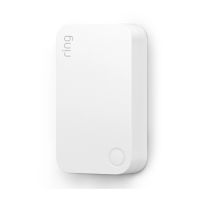
The Ring Alarm Range Extender, 2nd Generation, is a wireless repeater designed to enhance the range and reliability of your Ring Alarm system's network. It functions by listening for and repeating network communications between your Ring Alarm Base Station and other Ring Alarm end devices. Once installed and set up through the Ring app, devices connected to your Ring Alarm network can leverage the Range Extender's routing and repeating capabilities to communicate more effectively with the Base Station. The Ring Alarm Base Station is a prerequisite for enabling the Range Extender's features and functions within the Ring app.
This device operates within any Z-Wave™ network and is compatible with other Z-Wave certified devices from various manufacturers. All mains-powered nodes within the network, regardless of their vendor, will act as repeaters, thereby increasing the overall reliability of the network.
For ease of setup, the Ring Alarm Range Extender is SmartStart enabled. This means it can be added to a Z-Wave network by simply scanning the Z-Wave QR Code present on the product using a controller that supports SmartStart inclusion. No further action is required, and the SmartStart product will automatically be added within 10 minutes of being switched on in the network vicinity. This product also supports classic inclusion mode for controllers that do not support SmartStart.
To set up the device, ensure your Ring Alarm system is disarmed. In the Ring app, navigate to "Set Up a Device" and locate the Range Extender within the "Security Devices" menu. Follow the in-app instructions to complete the setup process. Plugging in the Range Extender will trigger its setup mode. If needed, you can tap the button on the front of the device to retry setup mode.
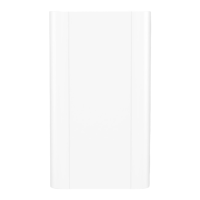
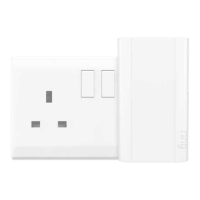
For installation, the Range Extender plugs into a standard electrical outlet. It is recommended to choose an outlet located between your Base Station and any end devices that might require improved communication with the Base Station for optimal coverage. The Range Extender can be moved to different outlets as needed to expand the range of your Z-Wave network.
When adding the Range Extender to a Z-Wave network, you can use either SmartStart or Classic inclusion mode. If prompted for a QR Code or PIN, these can be found on the device itself, on its packaging, or on a card included in the box. Keep the device nearby during setup. You will be prompted to plug in the Range Extender to power it on and enter setup mode.
For SmartStart inclusion, initiate the add flow for Security Devices in the Ring mobile application and follow the guided instructions. When prompted, scan the QR code. Plugging the device into a standard outlet will automatically put it into SmartStart inclusion mode. Tapping the button on the front of the device can restart SmartStart inclusion.
For Classic inclusion, initiate the add flow in the Ring mobile application, then select "Add Manually" and enter the 5-digit DSK PIN. After powering on the device, press and hold the button on the front for approximately 3 seconds. Release the button, and the device will enter Classic inclusion mode, indicated by a green LED blinking three times followed by a brief pause, repeatedly. If Classic inclusion times out, the device will blink alternating red and green.
The LED behavior provides visual feedback during inclusion:
To remove the Ring Alarm Range Extender from a Z-Wave network, initiate the "Remove Device" flow in the Ring Alarm mobile application. This places the controller into "Z-Wave Exclusion" mode. Locate the pinhole reset button on the back of the device. With the controller in exclusion mode, use a paper clip or similar object to tap the pinhole button. The device's red LED will turn solid to indicate successful removal from the network.
To restore the Ring Alarm Range Extender to factory default settings, unplug the device from the outlet. Locate the pinhole reset button on the back of the device. Using a paperclip or similar object, insert it into the pinhole and press and hold the button for 10 seconds. The device will rapidly blink green continuously for these 10 seconds. After 10 seconds, when the green blinking stops, release the button. The red LED will turn solid, indicating the device has been removed from the network. This factory reset procedure should only be used if the network's primary controller is missing or inoperable.
The Ring Alarm Range Extender is an Always On Slave (AOS) device, meaning it does not support Wake Up Command Class. It is designed to be continuously powered and available on the network.
 General
| Dimensions | 3.03 in. x 1.85 in. x 1.06 in. (7.7 cm x 4.7 cm x 2.7 cm) |
|---|---|
| Weight | 1.9 oz (54 g) |
| Power Source | Plug-in |
| Operating Temperature | 32°F to 104°F (0°C to 40°C) |
| Compatibility | Ring Alarm Base Station |
| Wireless Protocol | Z-Wave |
| Range | Up to 250 feet |
| Connectivity | Z-Wave |
| Power Supply | 100-240V, 50/60Hz |

 To Next Page