Symptom Solution
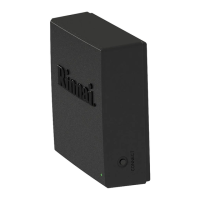
LED on module
does not turn on
• Ensure the module is properly
connected to the PC Board.
• Ensure power is supplied to the
water heater.
Control-R™ App
cannot detect Wi-Fi
signal
• Ensure the Wi-Fi network is using
2.4 GHz.
• Ensure the Wi-Fi router is powered
and properly functioning.
• Ensure the module is installed in a
location with strong signal strength.
Wi-Fi signal is
detected but the
Control-R™ App
cannot connect
• Ensure the correct Wi-Fi password
is entered.
• Press Cancel in the Control-R™
App and repeat the setup process
starting from pairing the module
with the Control-R™ App.
• For questions about your Wi-Fi router, contact the router
manufacturer
• For questions about your Internet service, contact your
Internet Service Provider (ISP)
• Contact Rinnai Customer Care at 1-800-621-9419 and
have your module’s AYLA ID available (located on back of
module)
Scan the QR code to find troubleshooting
information and tutorials


 To Next Page
 Loading...