EasyManua.ls Logo

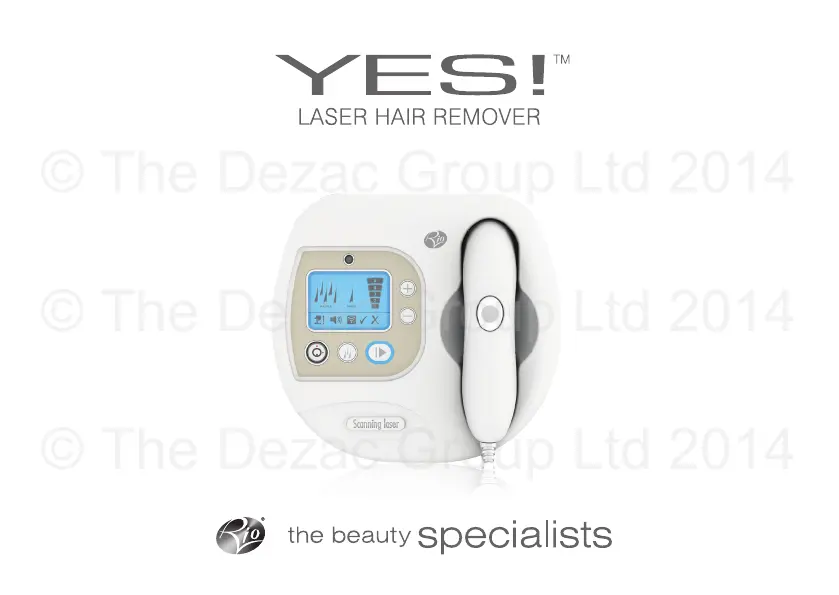
Rio Yes LAHC6 - User Manual

Rio Yes LAHC6
32 pages
Print Icon
To Next Page IconTo Next Page
Loading...
user guide
© The Dezac Group Ltd 2014

Questions and Answers

  • E
    ereidJul 28, 2025
    What to do if the laser treatment on my Rio Electric Shaver is not starting?
    • F
      floresdavidJul 28, 2025
      If the laser treatment on your Rio Electric Shaver doesn't start when you press the treatment button, make sure the touch pins are making contact with your skin and that you are in a well-lit room.
  • K
    Katie FordAug 7, 2025
    Why are no lights working on my Rio Electric Shaver?
    • D
      Dawn HughesAug 7, 2025
      If no lights are working on your Rio Electric Shaver, ensure that the adapter plug is turned on at the wall and that the power lead is fully inserted into the bottom of the unit.
  • E
    Elizabeth BriggsAug 18, 2025
    How to replace lost keys for Rio Electric Shaver?
    • X
      xorozcoAug 18, 2025
      If you've lost the keys to your Rio Electric Shaver, make a note of the serial number from the base of the unit and contact Customer Care. They will be happy to send you a replacement key.

Summary

WARNINGS

General Safety Precautions

Essential safety guidelines for appliance use, including supervision for children and proper power supply.

Specific Safety Warnings and Usage Advice

Warnings about damaged parts, skin suitability, discomfort, and eye safety during operation.

THE SCIENCE

Who should not use Yes Laser?

SKIN TYPES AND POWER LEVEL GUIDE

Skin Type and Power Level Mapping

A guide correlating skin colour and tanning history with recommended maximum laser power levels.

GETTING STARTED

Patch Test Procedure

Instructions for conducting a patch test 24 hours before full treatment to check for skin reactions.

SECURITY FEATURES

HOW TO USE

Initial Setup and Unlocking

Steps for connecting the adapter, unlocking the unit with the security key, and entering the code.

Setting Power and Mode

Guide on selecting the appropriate power level and switching between treatment modes.

Performing Treatment and Powering Down

Instructions on applying the wand, starting treatment, moving between areas, and securing the unit.

AFTERCARE ADVICE

DOS AND DONTS

TROUBLESHOOTING

Common Issues and Solutions

Provides solutions for common problems like lost keys, non-starting treatment, and unit power issues.

CHANGING THE SECURITY CODE SEQUENCE

CUSTOMER CARE

Rio Yes LAHC6 Specifications

General IconGeneral
BrandRio
ModelYes LAHC6
CategoryElectric Shaver
Power SourceRechargeable battery
Battery TypeLithium-ion
Usage Time60 minutes
Wet/DryYes
Floating HeadsYes
WaterproofYes

Related product manuals