1. “Rippton” App Downloading
Search for “RIPPTON” on the Google Play Store, Samsung Galaxy Apps
or App Store or scan this QR code to install the app on your mobile device.
You can find the “Rippton” app on the Google Play Store, Samsung
Galaxy Apps and App Store. Installing the app requires Android System
8.0 or above and iOS 9.0 or above.
2. Directions for Use
Client Mode (refer to page 1 - 9)
Being used together with CatchX Pro bait
boat:
https://www.rippton.com/product/catchx-pro
AP Mode (refer to page 9 - 10)
Being used solely
2.1
Client Mode (Used with CatchX Pro)
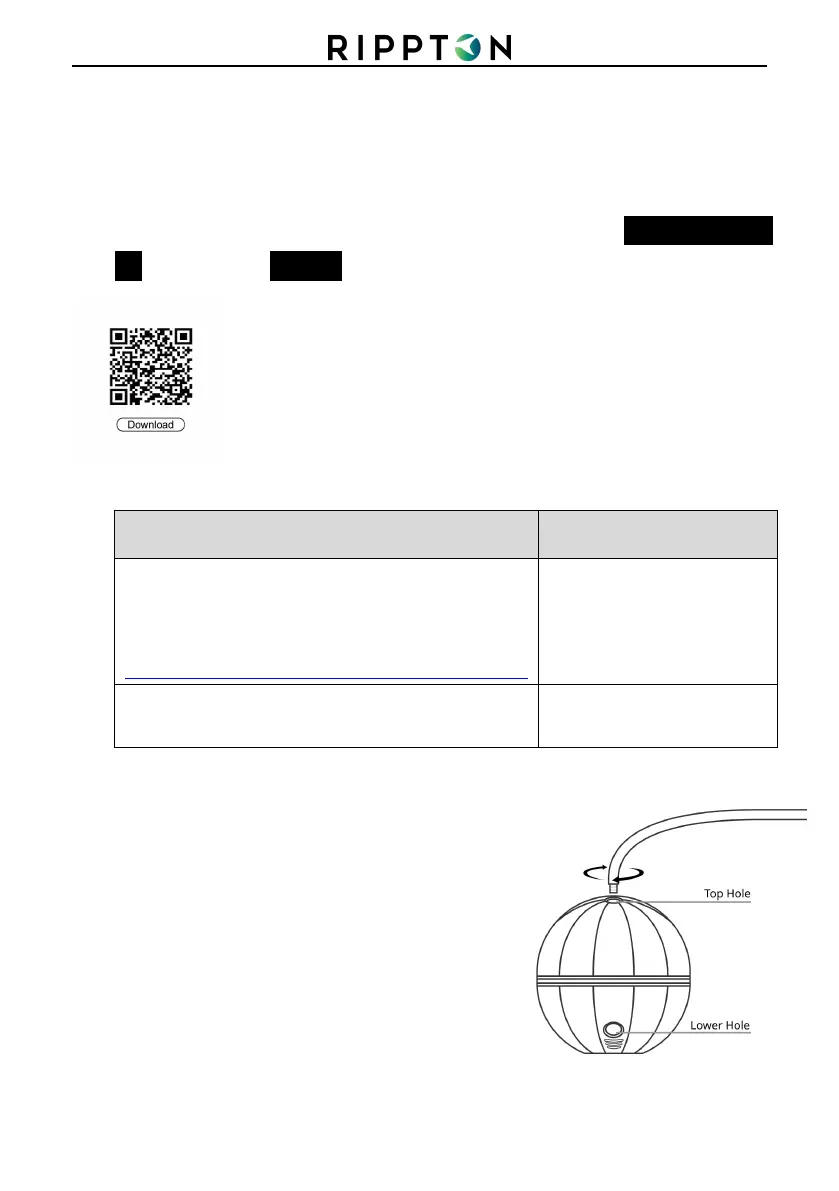
Note: Do not use the hole at the lower end.
1) Ensure that your “HYDROBAT” smart fish
finder (the “fish finder”), CatchX Pro bait boat
(the “boat”) and its remote control have been
fully charged.
2) Properly fix the fish finder onto the boat
following the steps below:
Step1: Screw the bar firmly into the top hole.
Note: Do not use the hole at the lower end.
3)



 To Next Page