EasyManua.ls Logo

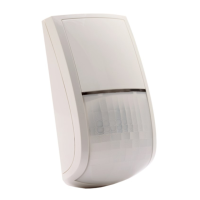
Risco RK350DT - User Manual

Risco RK350DT
48 pages
Print Icon
To Next Page IconTo Next Page
Loading...
Beyond DT Wired
Outdoor Detector
Installation Instructions
Model: RK350DT
Question and Answer IconNeed help?

Do you have a question about the Risco RK350DT and is the answer not in the manual?

Summary

Description

Installation

Step 1: Preliminary Considerations

Guides selection of optimal mounting location based on detection range and pet immunity.

Step 2: Mounting the Detector on Wall Bracket

Provides step-by-step instructions for physically attaching the detector to its wall bracket.

Step 3: PIR Coverage

Details PIR detection range based on mounting height and swivel angle for optimal performance.

Step 4: Setting Detector Mode

Explains how to configure the detector for Standalone or RISCO BUS modes via DIP switches.

Step 5 a: Connecting the Terminal Wiring (Standalone Mode)

Illustrates the terminal wiring connections required for the detector in standalone mode.

Step 5 b: Setting DIP Switch Settings (Standalone Mode)

Provides detailed DIP switch configurations for various detector settings in standalone mode.

Step 6 a: Defining the BUS ID (BUS Mode)

Details how to assign a unique BUS ID to the detector using DIP switches 1-5 for RISCO BUS integration.

Step 6 b: Defining System Settings (BUS Mode)

Guides on configuring system settings and adding the detector to the RISCO BUS system.

Performing a Walk Test

LED Status

Describes the meaning of various LED indications during walk test and normal operation.

Self-Test

Details the internal self-test mechanism for PIR and MW channels and fault indication.

Specifications

Preliminary Considerations

Termination Resistance

Standard Limited Product Warranty

Contacting RISCO Group

Summary

Description

Installation

Step 1: Preliminary Considerations

Guides selection of optimal mounting location based on detection range and pet immunity.

Step 2: Mounting the Detector on Wall Bracket

Provides step-by-step instructions for physically attaching the detector to its wall bracket.

Step 3: PIR Coverage

Details PIR detection range based on mounting height and swivel angle for optimal performance.

Step 4: Setting Detector Mode

Explains how to configure the detector for Standalone or RISCO BUS modes via DIP switches.

Step 5 a: Connecting the Terminal Wiring (Standalone Mode)

Illustrates the terminal wiring connections required for the detector in standalone mode.

Step 5 b: Setting DIP Switch Settings (Standalone Mode)

Provides detailed DIP switch configurations for various detector settings in standalone mode.

Step 6 a: Defining the BUS ID (BUS Mode)

Details how to assign a unique BUS ID to the detector using DIP switches 1-5 for RISCO BUS integration.

Step 6 b: Defining System Settings (BUS Mode)

Guides on configuring system settings and adding the detector to the RISCO BUS system.

Performing a Walk Test

LED Status

Describes the meaning of various LED indications during walk test and normal operation.

Self-Test

Details the internal self-test mechanism for PIR and MW channels and fault indication.

Specifications

Preliminary Considerations

Termination Resistance

Standard Limited Product Warranty

Contacting RISCO Group

Risco RK350DT Specifications

General IconGeneral
Microwave Frequency10.525 GHz
PIR ElementQuad Element
Coverage Angle90°
Operating Voltage9-16VDC
MountingWall or Corner
Tamper ProtectionYes
TypeDual Technology Detector
TechnologyMicrowave + PIR
Pet ImmunityUp to 36 kg
Alarm OutputNC
Tamper OutputNC
Humidity95% max
ComplianceEN 50131-2-4
Detection Range15m (50ft)

Related product manuals