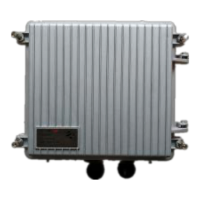
Need help?
Do you have a question about the RisingHF RHF2S008P4G and is the answer not in the manual?
Details default account credentials and how to connect to the RHF2S008P4G device via SSH.
Details the structure of device file system directories like /home/rxhf and /opt.
Explains the Semtech-provided Packet Forwarder, its versions, and its role in LoRaWAN networks.
Guide to integrating the RHF2S008P4G with the Loriot.io LoRaWAN server.
Steps to register your RHF2S008 gateway with the Loriot.io platform.
Instructions on how to start and manage the Loriot gateway service on the RHF2S008P4G.
How to set the gateway frequency within the Loriot console and documentation.
Procedure for upgrading the Loriot firmware on the RHF2S008P4G device.
Guide to integrating the RHF2S008P4G with the Aisenz (loraflow.io) LoRaWAN server.
Steps to register your RHF2S008 gateway with the Aisenz (loraflow.io) platform.
Instructions for starting and managing lorabridge and Irgateway services for Aisenz.
Commands to start and stop the loraflow SDK services.
Details on configuring gateway frequency for loraflow.io, reusing Semtech packet forwarder.
Guide to upgrading the loraflow SDK using the provided zip file and online documentation.
Details on using the LTE/4G/3G cellular network, including service management and status checks.
Explains the pingloop service to keep the cellular network active and prevent sleep mode.
Instructions for accessing and testing the on-board GPS module (MAX-7Q) for LoRaWAN Class B.
Information on enabling and using the rssh service for remote technical support from RisingHF.
Steps for compiling programs directly on the RHF2S008 gateway using its embedded GCC toolchain.
Guide to setting up a cross-compilation environment for building programs on a Linux system.
Instructions on how to obtain the necessary firmware image for restoring the device.
Steps to put the RHF2S008 into Bootloader mode for firmware flashing.
Information and link for burning the RHF2S008 firmware onto the device.
 General
| Model | RHF2S008P4G |
|---|---|
| Category | Gateway |
| Channels | 8 |
| RF Power Output | 20 dBm |
| Sensitivity | -137 dBm |
| Ethernet | 10/100 Mbps |
| Weight | 200g |
| Certifications | CE, FCC |
| Connectivity | LoRaWAN |
| Frequency Band | 868 MHz / 915 MHz |
| Interface | USB |
| Operating Temperature | -40°C to +85°C |


 To Next Page