EasyManua.ls Logo

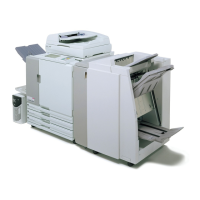
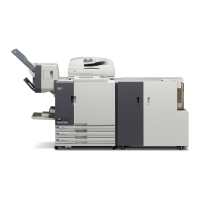
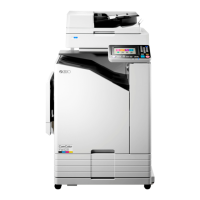
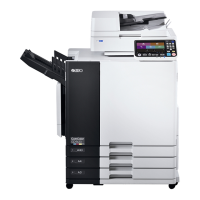
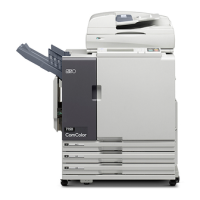
Riso ComColor 9150 - User Manual

Riso ComColor 9150
201 pages
Print Icon
To Next Page IconTo Next Page
Loading...
This guide describes total operation features and specifications.
052-36061-800
Applicable Printer models
9150/9150R/9110/9110R
7150/7150R/7110/7110R
3150/3150R/3110/3110R
2150

Table of Contents

Other manuals for Riso ComColor 9150

Questions and Answers

  • J
    Jennifer HenryAug 8, 2025
    What to do if paper has jammed in Riso Finishers?
    • J
      Julia RamosAug 8, 2025
      If paper has jammed inside the Riso Finishers printer or Mail maker, or if there's no paper feed or multiple sheets fed, press the button indicating the location of the paper jam. Follow the procedure displayed on the touch panel to remove the jammed paper.
  • D
    denise19Aug 17, 2025
    What to do if Riso Finishers Mail maker has an error?
    • Z
      Zachary MedinaAug 17, 2025
      If the Riso Finishers Mail maker has an error, first, press the [Reset] key on the operation panel. If the system doesn't recover, press the [Sub power] key to turn the power off and then on again.
  • X
    xgarrettAug 28, 2025
    How to fix Mail maker error on Riso Finishers?
    • C
      Cameron MitchellAug 28, 2025
      To address an error with the Riso Finishers Mail maker, try turning the power off and on again using the [Sub power] key on the operation panel.

Summary

About This Guide

Preface

Introduction to the user guide and its purpose.

Trademark Credits

Lists registered trademarks used in the manual.

Part Names and Functions

Main Unit and Optional Scanner

Identifies key components of the main printer unit and optional scanner.

Face Down Offset Stapler (optional)

Details the features and parts of the optional face down offset stapler.

High Capacity Feeder (optional)

Explains the components and functions of the optional high capacity feeder.

Stacking Tray (optional)

Describes the auto-control and wide stacking trays and their parts.

High Capacity Stacker (optional)

Details the parts and functions of the optional high capacity stacker.

Multifunction Finisher (optional)

Explains the components and functions of the optional multifunction finisher.

Operation Panel

Describes the buttons and indicators on the machine's control panel.

Printer Driver

Overview of Print Operations

How to use the machine as a printer via a computer network.

List of Settings

A comprehensive list of available printer driver settings and their corresponding pages.

Basic Settings

Configuration of fundamental printer driver settings like color mode and paper type.

Copy

Overview of Copy Operations

Steps involved in using the machine as a copier with an optional scanner.

List of Settings

A comprehensive list of available copy mode settings and their corresponding pages.

Basic Settings

Configuration of fundamental copy settings such as color mode and reproduction size.

Direct Access;Selections entry

Registering frequently used functions to the direct access or selections screens.

Copying Functions

Describes various copy functions available, like save as default and check setting.

Scanner

Overview of Scan Operations

Procedures for scanning paper originals and digitizing them.

List of Settings

A comprehensive list of available scanner mode settings and their corresponding pages.

Basic Settings

Configuration of fundamental scanner settings like file format and resolution.

Scanning Functions

Details various scanning functions such as save as default and save/call settings.

Printer

Overview of Printer Mode Operations

How to manage jobs that are sent to the machine but not yet printed.

List of Settings

A list of settings for printer mode operations and their corresponding pages.

Managing Jobs

Detailed procedures for confirming, printing, and deleting jobs from the job list.

Printer Function Settings

How to configure user-configurable functions of the printer main unit.

RISO Console

Overview of the RISO Console

Introduction to the RISO Console software for remote machine control via web browser.

[Monitoring] Menu

How to check printer status, consumables, and system information using the RISO Console.

[Meter display] Menu

How to check print counts, limits, and charge amounts for users via RISO Console.

[Printer] Menu

How to view and manage jobs on the RISO Console and check job status.

[Scanner] Menu

How to view scanned job lists and download scanned data from the RISO Console.

Appendix

Specifications

Detailed technical specifications for various ComColor models and optional equipment.

Consumables

Information on ink cartridges compatible with the ComColor series.

Features of the Multifunction Finisher

Outlines the punch, staple, and booklet finishing functions of the multifunction finisher.

Staple Function and Orientation of the Paper

Explains staple positions and paper orientation for different binding sides.

Riso ComColor 9150 Specifications

General IconGeneral
Print TechnologyInkjet
Print Resolution1200 x 1200 dpi
Monthly Duty Cycle300, 000 pages
Ink ColorsCyan, Magenta, Yellow, Black
Duplex PrintingYes
Print Speed150 ppm
ConnectivityEthernet, USB
Paper Weight40-300 gsm
Ink TypePigment ink
Paper SizesLetter, Legal, A4, A3
Media Weight40-300 gsm

Related product manuals