EasyManua.ls Logo

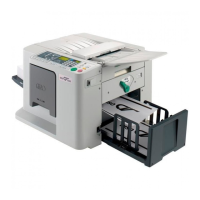
Riso CV 3130 - User Manual

Riso CV 3130
104 pages
Print Icon
To Next Page IconTo Next Page
Loading...

Table of Contents

Questions and Answers

  • E
    Eric Simmons DVMAug 3, 2025
    What to do if Riso Office Equipment displays a 'CALL SERVICE' message?
    • R
      Richard MooreAug 3, 2025
      If the message 'CALL SERVICE' is displayed on the panel, check the error numbers (T00-000) on the display and contact your dealer (or authorized service representative).

Summary

Before Starting Use

Installation Safety

Precautions and procedures for machine installation.

Handling and Operation Safety

Safety rules and environmental conditions for machine operation.

Basic Operations

Preparing to Print

Steps to prepare the machine for printing, including paper loading.

Functions for Printing

Proofing and Print Position Adjustment

Checking print quality and adjusting print position.

Replacing and Disposing Consumables

Replacing Ink Cartridge and Master Roll

Procedures for replacing ink cartridges and master rolls.

Maintenance

Safety Guide - Cleaning

Safety precautions before cleaning the machine.

Troubleshooting

Error Messages and Indicators

Understanding error messages and indicators.

Riso CV 3130 Specifications

General IconGeneral
BrandRiso
ModelCV 3130
CategoryOffice Equipment
LanguageEnglish

Related product manuals