EasyManua.ls Logo

RiteAid deluxe automatic - 4. Using Your Monitor for the First Time; 4.1. Installing Batteries and Cuff Details

RiteAid deluxe automatic
60 pages
Print Icon
To Next Page IconTo Next Page
To Previous Page IconTo Previous Page
Loading...
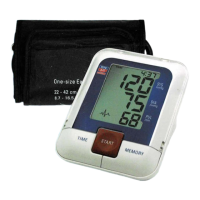
b)
Wide
Range
Soft
Cuff:
.;
For
arm
circumference
8.
7"
-
16.
5"
-
'
If
you
ever
need
to
buy
a
replacement
cuff
call
customer
serVice
at
1600-5684147
for
information.
.
-
Please Note:
Arm
circumference
should
be
measured
with
a
measuring
tape
in
the
middle
of
the
,
_
relaxed
upper
arm.
Do
not
force
cuff
connection
into
the
opening.
Make
sure
the
cuff
can-
nection
is
not
pushed
into
the
AC
adapter
port.
If
the
cuff
Is
too
small,
call
1-800-
568-
4147
for
additional
information.
You
may
prefer
to
use
one
of
our
wrist
type
monitors.
1-3“ : 5.":
-'-'
1
V.
I "
j‘
'.
.‘
-T‘
I.“
"in,"
65’3”
f:
t-‘.":‘._:,;_
‘1!
1‘}.
:7.
1.
4.
Using
your
Monitor
for
the
First
Time
4.1
Installing the batteries
Insert
batteries
immediately
after
unpacking
the
unit.
The
battery
compartment
is
located
on
the
bottom
of
the
device
.
a)
Remove
cover.
'
,
b)
Insert
the
batteries
(4
x
size
AA
1.5V)
Observing
the
indicated
polari-
I.
I
ty.
When
replacing
the
batteries
replaCe
all
at
the
same
time
C)
If
a
battery
warning
appears
in
the
display,
the
batteries
are
dis-
charged
and
must
be
replaced
,
.
.
Notes:
-
0
We
do
not
recommend
using
rechargeable
batterIes
0‘
If
the
blood
pressure
monitor
is
not
used
f0r
long
perIods
remove
the
batteries
from
the
device.
..
:4;
l
_
w"
_l
'10.