EasyManua.ls Logo

RiteAid deluxe automatic - 5.9-5.10. Power Management and Indicators; Battery Management and Replacement

RiteAid deluxe automatic
60 pages
Print Icon
To Next Page IconTo Next Page
To Previous Page IconTo Previous Page
Loading...
5.9.
Battery
Charge
Indicator
Batteries
almost
discharged
r
"
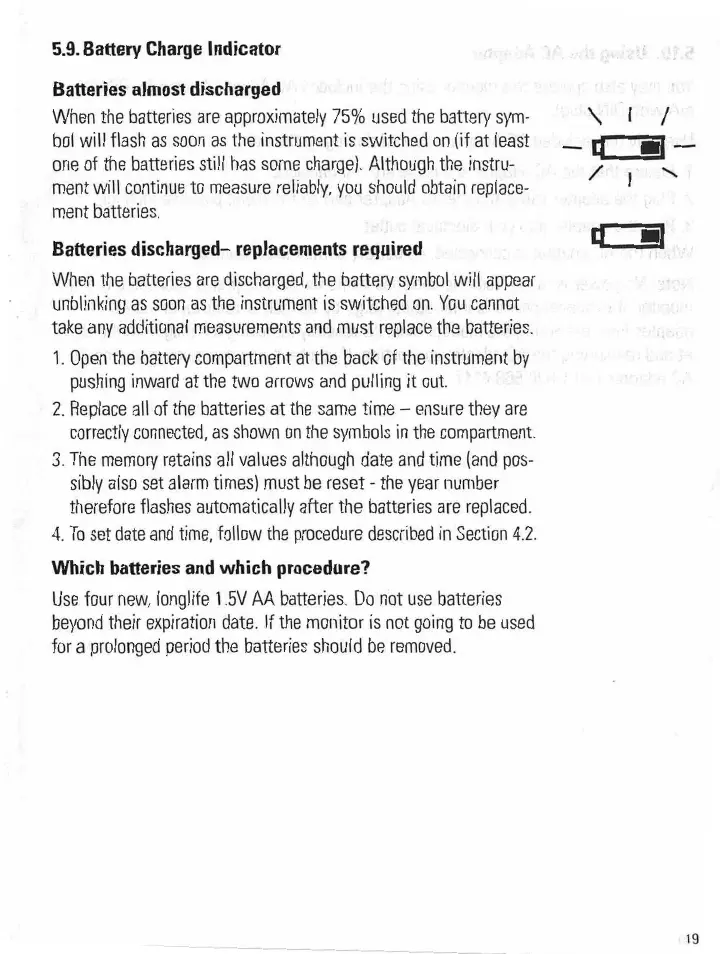
When
the
batteries
are
approximately
75%
used
the
battery
sym~
bol
will
flash
as
soon
as
the
instrument
is
sWitched
on
(if
at
least
one
of
the
batteries
still
has
some
charge).
Although
the.
instru-.
ment
will
continue
to
measure
reliably,
you
should
obtain
replace;
ment
batteries.
Batteries
discharged-
replacements
required
.
was;
all
are
i...
n,
‘r'
O
\*
I‘
1/'
"~I[:Iil-'-
g
M
V
r}.
When
the
batteries
are
discharged,
the
battery
symbol
will-appear,
unblinking
as
soon
as
the
instrument
is
switched.
on.
You
cannot
take
any
additional
measurements
and.
must
replace
the
batteries.
1.
Open
the
battery
compartment
at
the
back
of
the
instrument
by
pushing
inward
at
the
two
arrows
and
pulling
it
out.
'
2.
Replace
all
of
the batteries
at
the
same
time
-
ensure
they
are
correctly
connected,
as
shown
on
the
symbols
in
the.
compartment.
3.
The
memory
retains
all
values
although
date
and
time
(and
pes-
sibly
also
set
alarm
times)
must
be
reset
-
the
year
number
therefore
flashes
automatically
after
the
batteries
are
replaced.
4.
To
set
date
and
time,
follow
the
procedure
described
in
Section
4.2.
Which
batteries
and
which
procedure?
Use
four
new,
longlife
1.5V
AA
batteries.
Do
not
use.
batteries
beyond
their
expiration
date.
If
the
monitor
is
not
going
to
be
used;
for
a
prolonged
period
the
batteries
should
be.
removed.
‘19