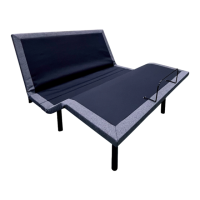
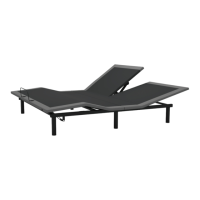
EZ Bed Frame Assembly
NEED HELP?
1-800-444-8444
warranty@rizehome.com
REV: 02.14.24
1. Unfold side rails.
2. Using the reference
chart, select the size you
need on the 3 cross bars.
FOR TWIN:
3. Without extending the
cross bars, you’re ready
for TWIN / TWIN XL.
Continue to Step 6.
FOR FULL:
4. Press “T/TXL” button
and extend Tube A
outward, you will
adjust to FULL size
when button locks to
“F/Q/CK/K” position.
Continue to Step 6.
FOR QUEEN, CALKING, KING:
5. Keeping “F/Q/CK/K”
size button in place,
press “T/F” button and
extend inner Tube B
outward, you will adjust
to “QUEEN”, “CAL-
KING”, or “KING” size.
6. Insert the 3 cross bars
into the side rails,
pushing down until
tab is fully seated into
bracket.
7. Headboard brackets
must be flipped up.
8. Insert glides on all 9 legs.
NOTE: e frame must be
used with box spring or
bunkie board.
SHOWN FOR REFERENCE: FULL
INCLUDED PARTS
Side Rail
2 pcs
1
Cross Bar
3 pcs
SIZE ACTION NEEDED
Twin Set Tube A to T/TXL; Set Tube B to T/F
Full Set Tube A to F/Q/CK/K; Set Tube B to T/F
Queen Set Tube A to F/Q/CK/K; Set Tube B to Queen
Cal-King Set Tube A to F/Q/CK/K; Set Tube B to Cal-King
King Set Tube A to F/Q/CK/K; Set Tube B to King
Using the chart below, select the desired frame size and adjust
Tube A and B accordingly.
T/TXL
F/Q/CK/K
A
3
4
5
6
B
A
7
KNG
QN
T/TXL
8
Plastic Glide
9 pcs

 Need help?
 General

 To Next Page