EasyManua.ls Logo

RKI Instruments GX-2009 - User Manual

RKI Instruments GX-2009
74 pages
Print Icon
To Next Page IconTo Next Page
Loading...
www.rkiinstruments.com
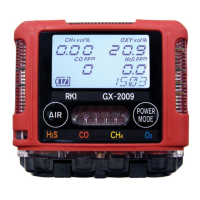
GX-2009
Portable Gas Monitor
Operators Manual
Part Number: 71-0158RK
Revision: I
Released: 2/25/15

Other manuals for RKI Instruments GX-2009

Questions and Answers

  • A
    Aaron EvansJul 27, 2025
    Why does my RKI Instruments Gas Detectors unit show abnormally high or low readings?
    • B
      Bryan DouglasJul 27, 2025
      Abnormally high or low readings on your RKI Instruments Gas Detectors unit, when other devices show correct values, could be due to two main reasons: * The unit may require calibration; in this case, you should calibrate the unit. * The sensor for the affected channel(s) might need replacement; consider replacing the sensor.
  • B
    Brandy DownsAug 1, 2025
    What to do if “FAIL” displays during span adjustment in AUTO CAL on RKI Instruments Gas Detectors?
    • H
      hawkinsrandyAug 1, 2025
      If you see a “FAIL” message during span adjustment in AUTO CAL, or you're unable to set response readings during span adjustment in ONE CAL on your RKI Instruments Gas Detectors, consider the following: * Verify that the AUTO CAL calibration gas values match the gas concentrations of your calibration cylinder. * Replace the H2S removal filter disk or the charcoal filter disk if they are saturated. * Check all calibration tubing for leaks or bad connections to ensure the sample gas reaches the sensor. * Make sure the calibration cylinder has enough gas and is not outdated. * If the problem continues, the sensor for the affected channel(s) may need to be replaced.
  • M
    Michelle DavisAug 6, 2025
    How to fix a blank LCD on RKI Instruments Gas Detectors?
    • M
      Meghan MorganAug 6, 2025
      If the LCD on your RKI Instruments Gas Detectors unit is blank: * First, ensure the unit is turned on by pressing and holding the POWER MODE button until you hear a beep. * If it still doesn't turn on, the batteries may need to be recharged using the charging station.
  • T
    tarnoldAug 10, 2025
    How to fix a blank LCD screen on RKI Instruments Accessories?
    • M
      megan85Aug 10, 2025
      If the LCD screen on your RKI Instruments accessory is blank, first ensure the unit is powered on by pressing and holding the POWER MODE button until you hear a beep. If it still doesn't turn on, the batteries may need to be recharged using the charging station.
  • S
    stephen39Aug 16, 2025
    Why my RKI Instruments Accessories show incorrect readings?
    • P
      Paul WilliamsAug 16, 2025
      If your RKI Instruments accessory shows unusually high or low readings compared to other gas detection instruments, it may require calibration. If calibrating doesn't resolve the issue, the sensor for the affected channel(s) might need to be replaced.
  • S
    Shelly LozanoAug 21, 2025
    What to do if RKI Instruments GX-2009 Accessories display “FAIL” during calibration?
    • D
      dpageAug 21, 2025
      If you see a “FAIL” message during span adjustment in AUTO CAL or cannot set response readings during span adjustment in ONE CAL on your RKI Instruments accessory, consider the following: 1. Confirm that the AUTO CAL calibration gas values match the calibration gas cylinder. 2. Change the H2S removal filter 2 disk and/or the charcoal filter disk. 3. Check all calibration tubing for leaks or bad connections. 4. Verify that the calibration cylinder contains an adequate supply of fresh test sample. 5. If the fail condition continues, replace the sensor(s).

Summary

Description of the GX-2009 Gas Monitor

GX-2009 Case and Physical Features

Describes the physical housing, its material, water resistance, and attachment points for clips.

GX-2009 Sensors Overview

Explains the different gas sensors (LEL, O2, CO, H2S) and their detection principles.

GX-2009 Control Buttons and Interface

Describes the function of each control button (AIR, POWER MODE) on the device.

GX-2009 Power and Charging System

Covers the NiMH batteries, their specifications, and the available charging stations.

Start Up Procedure for GX-2009

Initializing the GX-2009

Step-by-step guide to turn on and initialize the GX-2009, including initial checks and display sequence.

Performing a Fresh Air Adjustment

Procedure to set accurate zero readings in clean air for device calibration and optimal performance.

Operation of the GX-2009 Gas Monitor

Normal Operation and Display

How to use the device during regular gas monitoring and understanding the Normal Operation Screen.

Display Mode Functionality

How to view peak readings, STEL, TWA, and full-scale values for gas detection.

Alarm Indications and Responses

Describes visual/audible alerts for gas conditions and procedures for handling alarms.

Calibration and Testing Procedures

Using Calibration Mode

General navigation and operation within the device's calibration menus.

Span Adjustment in AUTO CAL

Calibrating all gas channels simultaneously using a calibration gas mixture.

Performing a Bump Test

Procedure to verify sensor response to calibration gas, ensuring proper functionality.

User Setup and Configuration Options

Using User Setup Mode

General navigation and operation within the device's user setup menus.

Setting Alarm Points

Configuring warning and alarm thresholds for each gas channel and alarm type.

Password Protection Setup

Enabling and configuring password protection for accessing setup and calibration modes.

Maintenance and Troubleshooting

Troubleshooting Common Issues

Diagnosing and resolving common operational issues, error messages, and symptoms.

Recharging the GX-2009 s NiMH Batteries

Instructions for charging the device's battery pack.

Replacing GX-2009 Components

Step-by-step guide for replacing batteries, sensors, and scrubber filters.

RKI Instruments GX-2009 Specifications

General IconGeneral
BrandRKI Instruments
ModelGX-2009
CategoryAccessories
LanguageEnglish