EasyManua.ls Logo

RND 320-KD3005D - Mode 2 - Continuous Adjustment Mode; Operation of LOCK Function; Operation of Over Current Protection; Mode 3 - Remote Control Mode

Default Icon
26 pages
Print Icon
To Next Page IconTo Next Page
To Previous Page IconTo Previous Page
Loading...
8
Mode 2 - Continuous Adjustment Mode


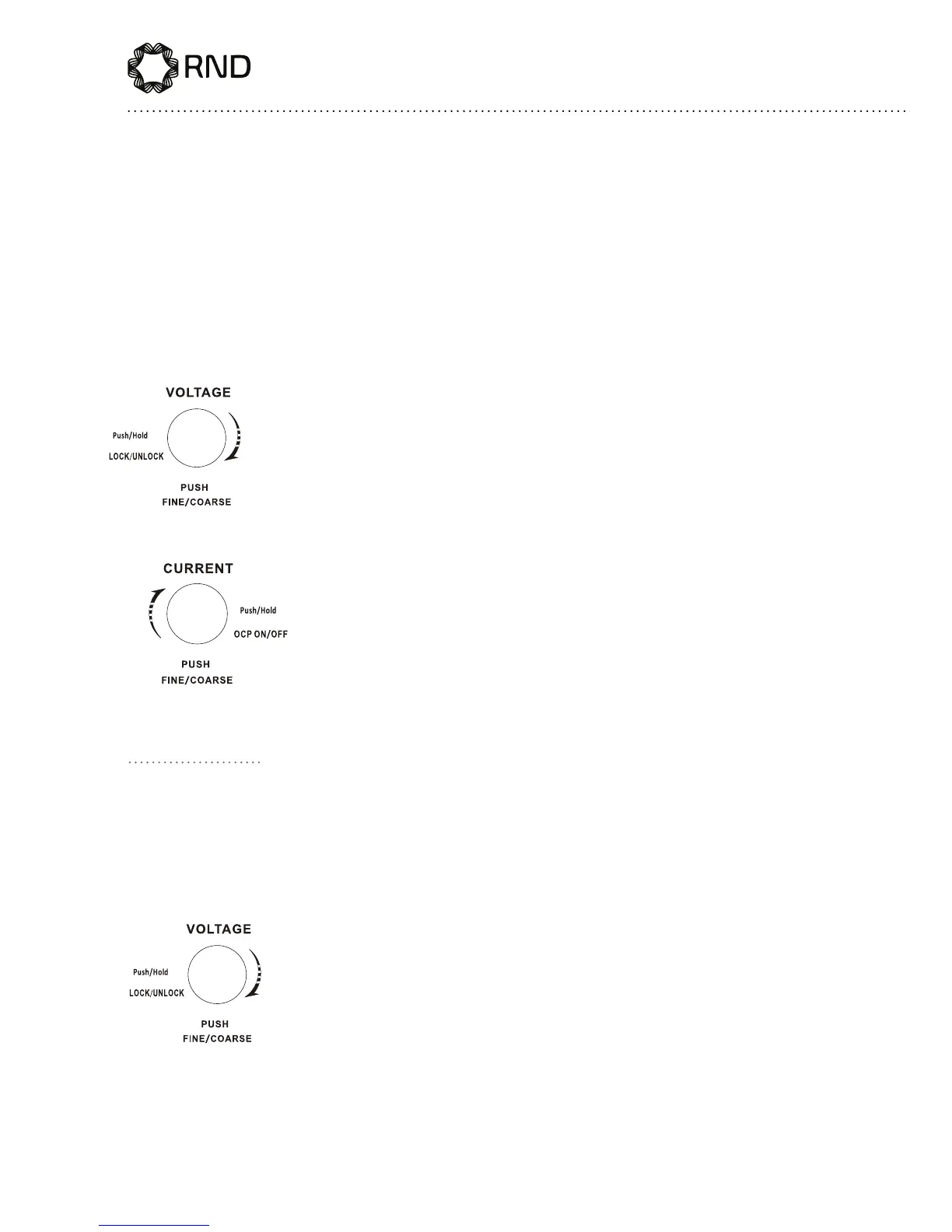
The voltage and current levels can be changed by pushing the knobs.

Press and hold for 3 seconds to lock the front panel and
then press again and hold for 3 seconds to unlock the
panel.

Press and hold for 3 seconds to start OCP mode, where

reaches the set value. In the OCP mode, rotate this knob
to recover the output. Press and hold for 3 seconds again

Mode 3 - Remote Control Mode
(only for RND 320-KD3005P)
Push and hold the VOLTAGE knob for 3 seconds to lock




the power supply will be ON and OFF accordingly. Push
and hold the VOLTAGE knob again for 3 seconds and

unlocked.

Related product manuals