5
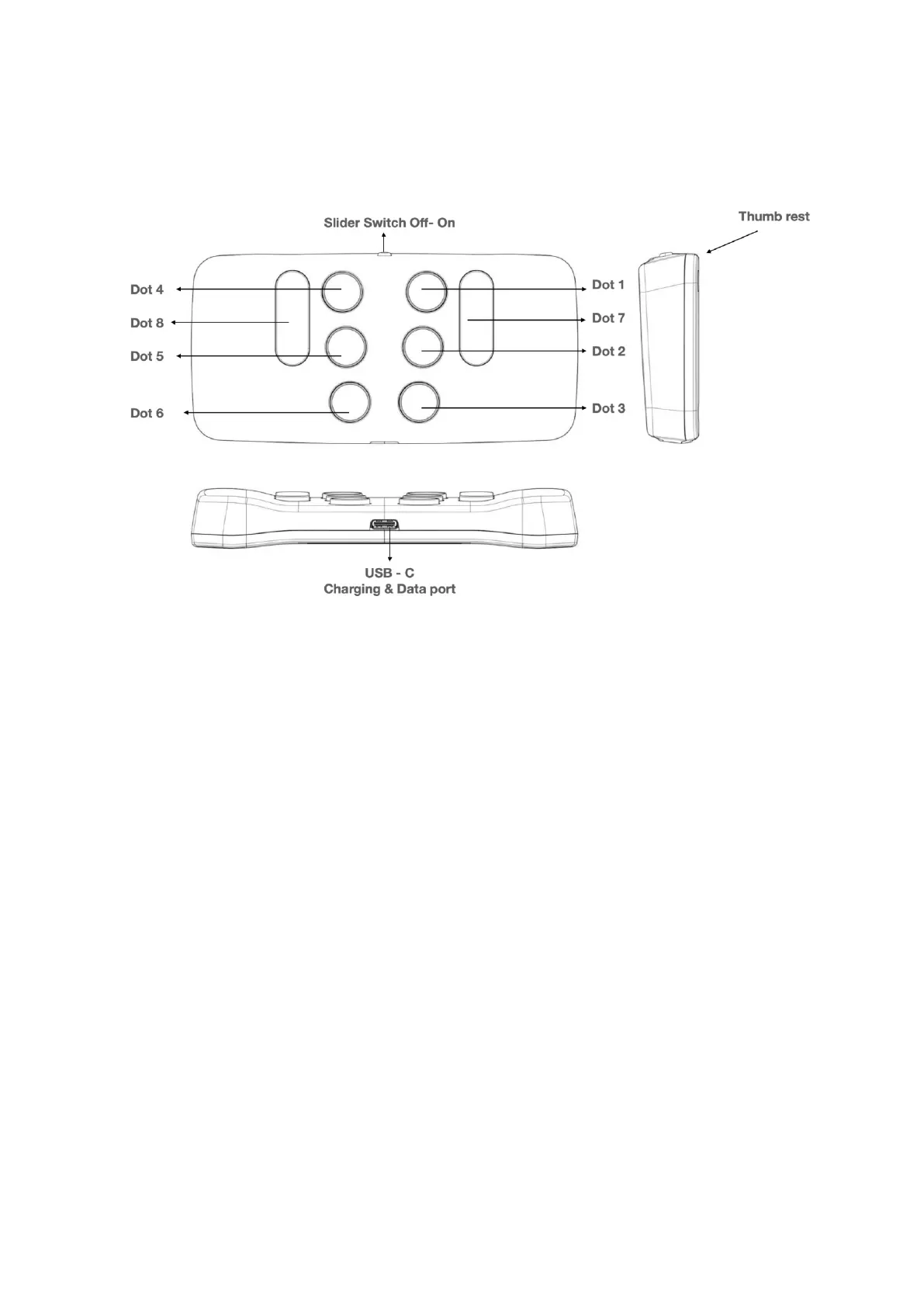
Figure one: The Hable One viewed, from the top and side
Getting started
Step one: Holding the controller securely
While using the Hable One you keep the controller in the air
with both of your hands, do not put it on a table or desk. Make
sure the on/off slider aims towards the ceiling. The flat
back should face you, this way the buttons should automatically
face away from you.
Keep the controller fixed with both hands. You do this by
wrapping your hands around the left and right shorter edges of
the Hable One. If you do this correctly your fingers will
automatically fall on the six braille input buttons. Note that you
will press the buttons towards yourself.
From now on, each button will be referenced with
numbers. The six small buttons are numbered like a braille cell.



 To Next Page