
 Need help?
Do you have a question about the Roadpro Ice Warner 3172 and is the answer not in the manual?
Attach the outside sensor in a suitable place outside the vehicle away from direct sunlight, rain, and wind.
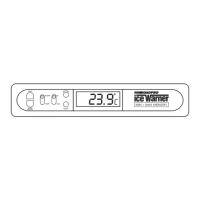
Set the device clock and select temperature units (Celsius or Fahrenheit) using the front and back panel switches.
Use the IN/OUT switch to toggle between displaying the inside or outside temperature readings.
View recorded minimum and maximum temperatures for both inside and outside by pressing the MIN-MAX button.
Reset recorded temperature memory by pressing the CLEAR button after the MIN-MAX button.
Enable the Ice Alert feature to receive an alarm and visual alerts when outdoor temperature is between 30°F and 37°F.
Press the LIGHT button to activate the display illumination for nighttime viewing.
 General
| Brand | Roadpro |
|---|---|
| Model | Ice Warner 3172 |
| Category | Thermometer |
| Language | English |

 To Next Page