Appliances
28
© 2014 by Roadtrek, Inc.
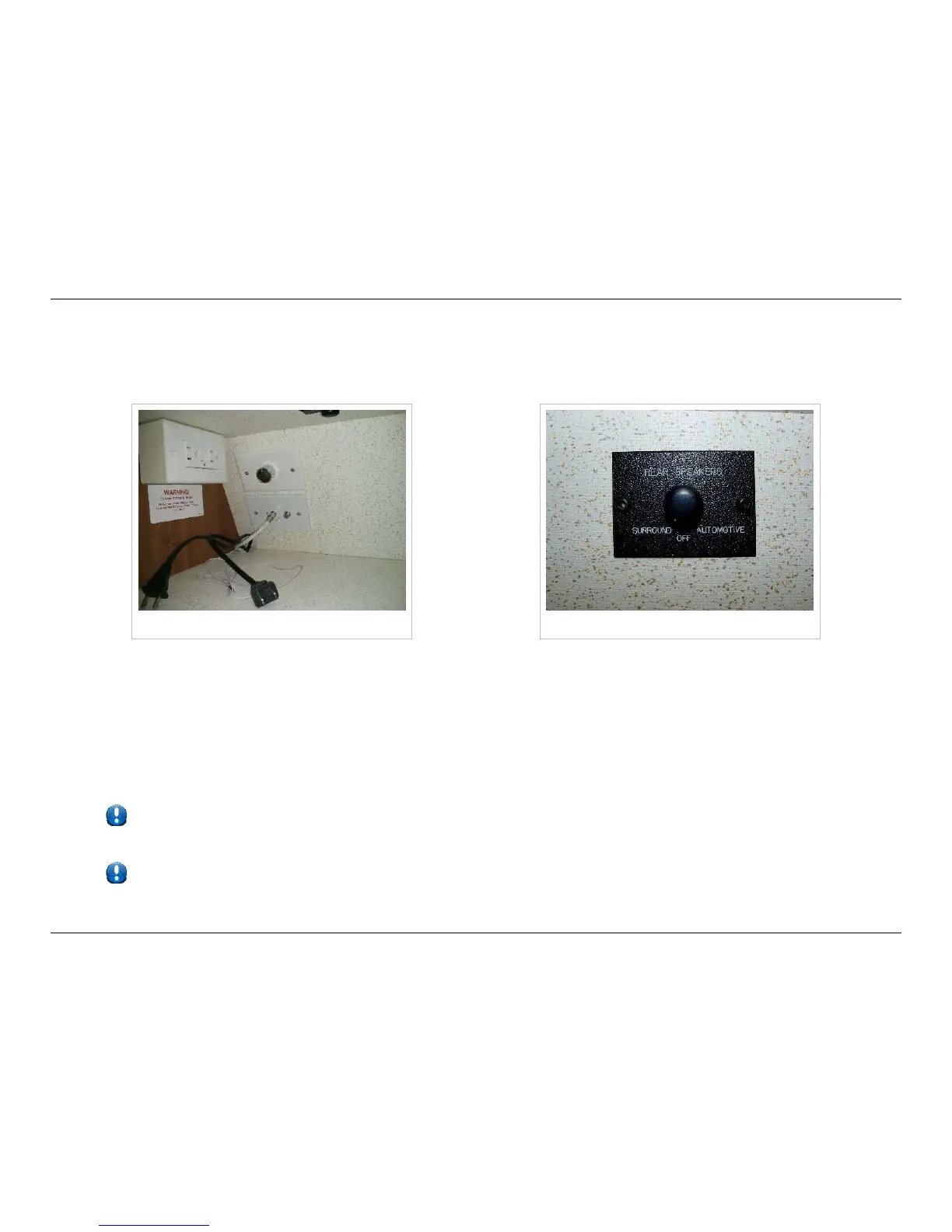
Antenna and Cable Connections
There are two antenna connections in the cabinet above the DVD player. One is labeled for the antenna, the other for cable
TV. Connect the cable to the appropriate jack.
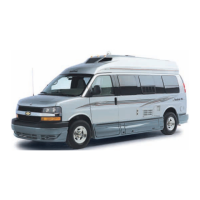
TV antenna and cable connections Rear speaker control switch
Controlling the Rear Speakers
The surround sound system offered in your Roadtrek allows you to control the rear speaker sound in your vehicle. Locate the
speaker switch in the cabinet above the home theater system.
•• Surround Setting: Allows back speakers to function as part of the TV/home theater system
•• Off Setting: Turns the rear speakers off
•• Automotive Setting: Connects the rear speakers to the front dash radio
If you are experiencing problems with your TV reception while using the over-the-air antenna, check to ensure the
connection to the antenna signal booster located in the cabinet above the home theater system is plugged in.
To ensure power is getting to the antenna, check to see if the blue indicator light on the antenna is illuminated, and
that the indicator light on the power injector in the cabinet above the TV is illuminated.



 To Next Page